You can easily spend hundreds of dollars on fancy tools, shiny themes, and messy plugins before writing your first post. That early spending spree burns through your cash. It leaves you stuck with a heavy site before you get a single reader.
The Short Version
- Keep your initial setup lean by spending money only on a custom domain and shared web hosting.
- Skip visual page builders and run a clean block theme to keep your site fast and simple.
- Write your first five articles before you spend a single dollar on extra software or email tools.
Jump to Section
- Why Most New Blogs Burn Through Cash Before Getting Traffic
- The Exact Tools You Need to Launch for Under Fifty Dollars
- How to Start a Blog Without Buying Expensive Software
- Common Setup Traps That Slow Down Your Site and Drain Your Budget
- Lock In Your Setup and Publish Your First Five Posts
- Frequently Asked Questions About How to Start a Blog
Why Most New Blogs Burn Through Cash Before Getting Traffic
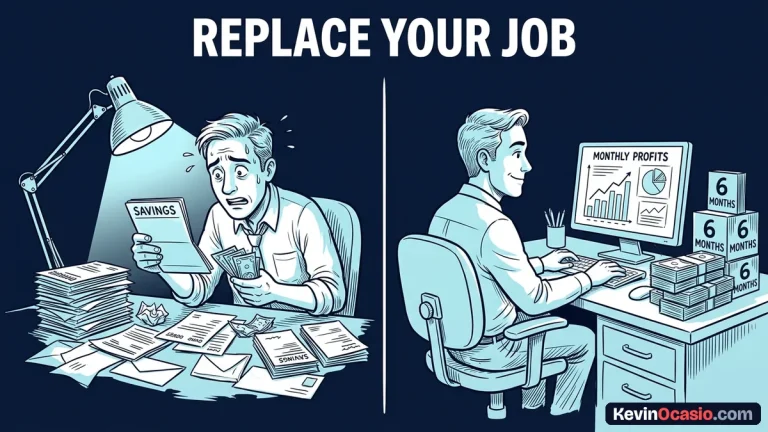
When beginners ask me how to start a blog, they usually think they need a big stack of cash. They buy a ninety-dollar funnel tool, a paid page builder, and five different plugins. By month three, they haven’t made a dime. Their monthly bills force them to quit.
The truth is simple. Search engines don’t care how much your software costs. New blogs take four to eight months to gain traction and earn trust with search engines. If you burn fifty or one hundred dollars each month while you wait, you run out of cash long before traffic shows up.
I learned early on that the best move is keeping your monthly bills near zero. You can always upgrade your tools after you have real readers and sales coming in. Spending cash before you have traffic is just paying to look busy.
The Exact Tools You Need to Launch for Under Fifty Dollars
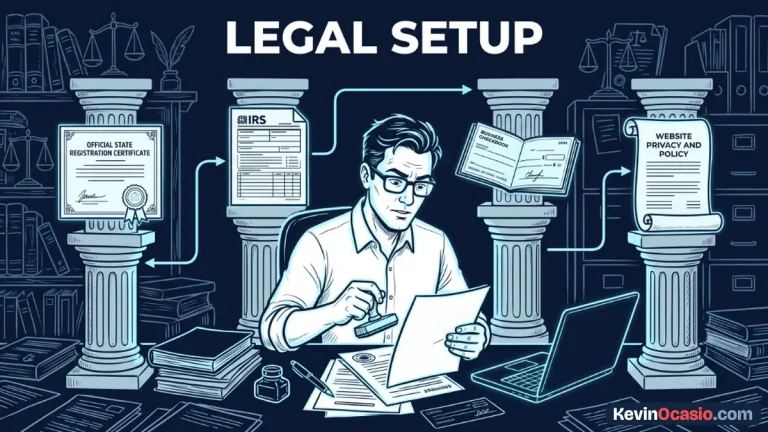
You only need three basic items to get your site online. Those items are a custom domain name, a solid web host, and a clean blogging tool. That’s the whole setup you need to run a real site.
Your domain costs about ten to fifteen dollars a year from a good registrar. You can grab reliable web hosting for under three dollars a month on a basic term. When you choose self-hosted WordPress, the software is free. It gives you total control over your files.
Here is how the common beginner spending traps compare to a practical setup that works:
| Expense Category | The Expensive Traps | The Lean Setup |
|---|---|---|
| Domain Name | $20/yr (Overpriced registrar with paid add-ons) | $10 – $14/yr (Clean registrar with free privacy) |
| Web Hosting | $30 – $90/mo (Locked-in SaaS website builders) | $3/mo (Affordable shared hosting on basic term) |
| Website Theme | $89/yr (Heavy visual builder with bloated code) | $0 – $59/yr (Lightweight WordPress theme built on clean blocks) |
| Plugin Suite | $200+/yr (Paid SEO, caching, and security tools) | $0 (Free plugins from the official directory) |
| First Year Cost | $600 – $1,200 total cash burned | $45 – $80 total for the entire year |
Looking at those real numbers shows why so many new creators quit early. Paying twelve hundred dollars a year for a new site puts heavy stress on your wallet. Dropping that bill down to under fifty dollars keeps you in the game long enough to win.
How to Start a Blog Without Buying Expensive Software
Learning how to start a blog the simple way keeps your monthly bills close to zero while you find your audience. You don’t need visual drag-and-drop page builders that generate messy code. Modern WordPress comes with a fast block editor built right in. Pairing it with a lightweight WordPress theme keeps your design clean and your pages loading fast.
Choosing WordPress also helps you escape hosted site builders that raise prices whenever they want. If you want to see how owned setups hold up against locked tools, look at my guide on self-hosted WordPress vs hosted funnel builders. Owning your database from day one protects your work and saves cash.
You can add free plugins for the few extra jobs you need. Grab a solid SEO plugin like Rank Math, a reliable backup tool, and a clean contact form. That simple set handles ninety-nine percent of what a new site needs without asking for your credit card.
Any software outside that core set is a trap right now. If a tool doesn’t help you write, publish, or get indexed, leave it on the shelf. You can review my breakdown on how to stop paying for software you don’t need to spot other subscription traps.
Common Setup Traps That Slow Down Your Site and Drain Your Budget
Overloading a new site with twenty different plugins is the fastest way to ruin speed. Every plugin adds extra bloat, slows down your pages, and increases the chance of software conflicts. A heavy site slows down. It annoys visitors and drives them away before they finish reading your first sentence.
Keeping your site light directly protects your speed on mobile phones. When your pages take too long to load, visitors leave and rankings drop. This is why fixing your mobile page load speed matters much more than buying fancy design tools. Fast pages keep people reading and lower your bounce rate.
Another common mistake is paying for custom logo design or branding kits before publishing any content. Nobody visits a new blog because of a fancy logo. Readers care about clear answers to their questions, not the colors on your header.
Pouring money into paid ads before your organic engine works will also drain your bank account. Buying ads for unproven articles just sends paid clicks to an empty room. Put your energy into publishing helpful answers that earn free organic visits from search engines instead.
Lock In Your Setup and Publish Your First Five Posts
Get your domain registered and your hosting account set up this afternoon. Install WordPress with a single click, activate a clean lightweight theme, and delete the default demo posts and sample pages. Your entire site is now live and ready for work.
Your next task is writing your first five articles focused on specific questions your readers ask every day. Aim for one thousand words of straight, practical advice per post. Use short paragraphs that are easy to read on a phone. Answer the question directly in the opening lines so readers get immediate value.
Once those articles are live, submit your clean sitemap to Google Search Console. Search crawlers will find your links, index your pages, and begin ranking your content. Keep your head down, add one fresh article each week, and let your traffic build on a solid, affordable base.
Frequently Asked Questions About How to Start a Blog
How much does it cost to start a blog on a budget?
You can launch a self-hosted site for forty to eighty dollars for an entire year. That small amount covers your domain name and twelve months of basic shared hosting. WordPress and your theme cost zero dollars.
Do I need coding skills to run a WordPress blog?
No coding skills are needed to run a modern blog. WordPress installs with one click from your hosting control panel. The native block editor lets you format text, headings, and images visually without touching code.
How long does it take for a new blog to get traffic?
Search engines often take four to eight months to index a new site and send steady organic traffic. This waiting window is why keeping your monthly costs low is so helpful while your content gains trust.
Should I use a free platform instead of paying for hosting?
Free platforms seem tempting, but they control your content. They limit your ways to make money and can delete your site without warning. Owning your custom domain and self-hosted WordPress gives you full control and real asset ownership.
What plugins do I actually need for a new blog on day one?
You only need three basic free plugins on day one: a solid SEO plugin like Rank Math, a reliable backup tool, and a simple contact form. Avoid installing extra tools until your traffic and sales justify them.