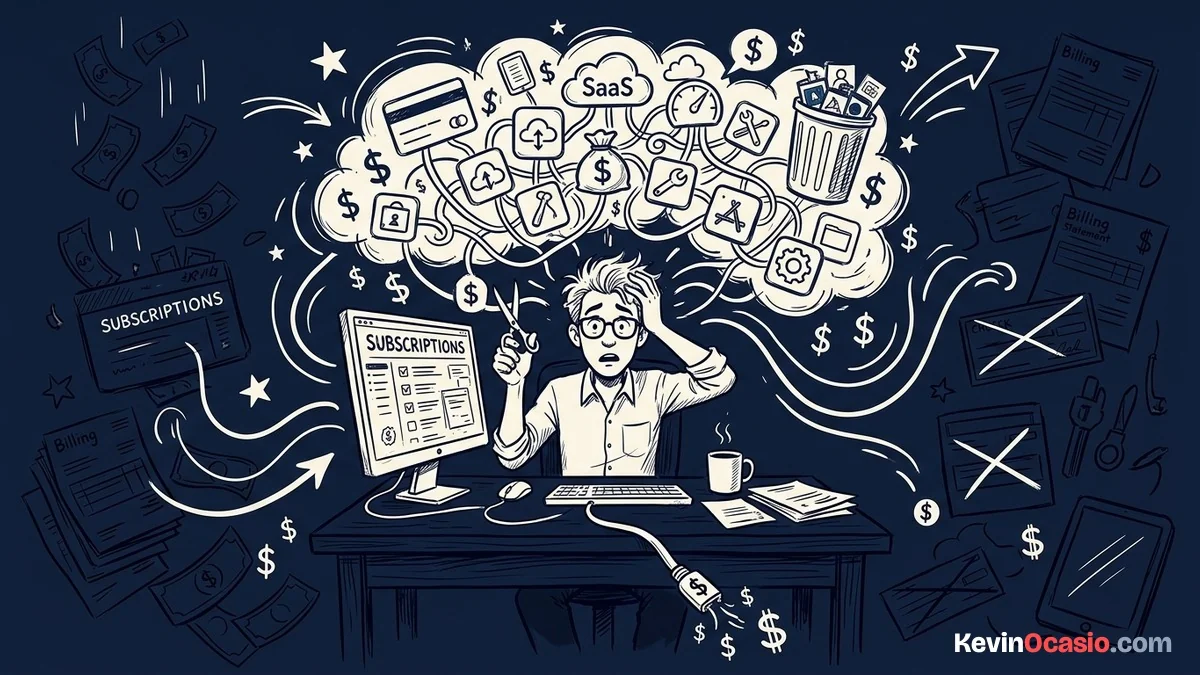
Many builders sign up for free trials and forget to cancel. It’s time to stop paying for software that sits idle while draining your bank account each month.
The Short Version
- Print your recent statements and look for every recurring charge under fifty dollars that you forgot you were paying for.
- Cancel duplicate tool accounts immediately so you only pay for one reliable app per job.
- Protect your profit by keeping your basic setup small and avoiding shiny new monthly bills.
Jump to Section
How to Spot the Zombie Subscriptions Eating Your Cash
That ten-dollar design app or recurring email tester turns into a permanent bill before you know it. You tell yourself you’ll use the tool next week, but next week never comes.
Most of these ghost subscriptions start with a trial for a project you never launched. You wanted to test an AI writer or a graphic tool for one weekend, but you kept paying thirty dollars every month for three years.
That tiny leak adds up to real money. Three forgotten subscriptions take over seven hundred dollars out of your pocket every year. That’s real cash you can keep in your bank or spend on real projects.
Selling an online course makes it easy to fall into this trap before teaching a single student. Choosing a lean setup in the Systeme.io vs Kajabi course builder debate saves you from a $179 monthly bill when a free portal hosts your lessons just fine.
When you check your bank balance, look closely at all recurring charges under fifty dollars. These tiny charges hide in plain sight because they feel too small to worry about on any single day.
SaaS companies make joining a one-click impulse, but bury cancellation behind pages of exit surveys.
Take a hard look at every tool on your laptop right now. If you haven’t opened an app to finish client work or publish fresh posts this month, that tool is dead weight.
Unused tools don’t just cost cash. They steal your focus and clutter your daily work with extra logins and alerts.
The 3-Step Routine to Stop Paying for Software You Never Open
Cleaning up your bills takes twenty minutes. Grab your last three card statements and look at the numbers. You don’t need fancy tools to fix this.
Pull up your latest card bills and highlight every monthly charge you see. Group your apps by job so you can spot duplicate tools right away.
Log into every app you haven’t touched in a month and hit cancel before dinner. When you stop paying for software you don’t use, you keep more cash in your wallet every week.
Export your contacts and files before closing any account. Saving your files to your laptop takes two minutes and keeps your past work safe.
If a company keeps billing you after you cancel, take steps to dispute the unauthorized charge with your bank. Banking rules protect you from bad billing so you get your money back.
Cutting out dead tools puts fresh cash back into your account without making a single new sale. That saved money stays right in your checking account where it belongs.
Replace Bloated App Stacks with Simple Working Tools
Many creators pay five separate monthly bills. They buy tools for funnels, carts, emails, and web pages. You can drop most of those bills with a dedicated sales funnel builder that does it all in one spot.
If you run WordPress, pair it with reliable web hosting for a few bucks a month. A lean setup helps you avoid the myth of passive income and builds a real asset instead.
Fewer logins mean less time fixing broken code and more time shipping new projects. You also have fewer renewal dates to watch.
Running a single platform saves you from paying multiple upgrade fees as your audience grows. You pay one fair rate instead of watching five bills climb at the same time.
Dedicated email apps like Mailchimp hike your bill every time your contact list expands. Choosing Systeme.io rather than Mailchimp keeps your broadcasts unlimited so you don’t face sudden price jumps.
Here is how much money you save each month by running a lean setup instead of buying separate apps for every task:
| Software Job | Bloated Multi-App Stack | Lean Working Stack |
|---|---|---|
| Web Hosting & Blog | $45/mo (Expensive Site Builder) | $5/mo (Self-Hosted WordPress) |
| Funnels, Email & Checkout | $197/mo (Separate SaaS Apps) | $17/mo (All-In-One Funnel Platform) |
| Social Media & Graphic Tools | $60/mo (Multiple Paid Apps) | $0/mo (Free Built-In Utilities) |
| Total Monthly Cost | $302/mo ($3,624/year) | $32/mo ($384/year) |
When you look at those numbers, the choice is clear. You save more than three thousand dollars a year just by keeping your setup simple.
Protect Your Profit by Keeping Your Setup Lean
Every dollar you spend on unused tools is profit you give away to someone else. Before you swipe your card for any new app, make yourself wait two full weeks to see if you actually need it.
Look at your software stack like physical luggage. Every extra tool adds weight to your day and slows down your momentum. The lighter your setup, the faster you can test new ideas and ship working digital assets.
When you build the habit to stop paying for software you rarely use, your online business stays lean and profitable. Take twenty minutes today, review your statements, and cancel every tool that isn’t making you money right now.
If you need a tool later for a paying client job, you can always sign back up in two minutes. Until that day comes, keep your card in your wallet and let your bank balance grow.
Building a great web business isn’t about collecting tools. It’s about using a few simple systems that work every day while keeping your monthly bills low.
Frequently Asked Questions About Software Subscriptions
How often should I review my software bills?
You should check your bank statements on the first day of every month. This fast check helps you spot forgotten trial charges before they turn into permanent bills.
What is the best way to avoid accidental renewals?
Set a phone alert for three days before any free trial ends so you can cancel in time. Virtual cards also help you block surprise charges above your limit.
Can I get a refund for an unused subscription?
Most companies will issue a refund if you ask support within forty-eight hours of an unexpected charge. Point out that you have not logged in or used the tool.
How do I pick between all-in-one software and separate tools?
Picking an all-in-one platform keeps your startup costs down. Only upgrade to standalone software when a specific feature directly increases your revenue.
What should I do before canceling a software account?
Always download your customer lists, sales records, and design files to your local drive before canceling. Most apps delete your data permanently after account closure.