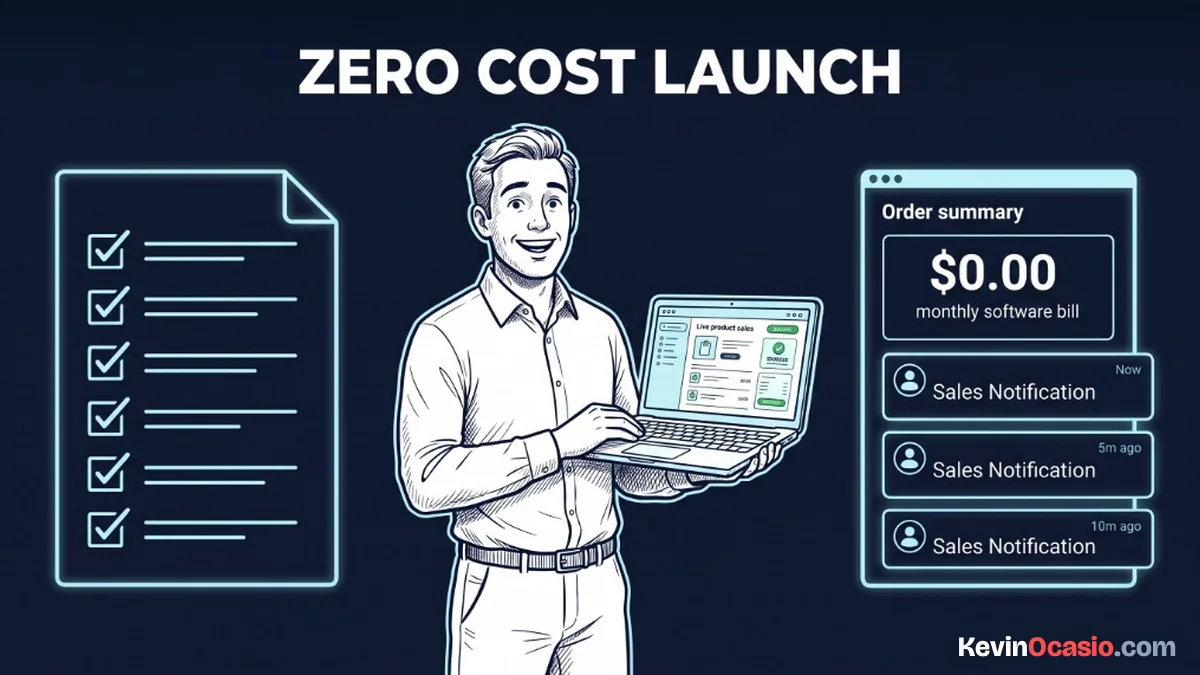
You can easily blow hundreds of dollars on fancy tools before you make a dime online. You don’t need expensive software bills to package and sell your first digital file.
The Short Version
- Build one small digital asset like a quick PDF guide or checklist in Google Docs instead of recording a huge video course.
- Sell through free hosted tools that charge zero monthly platform fees and give you clean checkout pages.
- Deliver your product automatically through an instant download link on your confirmation page without paying for cloud storage lockers.
Jump to Section
- Build a Focused Asset That Solves One Pain Point
- Package Your Files Using Free Everyday Tools
- How to Launch Digital Product Zero Cost Offers Without Paid Software
- Connect Zero-Fee Checkout and Automated Delivery
- Compare an Overpriced Launch to a Lean Stack
- Put Your Free Sales Machine to Work
- Frequently Asked Questions About Zero-Cost Digital Products
Build a Focused Asset That Solves One Pain Point
I see new creators spend six months recording a massive video course. They edit audio tracks, tweak slide decks, and burn out before launch day. When the cart opens, nobody buys.
A digital product doesn’t need to be long to make sales. Most buyers just want a direct guide to fix a single headache in under an hour.
When you learn how to create a simple digital product like a quick cheat sheet or setup guide, you skip weeks of wasted work. If your five-page guide saves someone three hours of trial and error, they’ll gladly pay you for the quick fix.
Package Your Files Using Free Everyday Tools
You don’t need a pricey design app to make a great product. Open Google Docs or a free Canva account and write out your steps with bold subheads, bullet lists, and simple tips.
Export your finished guide as a standard PDF under five megabytes so it opens fast on any phone or laptop. Standard PDFs look sharp on every screen and save your buyers from dealing with clunky downloads.
How to Launch Digital Product Zero Cost Offers Without Paid Software
Old marketing advice tells you to buy a ninety-seven dollar funnel app and a thirty-dollar email tool before launch. That bad advice burns your cash before you test your idea.
You can bypass those monthly bills by using a free sales funnel platform. It handles your landing page, cart checkout, and file delivery under one roof.
Free plans from modern sales platforms let you build three funnels and manage two thousand email contacts at zero cost. You get clean sales pages, order forms, and automated delivery rules without adding a credit card.
Building your sales page takes less than an hour. Pick a simple layout, write a punchy headline, list three clear benefits, and set your price.
Connect Zero-Fee Checkout and Automated Delivery
Selling downloads doesn’t mean giving up a big cut of your cash. Marketplaces like Gumroad take a ten percent cut on every sale you make. Linking Stripe directly keeps that extra margin in your bank account.
Stripe charges standard card fees of about 2.9% plus thirty cents per paid order. If you make zero sales this week, you pay zero dollars.
Your sales page should stay focused on checkout without noisy menus or extra links. Keeping a strict 1:1 attention ratio on your form cuts clutter and helps visitors finish their purchase.
Once payment clears, your tool hands off the file right away. Put a direct download button on the thank-you page. Then trigger an automated email with that same link so buyers can grab the file anytime.
Compare an Overpriced Launch to a Lean Stack
Your new project should bring cash in, not drain your bank account on software you don’t need. Here is how an expensive multi-app launch compares to running a lean, zero-cost stack:
| Setup Component | Overpriced Multi-App Setup | Zero-Cost Lean Stack |
|---|---|---|
| Product Creation | $30/mo (Complex Design Apps) | $0 (Google Docs or Free Canva) |
| Sales Funnel & Cart | $97/mo (Standalone Funnel Builder) | $0 (Free Tier Sales Funnel Platform) |
| File Hosting & Storage | $10/mo (Cloud File Locker) | $0 (Native Platform Upload or Free Cloud Drive) |
| Email List & Delivery | $29/mo (Entry Autoresponder) | $0 (Included in Free Funnel Tier up to 2,000 Contacts) |
| Total Monthly Bill | $166/mo before making a dime | $0/mo until you scale past 2,000 subscribers |
Paying one hundred and sixty-six dollars every month versus zero dollars completely changes your risk when starting out. With zero fixed bills, you can test new ideas and fix your copy without a ticking clock.
That same financial discipline pays off when you start an online business for under $50 a month and keep tool costs down while you build steady sales.
Put Your Free Sales Machine to Work
Setting up your funnel is only half the job. Once your zero-cost stack is live, your main focus is showing your offer to real people who need help.
Share your link directly on social media, in community threads, or inside your blog posts. Customer questions and early orders will show you where people get stuck, letting you update your guide in minutes.
Starting with zero upfront costs lets you learn sales without risking your rent money. Build your simple file today, launch your free checkout page, and collect payments directly.
Frequently Asked Questions About Zero-Cost Digital Products
Can I really sell digital products without paying any monthly fees?
Yes. You can run your entire launch using free funnel tools and direct card processing. You only pay standard transaction fees when someone buys your guide.
How do customers receive their files after buying?
Your checkout page shows a direct download button right after payment clears. An automated email also sends the buyer a link to grab the file anytime.
Do I need a custom domain name to launch my first product?
No. You can use the free subdomain from your funnel tool to start selling today. Once sales roll in, you can connect a custom domain.
What is the easiest digital product to create and sell first?
A simple PDF checklist, resource sheet, or setup guide is fastest. You can write and format it in Google Docs in a single afternoon.
How does payment processing work if I don’t pay for software?
You link a free Stripe account straight to your checkout page. Stripe takes a small fee of around 2.9% plus thirty cents only when you make a sale.
Should I sell my digital product on Gumroad or use a free sales funnel?
A free funnel links straight to Stripe, avoiding Gumroad’s ten percent fee. You also keep full control of your customer contacts and email list from day one.
When should I upgrade to paid business software?
Upgrade only when your email list passes two thousand subscribers or you need more than three funnels. By then, product sales will easily pay for the tool.