You need to turn visitors into email leads and paying customers, but you’re facing two clear paths. You can pick a complete sales funnel with ClickFunnels, or build fast lead pages with Leadpages.
The Short Version
- Leadpages cuts your bills if you only need simple opt-in pages for your email list.
- ClickFunnels runs the checkout when you want to sell products with order bumps and 1-click upsells.
- Your business model decides the right pick based on what you plan to sell this month.
Jump to Section
- The Big Split Between Sales Funnels and Capture Pages
- ClickFunnels vs Leadpages: Pricing Plans and Real Feature Limits
- Checkout Architecture: Order Bumps, Upsells, and Order Value
- Lead Generation Speed: When Quick Capture Beats a Big Setup
- The Real Workflow Cost: Tool Stacks vs All-In-One Power
- Pick the Tool That Matches Your Immediate Cash Goal
- Frequently Asked Questions About ClickFunnels vs Leadpages
The Big Split Between Sales Funnels and Capture Pages
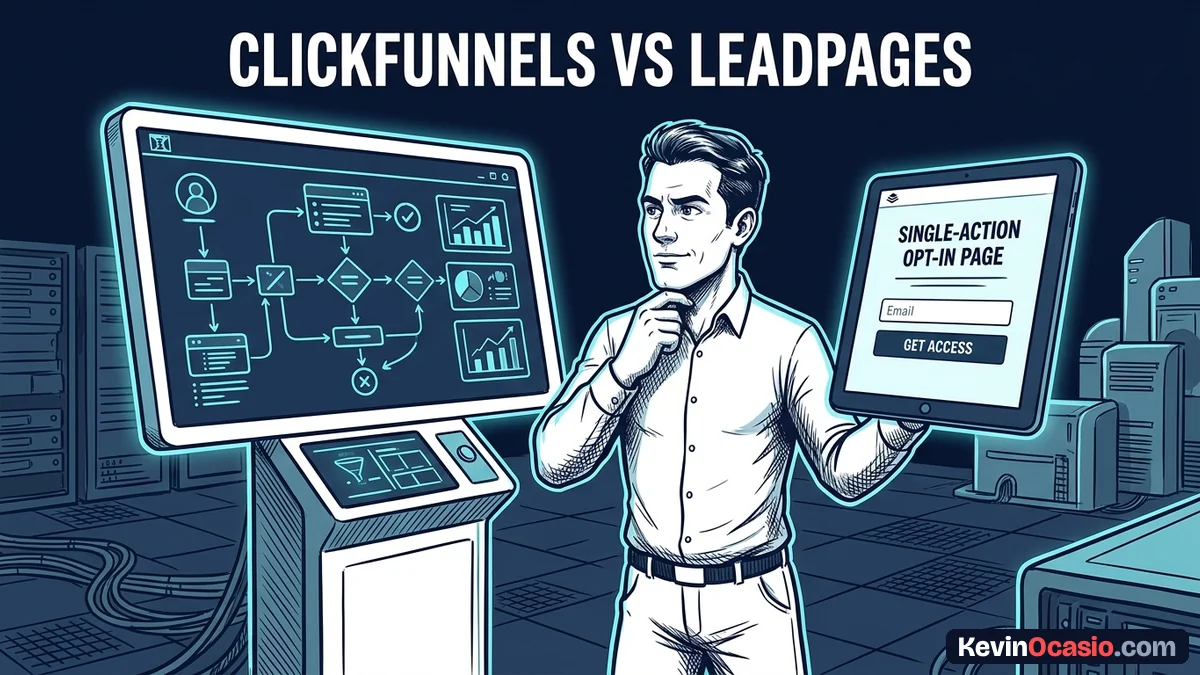
Don’t mix up landing pages and sales funnels. A landing page gives your visitor one quick job. They type in an email address to grab a free guide, and the page stops right there.
A sales funnel takes that buyer on a longer path. The visitor signs up on the first screen. Next, the tool shows an order form, an add-on product, and extra upsell deals before showing the receipt.
If you only want to grow an email list, building a long checkout path wastes time. You pay for tools you’ll never open. That’s why simple funnels beat complex funnels when you start out. But if you sell digital downloads, a bare opt-in page leaves cash behind.
ClickFunnels vs Leadpages: Pricing Plans and Real Feature Limits
Your monthly software bill looks very different on each platform. Leadpages keeps entry costs low, while ClickFunnels bundles a whole sales setup into a higher monthly price.
Leadpages starts on its Pro plan at $29 a month for 25 pages on one custom domain. The Business plan costs $49 a month for 50 pages on two domains. If you want split testing and dynamic text replacement for ads, you’ll need the Grow plan at $99 a month.
ClickFunnels starts at $97 a month on its Launch plan, giving you one website, 20 funnels, and 10,000 contacts. The Scale plan costs $197 a month for unlimited funnels, while the Optimize plan runs $297 a month. You get a 14-day free trial on ClickFunnels, while Leadpages offers a 7-day trial.
This breakdown shows how the main features and costs compare across both tools so you can plan your budget.
| Feature or Limit | Leadpages | ClickFunnels |
|---|---|---|
| Starting Monthly Price | $29/mo (Pro plan) | $97/mo (Launch plan) |
| A/B Split Testing | Requires $99/mo Grow plan | Included on all plans |
| Built-In Product Checkout | Basic Stripe widget | Full direct-response cart |
| Post-Purchase 1-Click Upsells | No native support | Native 1-click upsells & downsells |
| Digital Course & Member Areas | Requires outside LMS tool | Included on all plans |
| Contact Storage Limits | Unlimited (sends to autoresponder) | 10,000 contacts on Launch plan |
These numbers make the choice plain. If you only want to build opt-in pages, starting at $29 a month saves you $68 on your bill. That’s big savings over ClickFunnels.
Checkout Architecture: Order Bumps, Upsells, and Order Value
The biggest gap between these two tools sits on the checkout screen. Leadpages has a simple checkout widget that links to Stripe. Visitors can buy a product without leaving your page, and you can also add a single check-box bump.
Your sales hit a wall the second that payment clears. Leadpages has no native 1-click upsells or downsells. Once someone buys, the tool sends them to a basic thank-you page. To buy a second product, they’ve got to type in their card details all over again.
Extra checkout friction kills impulse sales. When you offer courses or coaching, ClickFunnels is built for that job. It securely saves the customer’s card details from the first sale. You can show instant 1-click upgrades that add to the bill with one tap.
Adding automated order bumps and 1-click upsells lifts what buyers spend on every checkout. If you sell digital goods, that extra cash easily pays for the higher price.
Lead Generation Speed: When Quick Capture Beats a Big Setup
Not every business needs a shopping cart or a course area. If you run a service business, write a newsletter, or share affiliate links, your main goal is collecting email leads as fast as you can.
Leadpages focuses on fast, clean opt-in templates that load quickly on phones. You can pick a layout, link your email tool, and launch a live opt-in page in twenty minutes.
When you design an opt-in page that converts, keeping things simple wins every time. Long checkout steps and extra links only distract people who just wanted your free PDF or cheat sheet.
Trimming extra questions and form fields stops visitors from leaving your sign-up box. Asking for unnecessary details creates friction that cuts your sign-up rate. Leadpages keeps forms short so you can capture the lead and start your email sequence fast.
The Real Workflow Cost: Tool Stacks vs All-In-One Power
Looking only at the base price hides the true cost of your stack. Leadpages looks cheap at $29 or $49 a month, but it’s not an all-in-one tool. You still need an outside email tool to send your messages.
If you sell a video course later, you must also pay for a hosting platform or a cart. Those extra bills stack up fast. Paying $29 for Leadpages, $19 for email, and $47 for a cart puts your total bill right at $95 a month.
When you look at ClickFunnels, the tool bundles course hosting, funnels, checkouts, and email in one place. You skip the pain of linking five tools with webhooks because everything works inside one dashboard.
Choosing between them comes down to what you already pay for. If you already have an email service and web hosting you like, Leadpages fits right in without forcing you to move your whole business.
Pick the Tool That Matches Your Immediate Cash Goal
Don’t pay for complex funnel features until you have an offer to sell. If you’re starting out or growing your list, pick Leadpages on a Pro or Business plan. You keep your monthly bills low while you test your ideas.
Once you have a digital product or an eBook ready to sell, make the move to ClickFunnels. Adding order bumps and 1-click upsells to your checkout will pay for the software fast.
Look at what you’re selling today. Choose the tool that helps you launch your next page this week instead of wrestling with features you don’t need yet.
Frequently Asked Questions About ClickFunnels vs Leadpages
Can Leadpages replace ClickFunnels for selling digital products?
Leadpages can sell single items through its Stripe checkout widget, but it can’t run multi-step funnels with 1-click upsells. If you need post-purchase upsells or built-in course areas, ClickFunnels is the better fit.
Does ClickFunnels include email marketing on its $97 plan?
ClickFunnels Launch comes with contact storage for up to 10,000 leads and built-in email tools. You can send broadcast emails and automated sequences without buying an outside service.
Can I connect Leadpages to my existing WordPress site?
You can install the official Leadpages WordPress plugin to publish standalone pages and popups on your own domain. This lets you keep your current blog while building fast landing pages.
Which tool is easier to learn for a beginner?
Leadpages has a gentler learning curve because it focuses on quick opt-in forms and simple web pages. ClickFunnels has more settings because it runs full checkout funnels and member areas.
Does Leadpages offer A/B split testing on all plans?
No, Leadpages reserves split testing for its Grow plan at $99 a month and above. Its cheaper Pro and Business plans don’t include built-in split testing.
Can I sell recurring subscriptions with ClickFunnels and Leadpages?
Both platforms let you sell recurring plans through Stripe, but ClickFunnels gives you more control over member accounts, trial periods, and digital product delivery.
Do either of these platforms charge transaction fees on sales?
Neither tool takes an extra cut from your sales. You only pay standard card fees to your payment gateway like Stripe or PayPal.