GetResponse puts email, automations, landing pages, and a website builder into one dashboard starting at $19 a month. The real question is whether the tools are worth the price jump when your list starts growing.
The Short Version
- Drag-and-drop automation builder lets you map out full email sequences on a visual canvas, but only the $59/mo Marketer plan gives you unlimited workflows.
- 89 out of 100 on independent inbox delivery tests, with SPF and DKIM baked into every account.
- Starter at $19/mo gives you unlimited sends and a landing page builder, but caps you at just 1 custom automation.
Jump to Section
What GetResponse Actually Gives You at Each Price
Three paid tiers sit above a free plan. The free option handles up to 500 contacts and 2,500 sends per month, which is barely enough to try things out.
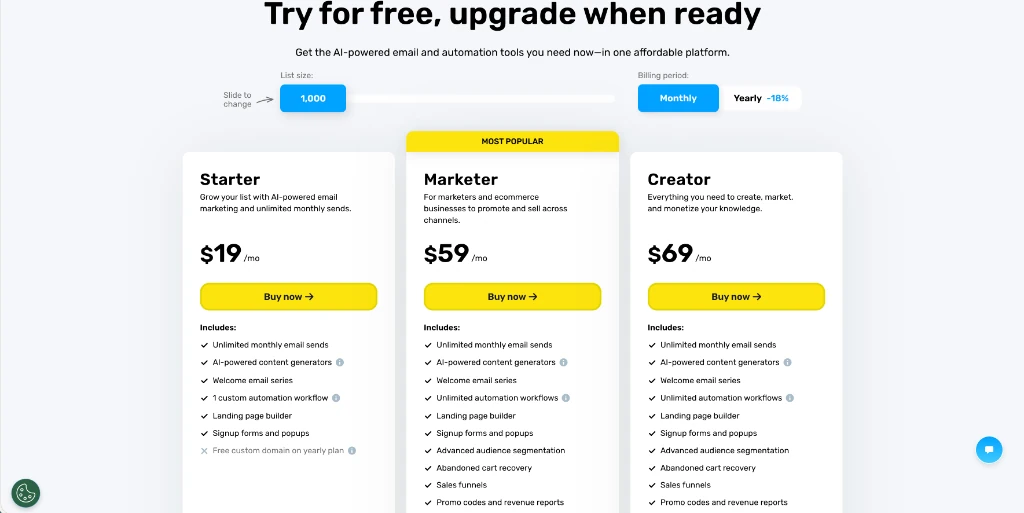
Here’s how each paid plan breaks down at the 1,000-contact level:
| Feature | Starter ($19/mo) | Marketer ($59/mo) | Creator ($69/mo) |
|---|---|---|---|
| Monthly Email Sends | Unlimited | Unlimited | Unlimited |
| Custom Automation Workflows | 1 | Unlimited | Unlimited |
| Landing Pages | Yes | Yes | Yes |
| Advanced Segmentation | No | Yes | Yes |
| Abandoned Cart Recovery | No | Yes | Yes |
| Sales Funnels | No | Yes | Yes |
| Webinars & Courses | No | No | Yes |
| 24/7 Live Chat Support | Yes | Yes | Yes |
Annual billing saves about 18%, which drops Starter closer to $15.50 a month. That’s a fair deal for a tool with unlimited sends. But sticker shock hits when you outgrow that single workflow. Moving from $19 to $59 triples your bill overnight, and there’s no mid-tier pick in between.
The Automation Builder Is the Real Selling Point
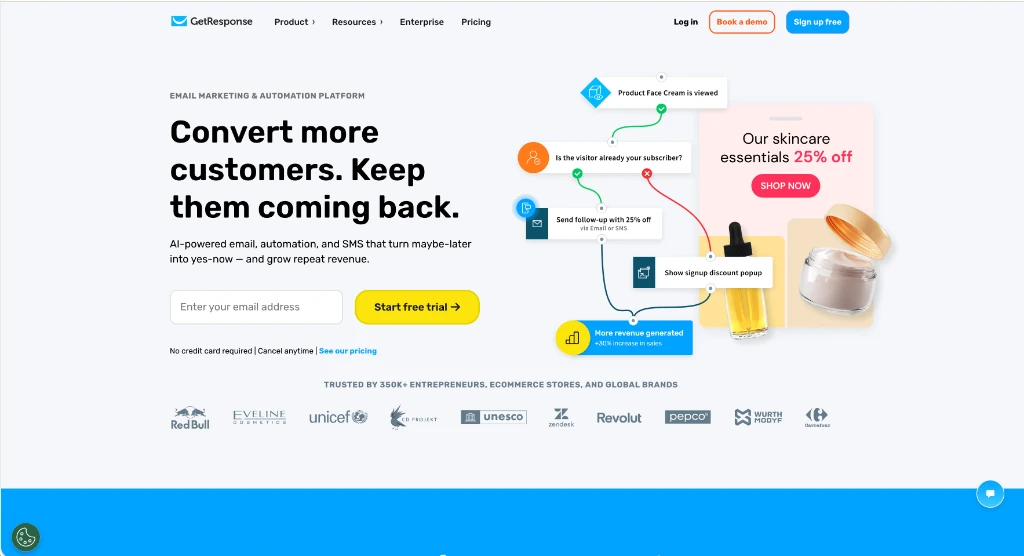
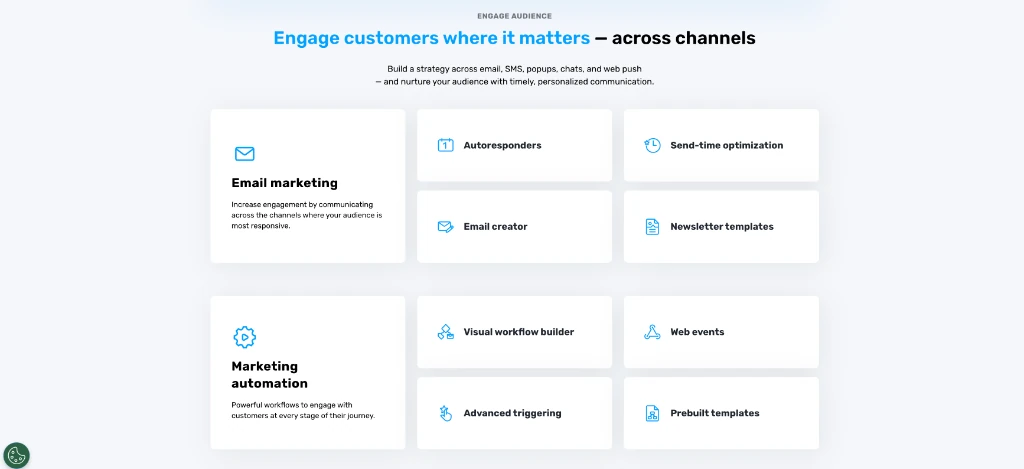
The visual workflow builder is where this tool pulls ahead of basic email senders. You drag triggers, conditions, and actions onto a canvas and link them together to map out exactly how your emails fire.
Triggers kick off when someone joins a list, leaves a cart, or hits a set date. Conditions split the path based on opens and clicks. Actions fire the next step, like sending a follow-up, adding a tag, or moving a lead score.
Ready-made templates cover the most common flows: welcome series, cart recovery, post-purchase follow-ups, and win-back campaigns. Pick a template, swap in your emails, and the workflow goes live in minutes.
Web event tracking lets you watch what people do on your site. You can drop a short code snippet on key pages. Then the builder sends a quick follow-up when someone views your checkout.
On top of that, a single workflow can mix email, SMS, and web push alerts. One automation reaches your audience across three channels without building separate campaigns for each.
GetResponse Review: How Deliverability Actually Stacks Up
An email tool is only worth paying for if your mail hits the inbox. GetResponse scores 89 out of 100 on delivery tests, which sits above the 83% average across most platforms.
GetResponse gives you guided SPF and DKIM records so you can verify your sending domain in your DNS settings. The company also belongs to major anti-spam groups that watch sender habits across Gmail, Outlook, and Yahoo.
Your sender reputation score tells Gmail and Outlook whether to drop your mail in the inbox or the junk folder. Keeping your list clean and your open rates high is the biggest thing you can do.
Cheaper plans share IP addresses with other users. That’s normal at this price range. Sending hundreds of thousands of emails per month means the MAX plan and its dedicated IP are a better fit.
Where GetResponse Falls Short
Plan limits on the entry tiers are the biggest hurdle. On the free plan, you top out at 500 contacts and 2,500 sends. That won’t let you run a welcome email sequence that sells at any serious volume. Moving up to Starter gives you unlimited sends, but you still hit a wall with just one single automation workflow before needing the $59 Marketer plan.
Order pages and payment funnels are locked behind the $59 Marketer tier, so you can’t sell products directly on the Starter plan. If you stay on the Starter plan, you’ll need an external shopping cart or checkout tool to take customer orders. Even on higher tiers, the native store works best for simple digital downloads rather than running large physical product inventories.
List hygiene matters too. If you don’t clean out inactive subscribers on a regular basis, your open rates sink and inbox providers start sending your mail to spam.
Who Should Sign Up (And Who Should Skip It)
GetResponse works well for people who want email, automations, and landing pages in one place without taping together three or four apps. If you have a small list under 500 contacts and only need basic broadcast emails or simple automated sequences, you might do fine with the free plan or a cheaper tool.
Once you need real automation with branching paths, lead scoring, and multi-channel triggers, the Marketer plan at $59 a month covers it all. Just know that’s the price of entry for unlimited workflows. You can start a free trial to test the full dashboard before committing to a paid plan.
Frequently Asked Questions About GetResponse
Is GetResponse good for beginners?
The drag-and-drop editor and ready-made templates make it simple to get going. Most people send their first email within an hour of signing up.
Does GetResponse offer a free plan?
It does. The free tier covers up to 500 contacts and 2,500 sends per month, along with basic landing pages and signup forms.
How many automation workflows can I build on the Starter plan?
Just one. Starter at $19/mo gives you a single custom workflow. You’ll need the $59/mo Marketer plan if you want unlimited automations.
Can I export my contacts from GetResponse?
You can. Full list exports come as CSV or XLSX files with all tags, custom fields, and engagement data. Downloads stay live for 7 days.
Does GetResponse support SMS marketing?
SMS is part of the Marketer plan and above. You can add text message steps right inside your automation workflows, so they fire alongside emails and web push alerts.
What is GetResponse’s email deliverability rate?
It scores 89 out of 100 on inbox delivery tests. Every account includes guided SPF and DKIM authentication to protect your domain, and the company belongs to major anti-spam groups.
Can I use GetResponse with WordPress?
Absolutely. A free WordPress plugin lets you drop signup forms, pop-ups, and landing pages onto your site with no code.
Does GetResponse have a landing page builder?
Every paid plan comes with a drag-and-drop page builder and mobile-ready templates. You can hook up your own custom domain to it.