You write a helpful newsletter and hit send to your list. Then you watch your open rates drop like a stone. Most of those missing messages didn’t get skipped by your readers. They got dumped straight into the spam box before anyone saw them.
The Short Version
- Ditch free email accounts like Gmail or Yahoo and send all your marketing messages from a custom domain.
- Add simple DNS records for DKIM and DMARC inside your registrar to verify your sender identity.
- Delete inactive subscribers every two months so cold contacts stop dragging down your inbox delivery rates.
Jump to Section
- Why Free Webmail Addresses Trash Your Sender Score
- Fix Your Domain Setup to Stop Marketing Emails Going to Spam
- Why Dead Weight on Your Email List Trashes Your Deliverability
- Prune Unengaged Contacts Every Sixty Days to Keep Inboxes Open
- Write Simple Emails That Read Like Personal Messages
- Clean Your List and Lock Down Your Domain Today
- Frequently Asked Questions About Stopping Marketing Emails Going to Spam
Why Free Webmail Addresses Trash Your Sender Score
You’ll see a lot of new builders try to send email newsletters from a free personal inbox. They use an address that ends in @gmail.com or @yahoo.com. It feels easy on day one, but inbox providers hate it. Major mail services now block sales messages sent from free consumer accounts.
When you send a blast through an email tool using a free address, receiving servers check the headers. The receiving server sees a Gmail address in the from line, but the message actually came from an outside email platform. That gap makes the mail filter think you’re faking your identity, so it dumps your note straight into the junk box.
You need your own custom domain name to run a real online business. A simple address like kevin@kevinocasio.com shows inbox filters that you’re a real sender. When you connect a custom domain to your funnels, you build the basic trust that gets your mail delivered.
Fix Your Domain Setup to Stop Marketing Emails Going to Spam
Owning a domain name is only the first step. To stop marketing emails going to spam, you must give your sending software permission to deliver your notes. You do that by adding a few short text lines into your domain settings.
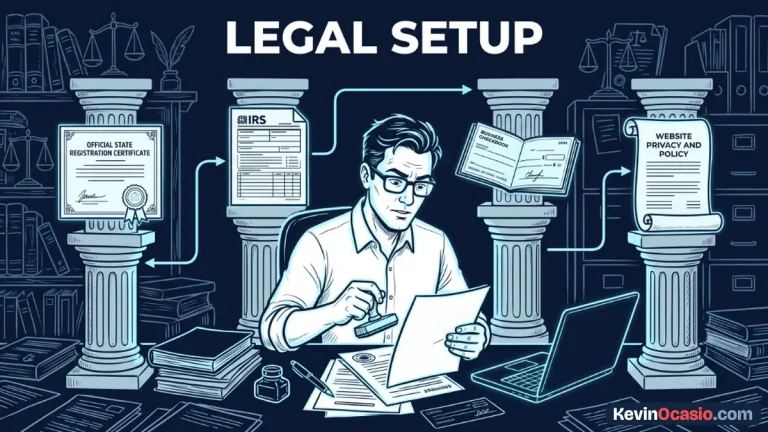
The main record is called DKIM. Think of it like a digital seal stamped on every email you send. Your email tool signs the note with a secret key. Your domain records show that the message came from you and wasn’t changed along the way.
Setting up a basic DMARC record tells mail servers what to do if a fake message fails the test. You don’t need tech skills or code to set this up. When you use an all-in-one tool like the Systeme.io free plan, the software gives you the exact three lines to paste into your registrar. Once you save them, mail filters verify your domain in minutes.
Why Dead Weight on Your Email List Trashes Your Deliverability
You’ll see plenty of creators who think a big email list means a strong business. They hoard old email leads for years. They worry that deleting cold contacts is like throwing away money. In truth, keeping dead contacts on your list ruins your delivery.
Email lists lose about twenty to thirty percent of their active readers every year. People switch jobs, leave old junk inboxes behind, or stop reading. If you keep sending notes to dead addresses, mail filters route your messages to junk.
Big mail services watch how readers treat your messages. When people open your notes, click links, and write back, your sender score climbs. But when people ignore your notes or click the spam button, your score tanks. Major mailbox providers watch the spam complaint rate threshold closely, and staying under 0.1% keeps your notes out of junk.
Here is how inbox filters treat amateur sender habits compared to clean list practices:
| Sender Habit | Amateur Sender Trap | Clean Deliverability Setup |
|---|---|---|
| Sending Address | Free consumer webmail (@gmail.com) | Branded custom domain email address |
| Domain Authentication | Missing DKIM and DMARC records | Verified DNS keys saved in registrar |
| List Cleaning | Never deletes cold or inactive leads | Prunes unengaged contacts every 60 days |
| Message Layout | Heavy images and complex layouts | Simple text with one or two clear links |
| Spam Complaints | Creeps above the 0.3% limit | Stays safely below the 0.1% target |
Prune Unengaged Contacts Every Sixty Days to Keep Inboxes Open
Protecting your inbox delivery takes a regular cleanup habit. Check your email list every two months and drop cold contacts. Cutting a hundred dead leads might sting for a minute, but your open rates jump right away.
You can set up a simple filter inside your autoresponder dashboard. Find everyone who joined over two months ago and hasn’t opened your last ten notes. These people have tuned out or stopped checking that inbox.
Send those cold leads one short note asking if they still want your emails. Tell them you’ll remove them in seven days if they don’t click your link. If they stay silent, delete them from your list. Sending broadcast emails and automated sequences works best when every reader wants your notes.
Write Simple Emails That Read Like Personal Messages
You don’t need fancy email templates filled with big photos, logos, and colorful bars. Those designs look fine on a big screen, but spam filters hate them. Heavy graphics and messy code also make your emails load slowly on phones.
The best marketing emails look like plain notes from a friend. Stick to clean text with lots of white space. When your emails open fast and look clean, people read all the way to the end.
Keep your outbound links down to one or two per note. When you pack ten different links into one short email, filters flag it as commercial junk. A good dedicated email autoresponder lets you track link clicks without setting off spam alarms.
Always ask a simple question near the end and invite readers to write back. When a reader replies to your email, their mail provider marks you as a trusted friend. That single reply tells the filter to put your notes in the primary inbox every time.
Clean Your List and Lock Down Your Domain Today
Fixing your email delivery doesn’t take costly tools or weeks of work. It takes three basic habits that keep your sender score clean.
Log into your domain account today and check your DKIM and DMARC lines. Run a search in your autoresponder to find anyone who hasn’t opened an email in sixty days, and clear those cold names out. Then send a clean, plain text note with one clear link. When you keep your list clean and your domain verified, your emails land right in the primary inbox where they belong.
Frequently Asked Questions About Stopping Marketing Emails Going to Spam
Why do my marketing emails go to spam even if subscribers opted in?
People can sign up for your list, but mail filters still judge your notes by your domain records and open rates. If your domain has no DKIM keys or your list has low opens, filters route your emails to junk.
Do I need tech skills to set up DKIM and DMARC?
No tech background is needed. Your email tool gives you the exact text lines to copy and paste into your domain DNS page.
How often should I clean inactive subscribers off my email list?
Cleaning your list every two to three months works best for most builders. Removing cold leads who never open your notes protects your sender score and cuts your software bill.
Can spam words in my subject line trigger the spam filter?
Spam words matter much less now than domain setup and open rates. Words like ‘free’ or ‘deal’ won’t hurt you if your domain records are good and readers open your emails.
Does sending marketing emails from a free Gmail address hurt deliverability?
Yes, sending marketing notes from a free Gmail or Yahoo account hurts your inbox delivery. Mailbox providers drop commercial blasts sent from personal consumer accounts into spam.
How do I know if my emails are landing in the spam folder?
A sharp drop in open rates below fifteen percent often means your notes are hitting spam. You can also send a test note to your own accounts to see where it lands.