Most email software tools treat you like a giant company. They push costly starter plans that jump in price fast. When you work alone, you need clean inbox delivery, a simple builder, and fair rates that protect your monthly budget.
The Short Version
- Pick an autoresponder that gives you room to grow without charging surprise fees for inactive contacts.
- Connect your custom domain records early so your emails bypass spam filters and land in the primary inbox.
- Keep your monthly software bills low by starting on a generous free tier until your list generates steady sales.
Jump to Section
What the Best Email Marketing Platforms for Solopreneurs Must Deliver
Big software brands love to push complex tools with hundreds of settings. In practice, a solo builder only needs three basic things. You need high inbox placement and simple trigger rules. You also need low monthly bills that don’t creep up over time.
Inbox delivery decides if your sales emails actually work. Sending on a budget plan means sharing mail servers with other accounts. Major email providers monitor the shared IP pool to decide if your messages reach the inbox. A clean platform keeps your notes out of the spam box so your sales don’t take a hit.
Subscriber pricing is another trap that catches beginners off guard. Many platforms lure you in with a cheap entry price. Then they’ll double your bill as soon as you pass five hundred leads. You want clear pricing where tiers grow slowly so you aren’t hit with surprise charges.
Your auto drip series should be quick to set up on your own. If building a simple welcome series takes more than thirty minutes, the tool is wasting your time. That’s why a clean dashboard matters. It lets you write, schedule, and launch without headaches.
Top Three Budget Autoresponders Tested and Compared
Three platforms stand out for solo builders today. They give you solid delivery without charging high monthly rates. GetResponse, Systeme.io, and AWeber are your three best options. Each tool helps you sell online without draining your wallet.
Don’t waste your budget paying top dollar for basic automated sequences. I pick GetResponse rather than Constant Contact to save cash. Constant Contact charges fifty-five dollars a month for one thousand names on its drip plan.
GetResponse: Best for Visual Automations
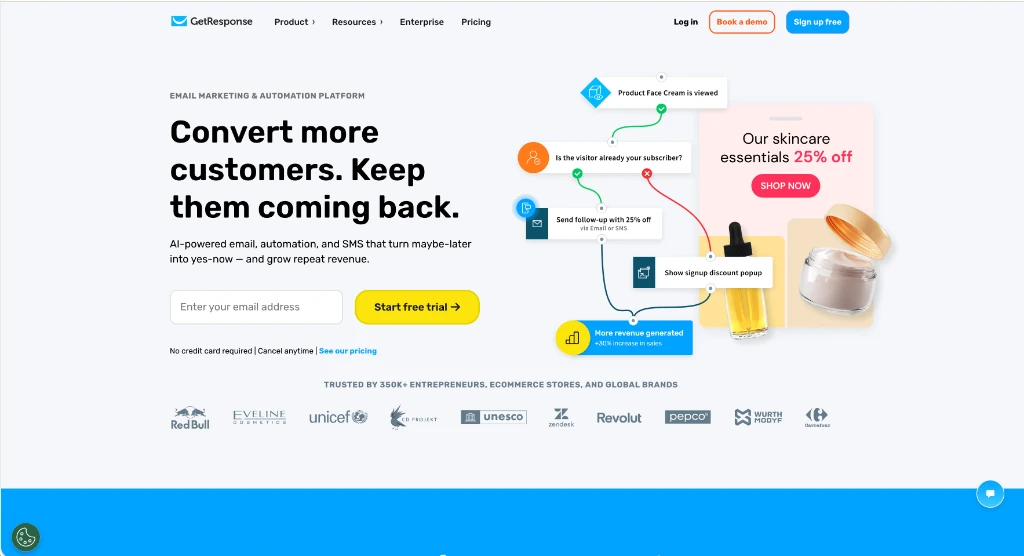
GetResponse is a top pick for creators who want visual workflows. The visual builder lets you map out customer steps and tag leads based on clicks. You can branch your flows without touching code so it’s easy to test new ideas. Read my full platform breakdown for all the details, or test the tools on GetResponse directly.
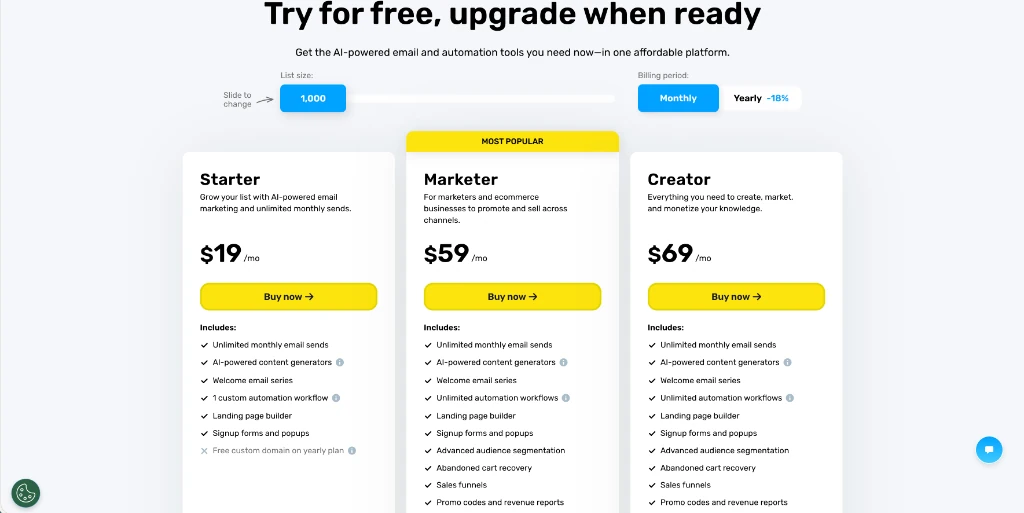
Starter pricing costs nineteen dollars a month for one thousand contacts. That tier gives you unlimited monthly sends. If you want sales funnels and lead scoring, you’ll need the Marketer tier at fifty-nine dollars a month.
New accounts get a full 30-day trial to test every feature before billing starts. Checking how the GetResponse free plan and trial limits work helps you plan your list growth before stepping onto the $19 Starter tier.
Systeme.io: Best All-in-One Free Tier
Systeme.io pairs email marketing with funnels and checkouts. You get two thousand contacts and unlimited message volume for zero dollars. That’s why it’s great when you want to start without paying monthly software bills. Check out the exact limits in my free plan breakdown before testing the features on Systeme.io.
AWeber: Best for Simple Newsletter Broadcasts
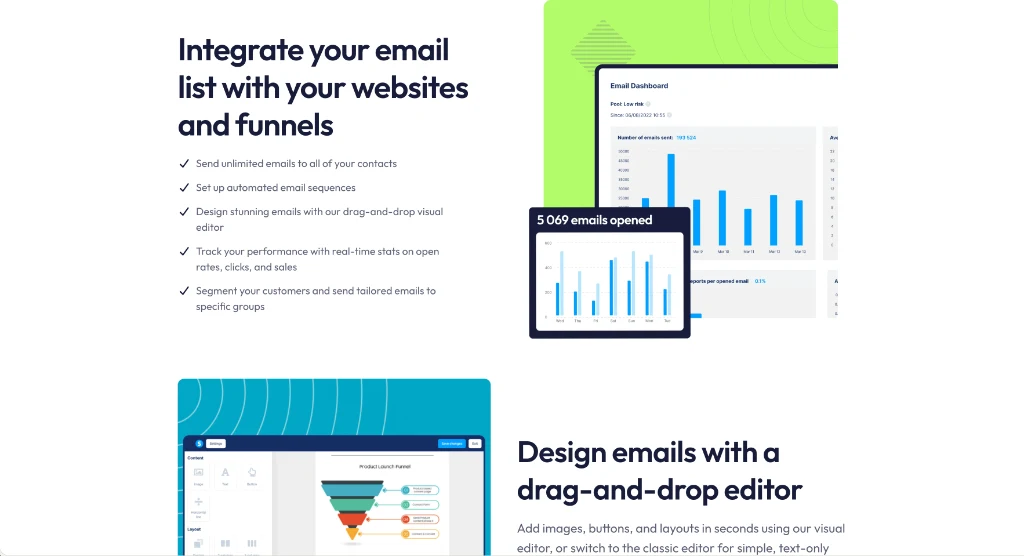
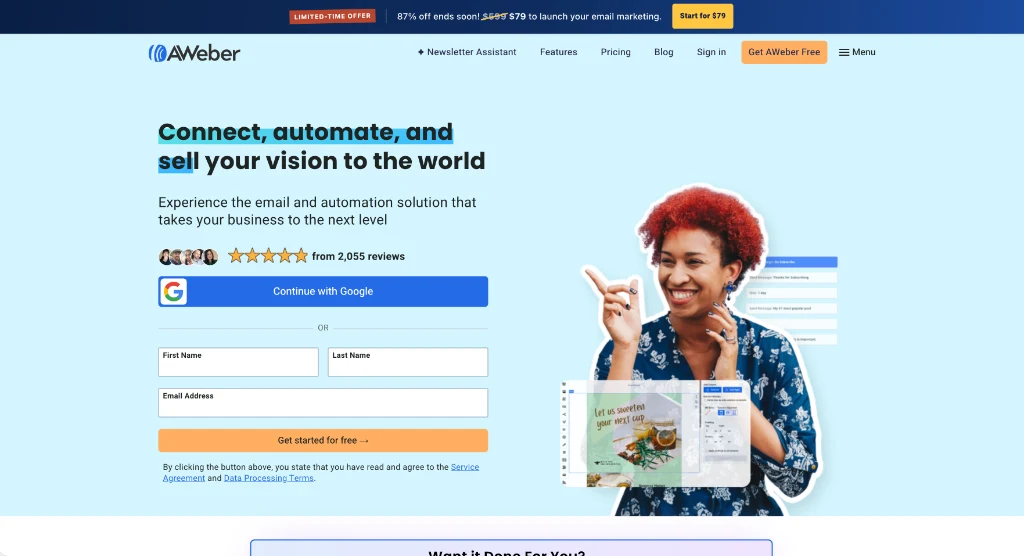
AWeber is a reliable pick for simple broadcasts. The editor gives you clean templates and drag-and-drop tools. You can send weekly emails without touching complex settings. If you don’t need heavy automation, you can use AWeber to send your notes.
The free tier covers five hundred leads and three thousand monthly sends, while paid AWeber pricing plans start at $15 a month on Lite or $30 a month on Plus if you want unlimited workflows and behavioral tagging.
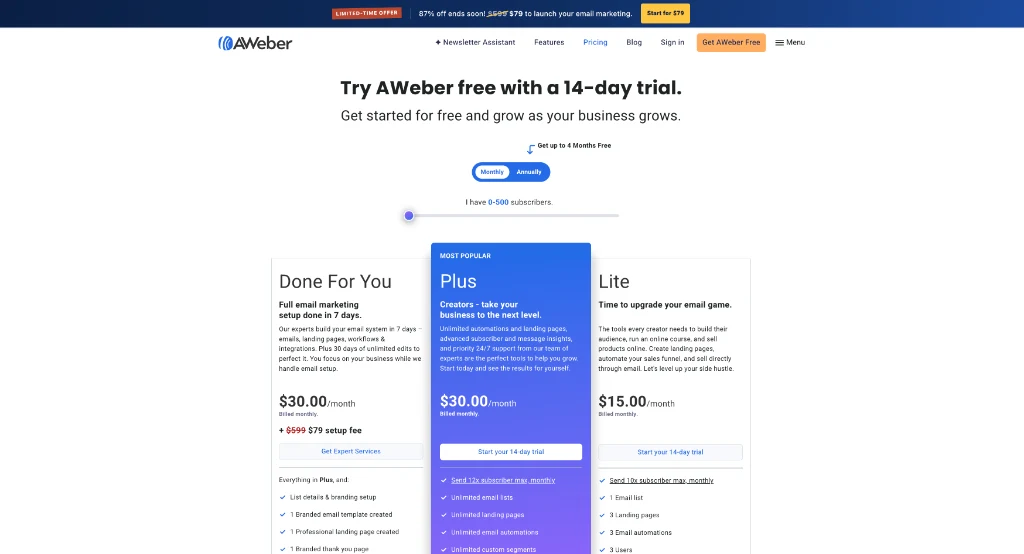
You won’t pay a penny when you launch on the free plan from AWeber. You’re also locked into a single list and one automated sequence until you pick a paid monthly account.
If you run AWeber against Constant Contact, you’ll save twenty dollars a month on automated series. Constant Contact charges thirty-five dollars for follow-up messages, while AWeber keeps that bill at fifteen dollars.
Here’s how the top three budget email marketing platforms compare across key metrics. Each tool fits a different budget and daily workflow:
| Platform | Free Plan Limits | Starting Paid Price | Core Strength | Best For |
|---|---|---|---|---|
| GetResponse | None (30-day free trial) | $19/month (unlimited sends) | Visual funnels and automation triggers | Dedicated autoresponder setups |
| Systeme.io | 2,000 contacts (unlimited sends) | $17/month (5,000 contacts) | All-in-one funnels, courses, and checkouts | Starting with zero monthly bills |
| AWeber | 500 contacts (3,000 sends/mo) | $12.50/month (annual billing) | Reliable broadcasts and simple drip feeds | Straightforward content newsletters |
Starting prices don’t tell the whole story because GetResponse pricing tiers and contact limits jump quickly once you outgrow the entry plan. You can run the calculator below to see what you’ll actually pay each month before signing up:
Email Platform Cost Calculator
See how much cash you keep in your bank each year by picking the right email autoresponder instead of paying overpriced subscriber bills.
Matching Your Email Tool to Your Daily Business Model
Finding the right tool depends on how your business collects leads and sells products. A solo blogger running a WordPress site has different needs than someone selling video courses through hosted sales pages. Pick the tool that matches your sales funnel so you don’t complicate your daily routine.
You don’t need huge funnels if you just write a weekly post. You get click triggers in GetResponse instead of ConvertKit for $19 a month while Kit costs $39.
If you run a self-hosted WordPress site and sell through a cart, an autoresponder gives you a clean setup. Your site stays fast. Meanwhile, your email tool handles your list and drip sequences smoothly. That’s ideal because it won’t bog down your web host with background mail tasks.
When you want zero monthly software bills, start directly on an all-in-one platform. Having your opt-in pages, product delivery, and payment forms in one place keeps your entire setup simple. It’s a huge relief because you aren’t burning cash before your first sale clears.
Make sure you understand how one-time announcements and evergreen drip campaigns work together before choosing a tool. I broke down the exact workflow in my guide to broadcast emails vs automated sequences. Good tools let you send one-time news updates. They’ll also run evergreen sales funnels in the background without daily manual work.
Pick Your Autoresponder and Set Up Your Welcome Sequence
Don’t get stuck comparing software platforms for weeks. Pick the platform that fits your current budget today. Set up your account fast and connect your custom domain records right away so you can start sending.
Write a quick three-part welcome series that introduces your brand, delivers your lead magnet, and shares your top offer. Once your sequence runs on autopilot, you can spend your work hours growing your audience. You won’t have to waste time adjusting software settings.
Frequently Asked Questions About Email Marketing Platforms
Can you run an email list for free as a solopreneur?
Yes, tools like Systeme.io give you up to two thousand contacts and unlimited monthly sends on a free plan. AWeber also has a free tier for up to five hundred leads. Both tools let you start with zero cash down.
What is the difference between an autoresponder and a broadcast email?
An autoresponder is an automated sequence that sends when someone joins your list. A broadcast email is a one-time message sent to all your leads at once. You’ll use both tools as your business grows.
Do you need a business email address to send marketing emails?
Yes, sending marketing emails from a free Gmail or Yahoo address will trigger spam filters. You need a custom domain email address with verified DNS records. This step makes sure your emails reach the real inbox.
How many subscribers do you need before email marketing pays off?
You can make sales with fewer than one hundred active leads if you offer a helpful product. A small, engaged audience converts far better than a cold list that ignores your emails. Focus on sending consistent, helpful offers instead of chasing raw list size.
Why do marketing emails land in the spam folder?
Emails land in spam when domain records are missing or when people flag your messages as junk. Sending helpful content to people who asked for it keeps your inbox trust high. Clean your list often to protect your inbox spot.
Can you switch email marketing platforms later without losing subscribers?
Yes, you can export your contacts as a CSV file and upload them to a new platform. Remove cold contacts before moving. That step keeps your account clean on the new service.