You launch a blog on a cheap server plan, and everything runs fine at first. But when traffic picks up, your pages load slow and your site starts throwing errors.
The Short Version
- Shared hosting splits server power among hundreds of sites on one machine, which keeps your bill small but leaves you open to traffic slowdowns.
- Cloud hosting gives you dedicated resources spread across connected virtual servers, so your pages stay fast when visitor numbers jump.
- Upgrade when traffic hits twenty thousand visits or when your host sends resource warnings, protecting your site before crashes hurt your search ranks.
Jump to Section
- How Shared Hosting Works When Traffic Starts Climbing
- Shared Hosting vs Cloud Hosting: Where the Real Differences Lie
- The Warning Signs That Your Blog Outgrew Shared Hosting
- The Real Cost Difference Between Shared Plans and Cloud Tiers
- How to Move to Cloud Hosting Without Site Downtime
- Make the Move Before Your Next Traffic Spike
- Frequently Asked Questions About Shared Hosting vs Cloud Hosting
How Shared Hosting Works When Traffic Starts Climbing
If you launched a new blog, shared hosting was probably your first plan. A single server holds hundreds of accounts. Every site on that box shares the same memory, storage, and processing power.
When your site only gets fifty visits a day, this pooled setup works well. You pay four dollars a month, post articles, and you don’t hit any limits. But that smooth ride changes fast when several sites on the same machine get busy at once.
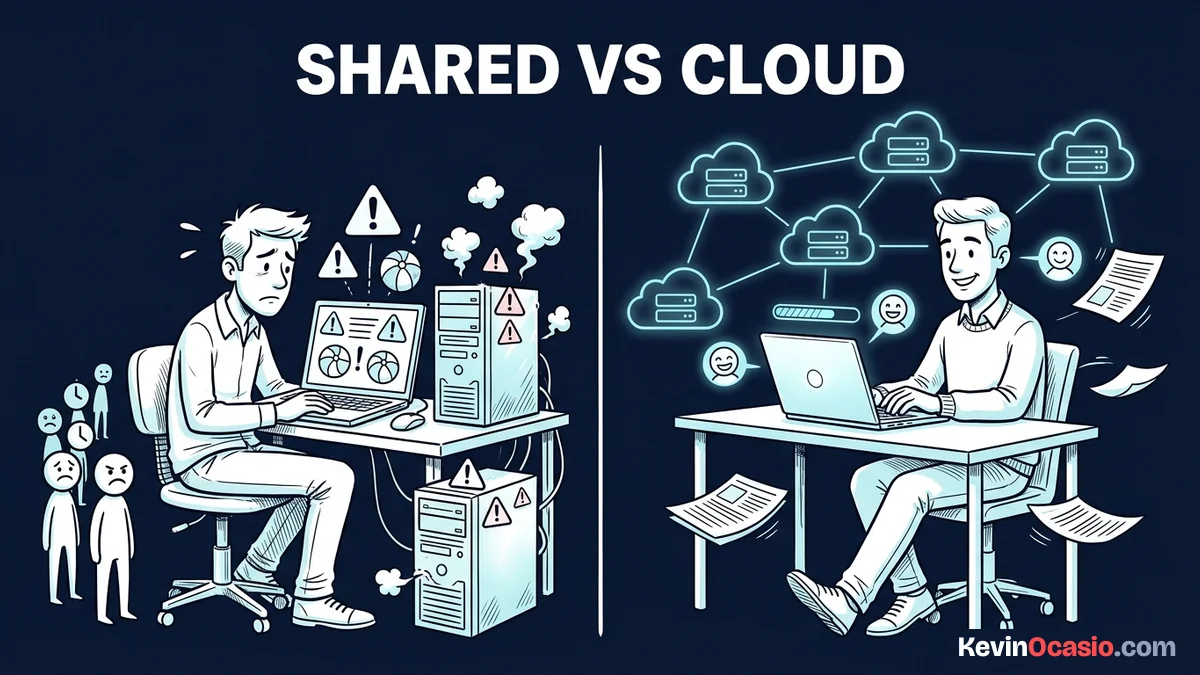
Your host sets hard caps on simultaneous visitors to keep the server stable. If a neighbor site gets a rush of traffic, the shared server maxes out. Your pages sit in line waiting for power, and your readers see a blank white screen.
Shared Hosting vs Cloud Hosting: Where the Real Differences Lie
The real difference between shared hosting and cloud hosting comes down to where your files live. Shared plans lock your site to one physical box. If that machine has hardware trouble, your site goes down with it.
Cloud hosting takes a much smarter path. Your site lives on a network of connected servers instead of one box. If one server needs maintenance, another machine takes over right away without slowing down your readers.
You also get dedicated virtual hardware that belongs only to your account. Your plan includes set memory and processing cores that no neighbor can touch. Even if another site on the network goes viral, your pages still open fast.
Here is how shared hosting compares directly against cloud hosting side by side:
| Server Feature | Standard Shared Hosting | Entry Cloud Hosting |
|---|---|---|
| Monthly Starting Cost | $3 to $4 per month | $8 to $10 per month |
| Server Resource Pool | Shared with neighbor sites | Dedicated virtual cores and memory |
| Traffic Handling | Up to 20,000 visits per month | 50,000 to 100,000+ visits per month |
| Uptime Protection | Single point of failure | Multi-server network failover |
| Dedicated IP Address | Paid add-on ($2 to $5/mo) | Included on most plans |
That isolated setup gives you peace of mind a shared plan can’t match. You stop worrying about other sites on your server and stay focused on growing your traffic.
The Warning Signs That Your Blog Outgrew Shared Hosting
You don’t have to guess when your blog outgrows shared hosting. Your host dashboard and site logs give you clear signs that your account is hitting its limits.
The most common sign is an error screen during a traffic rush. When dozens of readers visit at once, your host throws a 508 resource limit reached error. That blocks new visitors at the front door. Most budget hosts cap your site at twenty to thirty active connections at one time.
Another warning sign is a slow WordPress admin panel. If saving a post or uploading an image takes twenty seconds, your server memory is choking. My guide on why your website is slow breaks down how to spot whether plugins or server caps cause the drag. That delay slows your daily work long before readers notice trouble on the frontend.
Check your host dashboard once a month for resource graphs. If your account hits ninety percent of its limits, your shared plan is on borrowed time. Upgrading early keeps you from losing sales when your next big post takes off.
The Real Cost Difference Between Shared Plans and Cloud Tiers
You probably stayed on a shared plan because the low price is hard to beat. A basic shared plan costs three dollars a month, while cloud plans start closer to ten.
Look at renewal prices before you buy. A budget shared plan might jump from $3.49 to $10.99 per month when your first term ends. Meanwhile, an entry cloud plan on a host like Hostinger renews around $25.99 per month. Read the full Hostinger review to see what each tier gives you for the price.
HostArmada is another strong pick that runs on fast cloud storage for new publishers. Their entry cloud tiers start around ten dollars and give you solid speed without forcing an expensive jump right away. You get reliable server power and room to grow without blowing up your monthly budget.
Once your site brings in sales from affiliate links or digital guides, that price gap is easy to justify. A single server crash during a launch can cost you three sales or fifty email signups. In that spot, cheap hosting costs you real money.
How to Move to Cloud Hosting Without Site Downtime
Moving your blog to a cloud plan sounds hard if you’re new to servers. But modern hosts make site moves easy with tools that do the work for you.
Take a full backup of your website files and database before making any changes. Most hosts offer a simple backup button in their control panel. You can also save a full copy to your computer with a free WordPress backup plugin.
Upgrading with your current host usually takes one click. Their system moves your site files to the cloud behind the scenes. If you used the clean setup from my guide on how to start a blog, these upgrades run without any technical hiccups.
When you switch to a new hosting brand, use their free site move team. Most cloud hosts will transfer your blog for free within a day. Once they test the new site, update your domain nameservers so readers move over with zero downtime.
Make the Move Before Your Next Traffic Spike
Waiting for your site to crash during a traffic rush hurts your business. Rushed moves cause broken links, lost data, and upset visitors who won’t come back.
Log into your host account today and check your monthly visitor numbers. If your blog draws twenty thousand monthly visits or shows memory warnings, it’s time to step up. Check my top pick for reliable web hosting to grab an entry cloud plan with dedicated cores. That extra server power keeps your pages loading fast so you never lose readers or sales to sudden traffic spikes.
Frequently Asked Questions About Shared Hosting vs Cloud Hosting
Can shared hosting handle sudden traffic spikes from social media?
Shared hosting struggles with traffic spikes because hundreds of accounts split the same server power. When hundreds of readers visit at once, the server limits your connections and pages can fail to open.
How many monthly visits can a shared hosting plan handle?
A simple WordPress blog can usually handle ten to twenty thousand monthly visits on shared hosting. Once your traffic passes that mark, upgrading to cloud hosting keeps your site stable.
Is cloud hosting harder to use than shared hosting?
Managed cloud hosting looks just like shared hosting. You still use a simple control panel to manage domains, emails, and WordPress without writing code.
Does moving from shared to cloud hosting speed up page loads?
Yes, cloud hosting speeds up page loads. Dedicated memory and processor cores let your server answer visitors right away without waiting behind other sites.
Do I need a dedicated IP address with cloud hosting?
You don’t need a dedicated IP to run a blog, but many cloud plans include one for free. A dedicated IP protects your domain reputation and email delivery.
What happens when my blog passes its shared hosting memory limit?
When your site passes its memory cap, the server slows down your pages or shows a 508 resource error. Readers see an error screen until active scripts finish.
Will moving to cloud hosting help my search rankings?
Faster load speeds and strong uptime help your search rankings. Search engines favor fast sites that stay online and give mobile users a smooth experience.
Can I move back to shared hosting if my traffic drops?
Most hosting brands let you move back down to a shared plan if your traffic drops. You can export a full backup and switch plans, but you’ll lose your dedicated server speed.