If you want to know why your website is slow, look for dead weight. Most speed lags do not come from bad servers. You do not need to hire an agency or buy paid speed tools to get fast load times.
The Short Version
- Big images and page builders cause most web page delays by forcing phones to download heavy files.
- Resize pictures to WebP format, remove heavy visual builders, and clean old database rows to trim page weight.
- Turn on server-level page caching to give visitors fast load times without buying costly speed tools.
Jump to Section
How Uncompressed Images Choke Mobile Bandwidth
When visitors view your site on a phone, heavy pictures force them to download huge files. A raw photo from your phone can drop a 4MB file on your host. That single image takes seconds to load on a cell network and drives people away.
Nobody waits around for slow pictures. Over half of all mobile visitors leave a page if it takes over three seconds to load. You want your full page weight under 1MB. Your images should make up only a small slice of that total.
Fixing big images takes less than a minute. Resize your graphic width and height to fit your layout. Convert the file to WebP with free tools to bring the size under 100KB without losing visual quality.
Smaller image files directly boost your largest contentful paint score on mobile phones. Your main hero image loads in under one second. Visitors see your post right away and stay on your site.
How Visual Page Builders Pile On Bloat
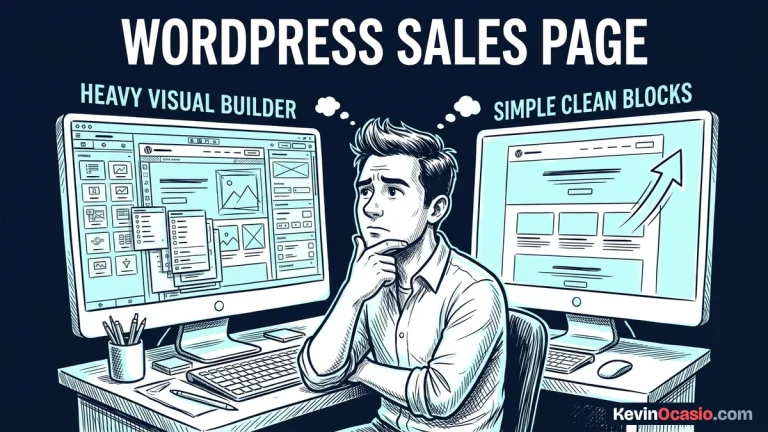
Visual page builders promise easy design, but they add piles of messy code. When you add a single text box, the tool wraps it in twenty code tags. It also adds extra style sheets and script files.
This bloated code forces the browser to read dozens of files before showing text. A heavy page builder can fire off twenty script files on every page view. That slows down older phones and makes pages jump around.
Switching to clean block layouts or a lightweight WordPress theme clears out that junk fast. Block themes output clean HTML. They do not add extra wrapper tags or heavy script files.
You should always check new plugins carefully before installing them. That keeps you from adding slow scripts that kill your speed gains. Keeping your active plugin list short keeps your site fast and lean.
How to Clean Up WordPress Database Option Bloat
A major hidden drag on your page speed hides inside your database options table. WordPress reads this table on each visit to load your global site settings. It pulls every autoloaded row into memory before it runs your theme.
When you test plugins, many of them leave behind old settings after you delete them. If your autoloaded data grows past 800KB, your server spends extra time reading dead records on every click. That explains why your website is slow even on fast hosting.
Cleaning out this junk does not take coding skills. A free database tool can scan for dead rows. It clears old transients and turns off autoloading for big rows that plugins do not need on every hit.
Here is how a bloated setup compares to a clean, fast site:
| Site Component | Bloated Unoptimized Setup | Lean High-Speed Setup |
|---|---|---|
| Image Media | 3MB to 5MB raw phone photos | Under 100KB scaled WebP images |
| Page Layout | Heavy visual builder with nested divs | Clean native blocks with minimal HTML |
| Script Payload | 20+ plugin scripts blocking render | Core scripts only with deferred loading |
| Database Options | 1MB+ autoloaded junk from old plugins | Under 300KB clean autoloaded options |
| Page Caching | Dynamic PHP processing on every click | Server-level static HTML caching |
How Server-Level Caching Cuts Load Times to Under a Second
Speed delays on repeat visits point directly to your cache setup. Without page caching, your web host runs PHP code on every hit. It queries the database and builds each page from scratch for every visitor.
Page caching fixes this delay by saving a static HTML file when a page loads. When the next visitor shows up, your server sends that static file from memory. It does not need to run PHP or touch the database.
Server caching built into your host runs faster than heavy caching plugins. It serves pages before WordPress boots up. Picking fast web hosting with built-in server caching cuts server wait time down to a fraction of a second.
Adding browser cache headers tells visitor phones to save your logo, styles, and fonts locally. When a reader clicks to another post, their phone loads those files straight from memory.
The Tactical Speed Optimization Audit Plan
Getting your site to load in under a second does not take weeks of work. You can run through this simple four-step audit in one afternoon without spending money. Understanding why your website is slow gives you the power to fix it for good.
Open Google PageSpeed Insights in your browser. Test your top three pages. Check your mobile speed score and your total page size in megabytes. Note any files marked as render-blocking.
Replace any picture in your media library larger than 150KB with a WebP copy. Resize your blog images to fit your layout. Run them through a free compressor before you upload them.
Your plugin list should hold only the tools you use every week. Delete inactive add-ons. Use a database tool to clear out old transients and drop leftover tables.
Turning on server page caching in your hosting control panel gives you the final speed boost. Test your site again to see your mobile load times drop fast. Your pages will snap open right away.
When you clear out this dead weight, your visitors get a smooth, fast visit. That keeps them on your pages longer.
Frequently Asked Questions: Why Your Website Is Slow
How fast should my website load on mobile phones?
Your mobile pages should load in under two seconds. Keeping page weight under one megabyte helps your site open fast on cell networks.
Do I need to buy paid speed plugins to fix a slow site?
No. You can get instant speeds for free by optimizing your images, switching to a lightweight theme, and enabling server caching.
What is the ideal total file size for a web page?
Keep total page weight under 1MB. Pages under 500KB load almost instantly across all mobile cellular connections.
Does hosting location affect page speed?
Yes. Choose a data center closest to your main audience, or use a content delivery network to serve static assets from local edge servers.
How do I check if my database options table is bloated?
Go to Tools > Site Health in WordPress. If your autoloaded options exceed 800KB, WordPress will flag a warning to clean up unused plugin rows.