You spend hours sending people to your sales page. Selling one $27 item barely pays for your time and ads. Counting on a single product leaves easy cash behind.
The Short Version
- Add a simple checkout bump priced at twenty to forty percent of your main offer to lift cart value instantly.
- Offer a one-click post-purchase upgrade right after the initial card charge clears so buyers never have to re-enter payment details.
- Cut buyer decision fatigue by keeping each offer focused on a single obvious next step rather than presenting complex product catalogs.
Jump to Section
- How Order Bumps and Upsells Lift Every Checkout
- The Anatomy of a High-Converting Checkout Bump
- Structuring Post-Purchase Upsells That Actually Convert
- The Math of Average Order Value Across 100 Buyers
- Protect Your Profit with Clean Checkout Offers
- Frequently Asked Questions About Order Bumps and Upsells
How Order Bumps and Upsells Lift Every Checkout
When a buyer types their card details into your order form, they just crossed the hardest step in sales. They trust you and want your help, and they are ready to pay. That exact moment is when order bumps and upsells make the biggest difference to your cart total.
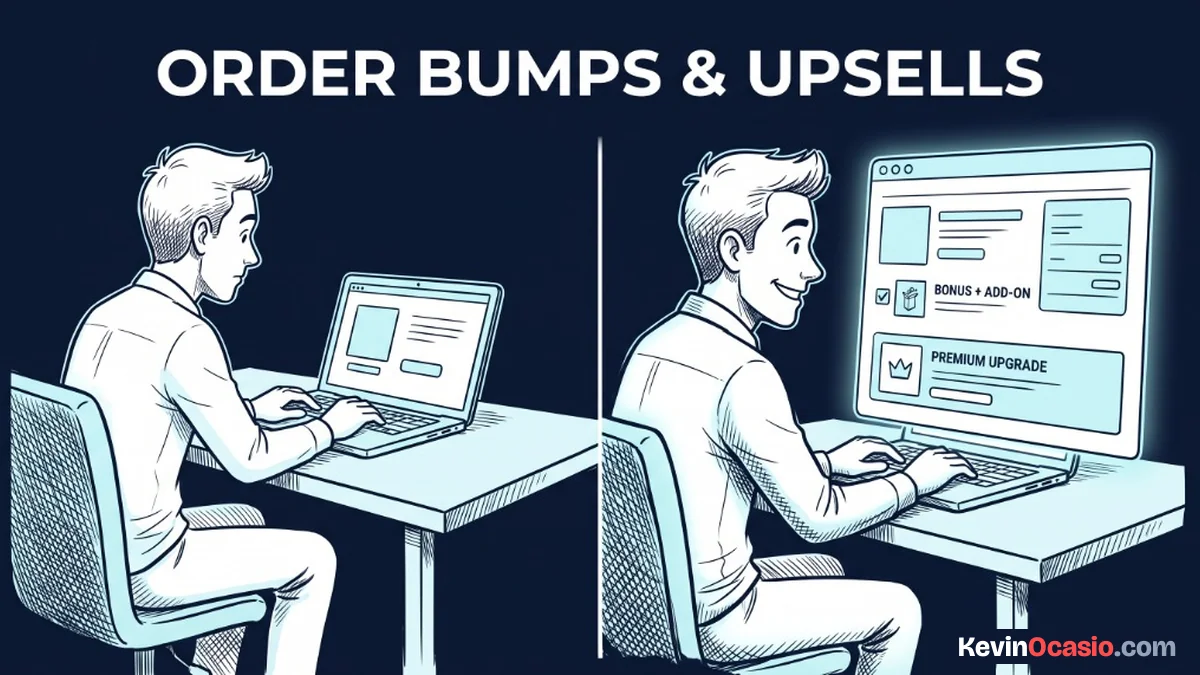
An order bump is a small checkbox placed right above the buy button on your checkout page. The buyer reads a short pitch. They click the box, and it adds the extra item to their cart before they pay. There are no extra forms, no second steps, and no new page loads.
A post-purchase upsell appears right after that first charge clears. Instead of dropping the buyer onto a plain thank-you screen, your site shows a fresh upgrade page with a deeper offer. Your payment tool saves a secure card token during that first charge. That means the buyer can grab the upgrade with one tap.
Pairing these two tools stops you from relying on high traffic alone to turn a profit. Getting more daily visitors is slow and costly. Lifting what each buyer spends takes just a few smart tweaks to your cart. If you want to know where to spend money in an online business, setting up a checkout system that handles these extra offers pays off right away.
The Anatomy of a High-Converting Checkout Bump
A great checkout bump is never a random item thrown in to grab spare change. It must feel like an impulse buy that makes the core item faster or easier to use. For a course on email marketing, your bump could be a checklist of setup steps or ten subject line templates.
Pricing is where most beginners make their first mistake. If your main guide costs $27, you can’t offer a $47 bump. Your bump price needs to sit between twenty and forty percent of your main offer. For products under $50, keeping that add-on in the $9 to $17 range removes all friction.
Make the choice dead simple. Offering three add-ons or lots of menus causes friction right when the buyer wants to pay. When decision fatigue sets in from too many options, tired shoppers stop. They leave your site without buying anything.
Write your bump copy in two short sentences inside a box with a dashed border. State the exact problem the add-on solves. Tell the buyer what’s inside, and state the price. When the add-on speeds up their progress, buyers check the box without hesitating.
Structuring Post-Purchase Upsells That Actually Convert
Once the initial charge clears, that first sale is safe in your account. That means you can now present a bigger offer without any risk of losing the core sale. If the customer passes on the upsell, their initial order is already complete.
One-click upsells convert smoothly because modern checkouts save payment details securely. Gateways like Stripe make a secure digital token during checkout. That token lets your tool charge the same card again without asking the buyer to type their info twice. You show the offer, put up a clear buy button, and one click adds the item to their receipt.
Your upsell should show the next logical step in the buyer’s path. If they just bought your template pack, the upsell can be a video walkthrough showing how to use them fast. For a $27 guide, an upsell priced between $47 and $97 hits the sweet spot.
If the buyer clicks the decline link below your button, you can send them to a simple downsell. A downsell offers the same product with a split payment or a light version at a lower price. Setting this up is simple when you use a dedicated sales funnel builder to connect your pages, tags, and one-click upsells. You can use Systeme.io to build these complete checkout flows on a free plan without buying costly cart plugins.
The Math of Average Order Value Across 100 Buyers
To see why this checkout flow matters so much, look at how the numbers play out across 100 buyers. Most creators only sell a single item. They wonder why their monthly cash flow stalls out.
Think about what happens when 100 people buy a $27 digital guide through a basic order form. In that plain setup, 100 buyers produce $2,700. Each person pays $27, and the sale stops there.
Now look at that same traffic moving through a funnel with a $17 bump and a $97 upsell. If 35 buyers take the bump, that adds $595 to your total. If 12 buyers take the one-click upsell, that adds another $1,164 in profit.
Here is how the numbers compare when you add simple checkout offers to those same 100 buyers:
| Checkout Setup | Add-On Take Rate | Total Revenue | Average Order Value |
|---|---|---|---|
| Standard Single Product ($27) | 0% (No Extra Offers) | $2,700 | $27.00 |
| Product + $17 Checkout Bump | 35% Take Rate (35 Buyers) | $3,295 | $32.95 |
| Complete Funnel ($17 Bump + $97 Upsell) | 35% Bump + 12% Upsell | $4,459 | $44.59 |
Adding those two offers lifts your total cash from $2,700 to $4,459 across those same shoppers. That extra $1,759 gives you clean profit to cover your software and traffic costs. When you feed this checkout page with an automated email lead funnel, every new subscriber you get becomes far more valuable to your business.
Protect Your Profit with Clean Checkout Offers
The biggest trap after discovering upsells is turning your cart into a painful maze. If you hit a buyer with four popups and five upsells in a row, they’ll feel tricked. They’ll ask for a refund before opening their files.
Treat your buyers with care by keeping your checkout path short and clean. One helpful order bump on the payment form and one solid post-purchase upsell is plenty to build a strong business. If you add a downsell, keep it simple so you don’t confuse the buyer.
Take an hour today to review your sales pages. Pick one simple checklist or template you can offer as a $17 order bump right now. Once that checkbox goes live on your payment page, you lift your average order value on the traffic you already have.
Frequently Asked Questions About Order Bumps and Upsells
What’s the main difference between an order bump and an upsell?
An order bump is an impulse checkbox sitting right on your order form before the payment button. A post-purchase upsell is a separate offer shown right after the first payment clears using saved card tokens.
How much should I charge for a checkout order bump?
Keep your order bump priced between twenty and forty percent of your front-end price. For products under $50, bumps priced between $10 and $20 convert best because they feel like easy add-ons.
Will adding an order bump hurt my main checkout conversion rate?
A simple bump won’t hurt your sales rate as long as the copy is short and the price is modest. Friction only happens when you add complex choices, dropdowns, or long sales text that distracts the buyer.
How does a one-click upsell work without asking for card details again?
Your payment gateway creates a secure token when the customer finishes their first purchase. Your platform uses that token to charge the card for the upsell with one click without saving card numbers on your site.
Can I use order bumps and upsells when selling digital downloads?
Yes, digital downloads work great for order bumps and upsells because delivery costs nothing. You can offer setup checklists, audio guides, simple spreadsheets, or resource bundles as instant digital add-ons.
What should I do if a customer declines my post-purchase upsell?
If a customer declines your upsell, send them straight to your thank-you page or offer a smaller downsell. Their first order is already complete, so passing on the upsell won’t hurt that sale.