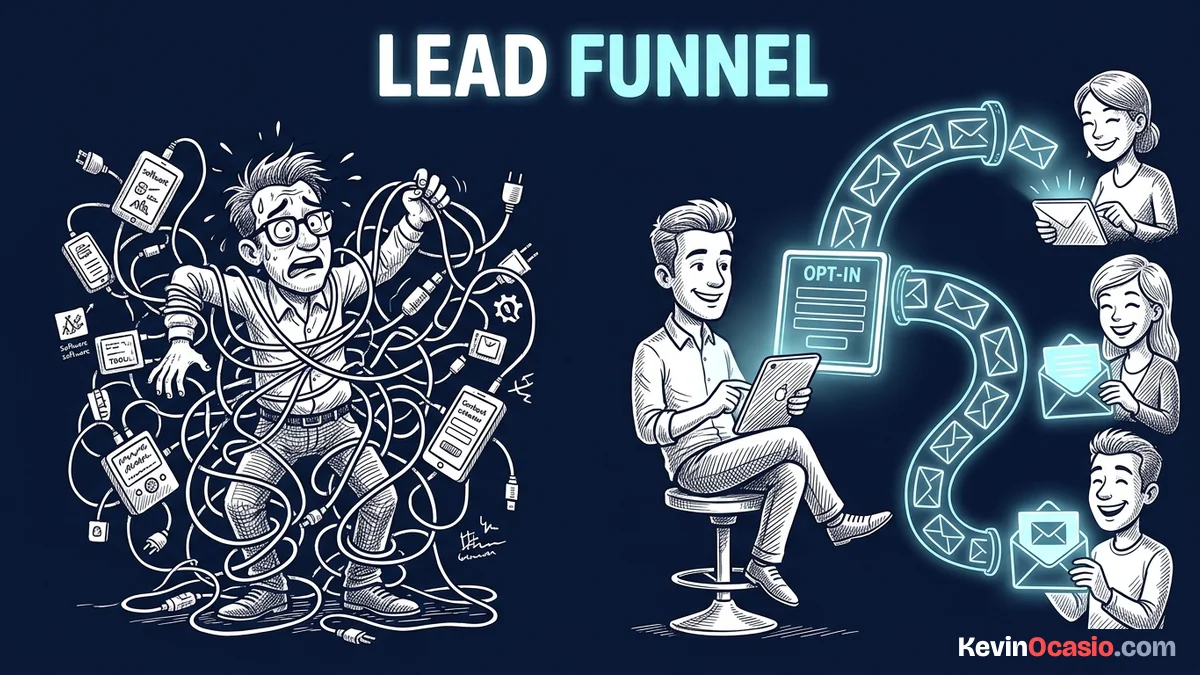
You can easily spend hundreds on four separate software tools before getting your first email signup. You don’t need expensive web tools or complex apps to turn website visitors into regular email readers.
The Short Version
- Solve one specific problem that your target audience struggles with right now.
- Keep your signup page simple with one headline, two bullet points, and an email box.
- Send the free gift right away and follow up with three short emails.
Jump to Section
The Simple Setup of an Automated Email Lead Funnel
An automated email lead funnel is a simple path from a free gift to your paid offers. It starts when someone visits your page. They give you their email, and your system sends them your first message right away. You don’t have to lift a finger.
Too many people try to build giant funnels with ten pages, complex upsell trees, and costly tools. Every extra step confuses visitors. Complex setups also break when tools fail to talk to each other. When you stick to a simple two-page funnel, your pages load fast and more visitors join your list.
You also can’t wait to start building your list. Most email lists lose 20% to 30% of their contacts each year as people switch jobs or stop checking old inboxes. If you don’t collect fresh leads every week, your subscriber count shrinks on its own.
Don’t waste weeks writing a huge book that nobody will read. Give away a one-page cheat sheet or a simple checklist instead. If you need inspiration for a quick gift, read my guide on 9 lead magnet ideas to grow your email list. A focused gift paired with a clean page turns new visitors into subscribers all day long.
Building Your Signup Page and Email Sequence
Your signup page has one job. It needs to trade your free gift for an email address. The fastest way to hurt your signup rate is asking for names, phone numbers, and job titles. When you ask only for an email address, visitors sign up in seconds.
Write a headline that gets straight to the point by stating the exact problem your cheat sheet solves. Add two bullet points showing what is inside, and put a big button right under the email box. Skip fancy slogans that make people guess what you offer.
When someone clicks submit, your system must send their download within seconds. New subscribers open welcome emails far more reliably than regular weekly notes. That’s your best window to connect while your free gift is fresh in their mind. Put the download link near the top of that first email so readers can grab it right away.
Over the next four days, send three short emails. Share one helpful tip in each note, and point readers to your paid offers. You don’t need costly tools to send these emails. In my guide on keeping your monthly software bills close to zero, I explain why spending big money on marketing apps early on hurts your business.
You can build your pages and email sequences with an all-in-one tool like Systeme.io for zero dollars. The Systeme.io free plan gives you signup pages, email lists, and automated sequences without charging a dime. It gives you room to grow before you ever have to pay.
Here is how an expensive multi-app setup compares to running a lean all-in-one funnel:
| Software Category | Overpriced Multi-App Stack | Lean All-in-One Funnel |
|---|---|---|
| Landing Page Software | $97/mo (Standalone Builder) | $0/mo (Built-in Page Editor) |
| Email Marketing & Automations | $29/mo (Basic Tier Autoresponder) | $0/mo (Built-in Email Sequences) |
| Data Sync & Webhook Bridges | $20/mo (Third-Party Zap Tool) | $0/mo (Native System Tags) |
| Total Monthly Cost to Start | $146/mo | $0/mo |
Getting Your Emails Delivered to the Primary Inbox
A great lead funnel won’t help if your emails land in the spam box. Mailbox providers like Google and Yahoo have strict rules to protect inboxes. If your spam complaint rate climbs above 0.3%, or if three people out of a thousand mark you as spam, mail systems start blocking your messages.
Getting your emails into the primary inbox starts with your domain DNS records. You need to add sender verification tags to your domain host so mail servers know you own your site. If you skip this step, mail filters view your automated emails as suspicious and send them straight to junk.
Follow this guide on SPF and DKIM DNS authentication records to configure your domain settings the right way. It takes fifteen minutes to paste these records into your domain settings, and it protects your delivery rates for good.
Keep your emails simple by writing plain text notes instead of fancy templates filled with graphics. Big image layouts trigger promo tabs and load slowly on phones. When your emails look like a quick note from a friend, people open them, read them, and click your links.
Clean your list every few months to remove people who haven’t opened an email in ninety days. Keeping cold contacts hurts your sender score and tells mail providers that people ignore your notes. Pruning inactive names keeps your delivery strong and helps your messages reach active buyers.
Test Your Funnel and Collect Your First Leads
Before you send traffic to your new page, test the whole setup yourself. Open an incognito browser window and sign up with a test email. Time how fast your first email arrives. Click the download link to confirm that your file opens on both your computer and your phone.
Once your funnel works, start sending visitors to your page. Add links to your checklist at the end of your top blog posts and place a clean banner on your home page. You don’t need thousands of clicks to see growth; getting twenty good visitors a day builds your list fast.
Treat your email list like an ongoing chat, not a sales machine. Share what you learn, answer common questions, and suggest tools you trust. A small group of loyal readers who love your emails will always buy more than a giant list of cold contacts who don’t know who you are.
Frequently Asked Questions About Automated Email Lead Funnels
What is an automated email lead funnel?
An automated email lead funnel is an online system that captures a visitor’s email address in exchange for a helpful gift. It automatically sends them a series of pre-written emails without requiring manual work for every subscriber.
Do I need to pay for software to build a lead funnel?
No, you can build and launch a complete lead funnel for zero dollars. Modern all-in-one platforms offer free plans with signup pages and email sequences that work great for beginners.
What should I offer as a lead magnet?
Offer a quick, clear solution to one problem your audience faces. Checklists, resource lists, short cheat sheets, and simple templates convert best because visitors can use them in five minutes.
How many emails should be in my welcome sequence?
A simple sequence of three to five emails spread over five to seven days is plenty. The first email delivers the free gift, while the next emails share tips and introduce your offers.
Why are my automated emails going to the spam folder?
Emails go to spam when your domain lacks proper SPF and DKIM records, or when your subject lines look like sales hype. Setting up DNS records and writing plain-text emails fixes this fast.
Should I ask for a subscriber’s first name on the opt-in form?
Asking only for an email address gets the highest signup rate. Extra form fields add friction, which makes more visitors leave your page without joining.
How often should I email my subscribers after the funnel ends?
Sending one or two emails a week is a great rhythm once your automated sequence ends. Weekly notes keep your audience warm and stop people from forgetting who you are.
How long does it take to build an automated email lead funnel from scratch?
You can build and test a simple lead funnel in a single afternoon. If your checklist is ready, setting up your signup page and writing three emails takes about two to three hours.