You spend cash on ads or time making content to send traffic to your offer, but nobody signs up. When a buyer taps your link and sees a blank white screen, they leave within three seconds.
The Short Version
- Slow mobile loading destroys opt-in rates before people read your sales copy.
- Cut heavy video embeds and pixels to keep total page size under one megabyte.
- Clean block layouts and caching snap your forms open in under two seconds on phones.
Jump to Section
- Why Landing Page Load Speed Matters for Your Sales
- How Big Images and Mockups Hurt Mobile Speeds
- The Hidden Speed Cost of Third-Party Tracking Pixels
- Why Video Embeds Steal Half Your Page Speed
- How Heavy Page Builders and Weak Hosting Trap Your Funnel
- Four Clear Steps to Speed Up Your Landing Pages Today
- Frequently Asked Questions About Landing Page Load Speed
Why Landing Page Load Speed Matters for Your Sales
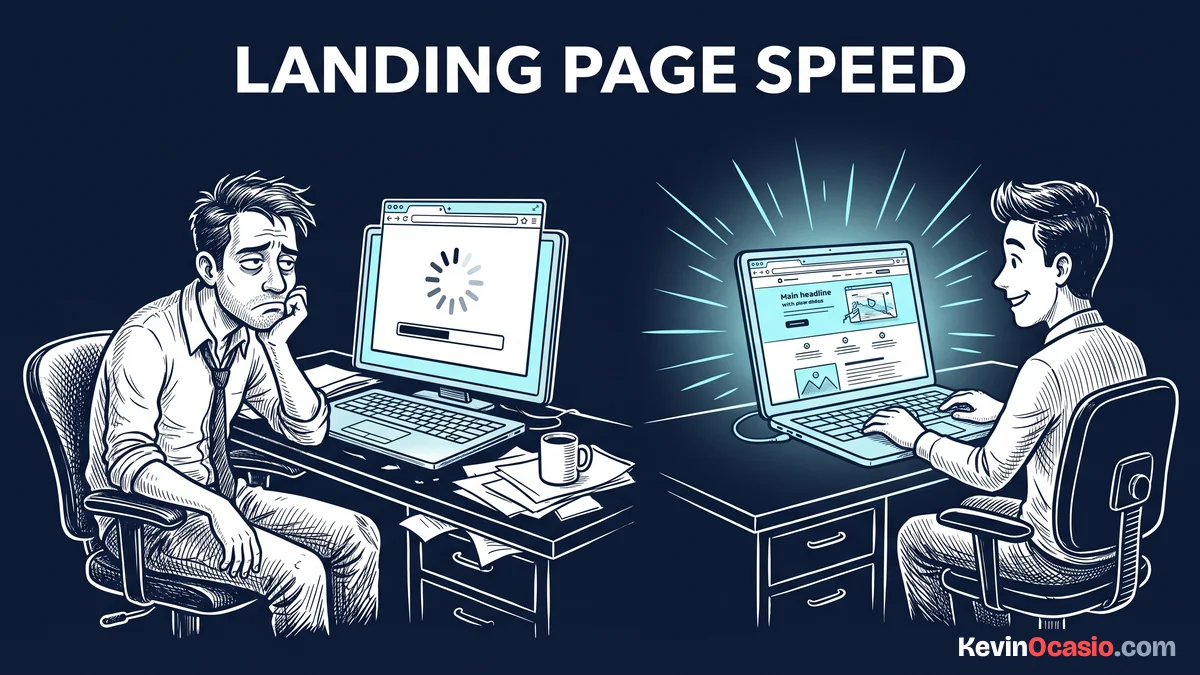
Every small speed delay drops your sales. When a page takes three seconds to load instead of one, mobile bounce rates spike as visitors give up. On a phone, that delay feels worse when cell signals drop.
If you pay two dollars for an ad click, a slow page burns your cash. People who click an ad expect it to open right away. When your page lags, they’ll hit the back button and keep scrolling.
Fast pages build trust before a visitor reads your words. A page that snaps open feels safe and modern. When a page crawls, buyers won’t trust your checkout form with their card details.
Treating speed as a marketing asset changes how you build funnels. You don’t need fancy bells and whistles that drag down your forms. When you cut slow widgets, your opt-in rates jump.
How Big Images and Mockups Hurt Mobile Speeds
If you export a product mockup as a raw PNG file, your mobile visitors pay the price. When you drop a four-megabyte image at the top of your page, a phone must download millions of bytes before anything appears.
Your mobile visitors on cell networks can’t load big graphics fast. That heavy file holds up your headline and call to action. Visitors stare at an empty white screen until they bounce.
You don’t need a giant picture on a small phone screen. Scale your images down to eight hundred pixels across before uploading. That trims your file weight right away.
Save your images in WebP format instead of raw PNGs or JPEGs. WebP gives you crisp artwork at a tiny fraction of the weight. Keeping your graphics under one hundred kilobytes helps your page snap open on any phone.
The Hidden Speed Cost of Third-Party Tracking Pixels
Every tracking pixel you add forces a phone to call an outside server. When you stack a Meta tag, a Google pixel, a TikTok code, and a heatmap tool on one page, that browser makes dozens of outside trips.
These outside scripts freeze the browser before your headline even appears. Heavy tags lock up the screen, so taps on your signup button don’t work for several seconds. That delay turns away eager buyers who won’t wait around.
Open your tag manager and ditch old tracking codes right now. Tossing out dead pixels from old ad runs stops browser lag before it starts.
Put heavy purchase and event tags on your thank-you page instead of your opt-in form. Moving those tracking scripts to the next step keeps your main page fast while still recording every new lead.
Why Video Embeds Steal Half Your Page Speed
Adding a direct video player to your layout seems simple, but standard embeds carry heavy baggage. A single YouTube or Vimeo player can drop two megabytes of script files before anyone taps play.
Pulling down video player files over a cell signal drags your load time past five seconds. It’s a waste of battery loading player controls that a buyer might never touch.
Put a click-to-play image preview on your page instead of a live video iframe. A clean image mockup with a play button graphic weighs under fifty kilobytes. When a reader taps the graphic, your page swaps in the real video player on demand.
That simple swap saves massive amounts of data on the first page load. Readers get an instant page that doesn’t stutter, and video watchers can still stream the clip whenever they’re ready.
How Heavy Page Builders and Weak Hosting Trap Your Funnel
Visual page builders let you drag boxes around, but they create messy code behind the scenes. A heavy builder wraps simple text in dozens of code tags. That extra junk forces mobile browsers to read bloated markup before showing your form.
Keeping your layout lean cuts out unnecessary code wrappers. While I walked through general site cleanup in my guide on why your website is slow, landing pages need a much tighter focus because you’re paying for every click.
Your web host also sets the pace for how fast your forms open. If your server takes two seconds just to answer a request, even lean pages crawl, as I showed in my SiteGround review when breaking down shared hosting limits. Pairing clean layouts with fast web hosting that includes built-in caching gives your opt-in forms the speed boost they need so you don’t lose leads during traffic spikes.
Here is how a sluggish, unoptimized landing page compares to a fast, conversion-ready setup:
| Page Element | Sluggish Landing Page | Fast Optimized Page |
|---|---|---|
| Hero Graphics | 3MB raw phone photo or uncompressed PNG | Under 100KB scaled WebP graphic |
| Video Embeds | Live iframe player loading 2MB of scripts | Click-to-play preview image under 50KB |
| Tracking Tags | 8+ tracking pixels and active heatmaps | 1 or 2 core tags loaded in the background |
| Page Framework | Heavy drag-and-drop builder with nested wrappers | Clean native blocks or lightweight theme |
| Mobile Load Time | 5 to 8 seconds with high visitor bounce | Under 2 seconds with instant form display |
Four Clear Steps to Speed Up Your Landing Pages Today
You don’t need a tech degree or weeks of custom code to fix your page speed. You can test your exact mobile speed right now on Google PageSpeed Insights to see which files delay your content.
Your heaviest image files deserve attention first. Convert your lead magnet mockup and hero artwork into WebP format under one hundred kilobytes. That single adjustment drops your page weight right away so mobile screens don’t stall.
Replacing live video players with clickable preview graphics cuts out script bloat. A static image mockup removes dozens of outside server calls. Readers get a fast headline, and the player streams only when someone taps play.
Old tracking codes inside your tag manager cause hidden browser lag. Ditch dead pixels from past ad runs, and move purchase scripts to your thank-you page so your form opens without delay.
Building your pages with clean native blocks or a lightweight WordPress theme keeps your code lean. When you cut out visual builder bloat, your opt-in forms snap open on every phone, putting more subscribers on your email list.
Frequently Asked Questions About Landing Page Load Speed
What is a good landing page load speed for mobile phones?
Your landing page should load in under two seconds on a mobile phone. Pages that open this fast keep bounce rates low and show your headline right away.
How does landing page load speed affect paid ad costs?
Ad networks give higher quality scores to fast pages. A faster page lowers your cost per click and helps your ad win better spots over slower rivals.
Should I delete my ad pixels to make my page faster?
No, you need tracking pixels to measure your ad results. Keep only the active pixels you use right now, and move deep purchase scripts to your thank-you page so your opt-in form stays fast.
Does embedding a YouTube video hurt landing page speed?
A standard YouTube iframe adds over two megabytes of code before anyone taps play. Using a click-to-play preview image keeps your page light and loads the video only when a buyer asks for it.
What is the ideal total file size for a landing page?
Aim to keep your total page weight under one megabyte. Pages that stay under one megabyte load quickly across mobile networks and keep people on your site.
Can visual page builders load in under two seconds?
Yes, but you’ve got to avoid stacking heavy animations and nested sections. Using simple layouts and turning on server caching helps builder pages open much faster on mobile phones.
How do I check which files slow down my landing page?
Enter your URL into Google PageSpeed Insights and review the diagnostics section. The tool lists your heaviest files and highlights scripts or graphics that hold up your mobile load time.
Why does my page load fast on desktop but slow on mobile?
Desktop computers have fast chips and stable home connections that hide page bloat. Mobile phones rely on cell signals and have less power, which makes heavy images and scripts crawl.