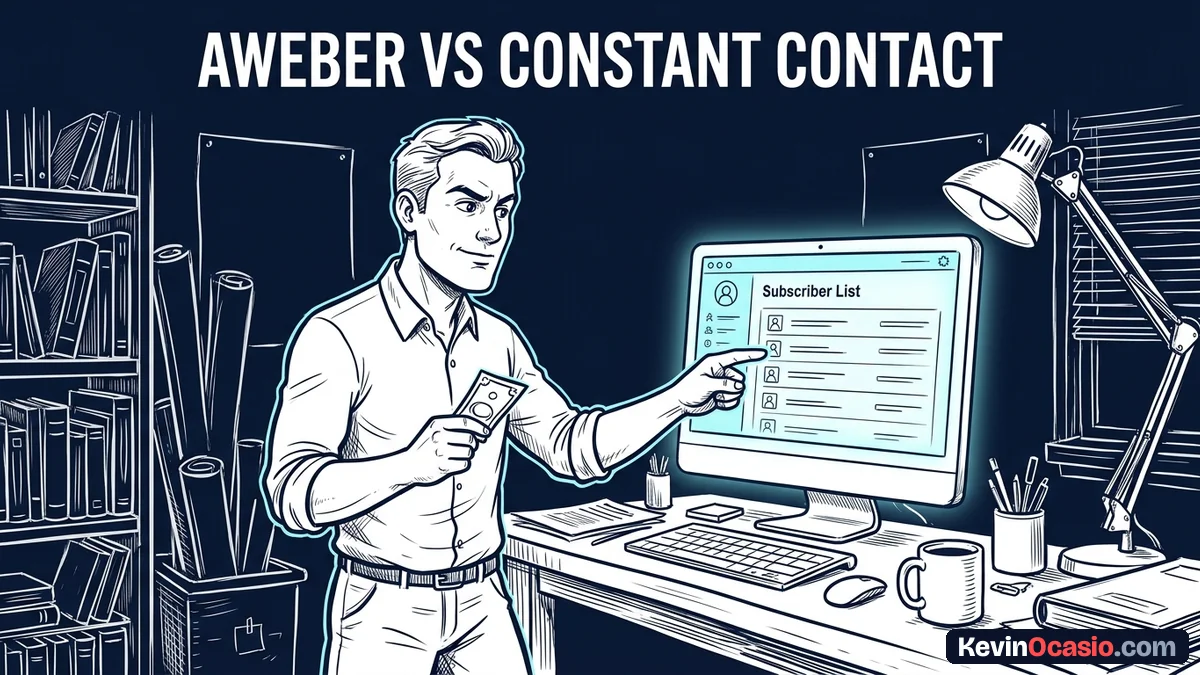
Building an email list is the best way to sell digital products and talk to your audience. When you look at old tools that started in the late 1990s, the monthly bills can surprise you.
The Short Version
- Constant Contact locks automated sequences behind its $35/mo Standard plan, banning them on its cheaper Lite tier.
- AWeber includes automated sequences on its $0 Free tier and caps costs at $35/mo for 2,500 contacts on Lite.
- Solo builders save hundreds of dollars every year by picking an email tool with fair subscriber pricing.
Jump to Section
- The Automation Tier Trap: How Constant Contact Locks Out Basic Sequences
- AWeber vs Constant Contact: Real Plan Limits and Monthly Bills
- List Management and Daily Sending: Simple Tags Versus Clunky Folders
- Choose the Platform That Protects Your Monthly Cash Flow
- Frequently Asked Questions About AWeber vs Constant Contact
The Automation Tier Trap: How Constant Contact Locks Out Basic Sequences
You might look at Constant Contact Lite at $12/mo and think you found a bargain. The price looks cheap on the surface, but the catch hits you fast. You sit down to set up a simple three-part welcome series for new readers, and the screen blocks you. That tool locks the visual flow builder on its Lite tier.
New readers want to hear from you right after they sign up. A good welcome series gets higher open rates right when interest is fresh, easily beating standard broadcast blasts. If your software blocks drip series, those fresh leads sit cold while they wait for your next manual message.
To unlock basic drip messages on Constant Contact, you must move up to the Standard plan. That jump bumps your bill from $12/mo up to $35/mo right away. You end up spending $420 a year just to send simple timed emails, even if you only have twenty people on your list.
AWeber treats you much better. You get timed email flows on the AWeber Free plan without spending a dime. If you pick AWeber Lite at $15/mo, you get three live flows and round-the-clock help.
AWeber vs Constant Contact: Real Plan Limits and Monthly Bills
Crossing 1,000 or 2,500 names is where software fees jump. A tiny list of two hundred contacts is cheap on almost any tool, but growing your audience is where pricing differences start to bite.
Constant Contact Standard starts at $35/mo for 500 contacts, but it leaps to $75/mo at 2,500 names. That adds up to $900 every year. If you keep growing toward 5,000 names, that bill hits $110/mo, which takes money straight out of your pocket.
AWeber Lite costs $35/mo for those same 2,500 contacts. That saves you $40/mo, which leaves $480 in your bank account each year. Even AWeber Plus at $55/mo costs $20 less each month than their comparable tier, while giving you unlimited lists and no platform branding.
Here is how the real monthly costs and plan limits line up as your audience grows.
| Feature or Metric | AWeber (Lite / Plus) | Constant Contact (Lite / Standard) |
|---|---|---|
| Forever-Free Plan | $0/mo (up to 500 contacts, 1 list, 1 automation) | None (60-day free trial only) |
| Starting Paid Plan (500 contacts) | $15/mo (Lite) or $30/mo (Plus) | $12/mo (Lite) or $35/mo (Standard) |
| Automated Welcome Sequences | Included on Free (1 flow) and Lite (3 flows) | Banned on Lite ($12/mo); requires Standard ($35/mo) |
| Price at 1,000 Contacts | $25/mo (Lite) or $45/mo (Plus) | $55/mo (Standard) |
| Price at 2,500 Contacts | $35/mo (Lite) or $55/mo (Plus) | $75/mo (Standard) |
| Price at 5,000 Contacts | $60/mo (Lite) or $90/mo (Plus) | $110/mo (Standard) |
| Landing Page Builder | Included on all tiers (3 on Lite, unlimited on Plus) | Basic landing pages on Lite and Standard |
You can check the price difference for your list size right now with this quick tool:
AWeber vs Constant Contact Cost Calculator
See how much cash you keep in your bank each year by comparing AWeber and Constant Contact as your subscriber list grows.
Watching your software bills climb every time new readers join creates stress. That’s why keeping your software simple protects your monthly profit while you focus on writing good content.
List Management and Daily Sending: Simple Tags Versus Clunky Folders
Constant Contact built its system decades ago around static contact lists. If you offer different free guides, you end up making separate folders for each one. Managing multiple static lists makes it hard to see who opens your emails.
AWeber uses a clean tag system that keeps all your contacts in one place. You apply simple tags based on what links people click or what files they download. The full AWeber review walks through this setup, showing how simple tags keep your audience sorted without messy files.
Inbox delivery also depends on how easily you can prune inactive readers from your list. When dead contacts sit on your list, your email bounce rate climbs and inboxes start sending your notes straight to the spam box. AWeber gives you quick search tools that let you find and remove unengaged readers with two clicks.
Cleaning out cold contacts in Constant Contact feels slow because your names stay spread across different lists. In the guide to the best email marketing platforms for solopreneurs, tools that make list cleanup easy always score higher than older options with clunky menus.
Choose the Platform That Protects Your Monthly Cash Flow
Constant Contact works fine for local shops and civic clubs that need phone help and event invites. But for online builders and writers, the pricing math doesn’t make sense. Paying $75 each month for 2,500 contacts just to run basic email series drains cash you could put toward your business.
AWeber gives you a much better path to grow an audience on a budget. You can start completely free, test your opt-in pages, and send an automated welcome series without entering credit card details. When your list grows beyond 500 people, the Lite plan keeps your monthly bills low and steady.
Check your current contact count and see what your email tool will cost you over the next year. If you want dependable inbox delivery, simple tags, and fair pricing that doesn’t penalize your growth, pick AWeber and start building your email list on solid ground today.
Frequently Asked Questions About AWeber vs Constant Contact
Can I use AWeber for free?
Yes. AWeber has a forever-free plan for up to 500 contacts. It includes one email list, one landing page, and one automated email series with AWeber branding.
Does Constant Contact have a free plan?
No. Constant Contact doesn’t offer a forever-free plan. It only gives you a 60-day free trial, after which you must pick a paid plan starting at $12/mo.
Why does Constant Contact Lite ban automated email sequences?
Constant Contact reserves its Automation Path Builder for its Standard and Premium plans. The Lite tier only lets you send single broadcast emails and basic welcome notes.
How much do I save with AWeber at 2,500 subscribers?
AWeber Lite costs $35/mo for 2,500 contacts, while Constant Contact Standard costs $75/mo. That saves you $40/mo, which adds up to $480 back in your pocket each year.
Can I move my subscribers from Constant Contact to AWeber?
Yes. You can export your contacts as a CSV file from Constant Contact and upload them to AWeber, mapping your tags and custom fields during the import.
Which email platform is easier for a beginner to set up?
AWeber is simpler for solo builders because it uses a single list with subscriber tags. Constant Contact uses multiple separate lists, which gets messy as your audience grows.
Does AWeber charge you for unsubscribed contacts?
No. AWeber only bills you for active subscribed contacts. Unsubscribed contacts don’t count toward your monthly billing tier.
Do both platforms include landing page builders?
Yes. Both tools include simple landing page builders so you can collect email leads without paying for separate software.