You set up an email autoresponder to collect new leads, but you quickly realize you need a web page to host your form. Buying another software tool adds a monthly bill before you make any sales.
The Short Version
- AWeber includes a built-in page builder so you can launch signup forms and take simple Stripe payments without paying for extra tools.
- The builder handles basic lead capture cleanly on custom subdomains, but it lacks native split testing, order bumps, and multi-step upsells.
- Stick with native pages while growing your list, and only invest in complex funnel tools when advanced checkout sequences justify the cost.
Jump to Section
What AWeber Landing Pages Actually Do Well
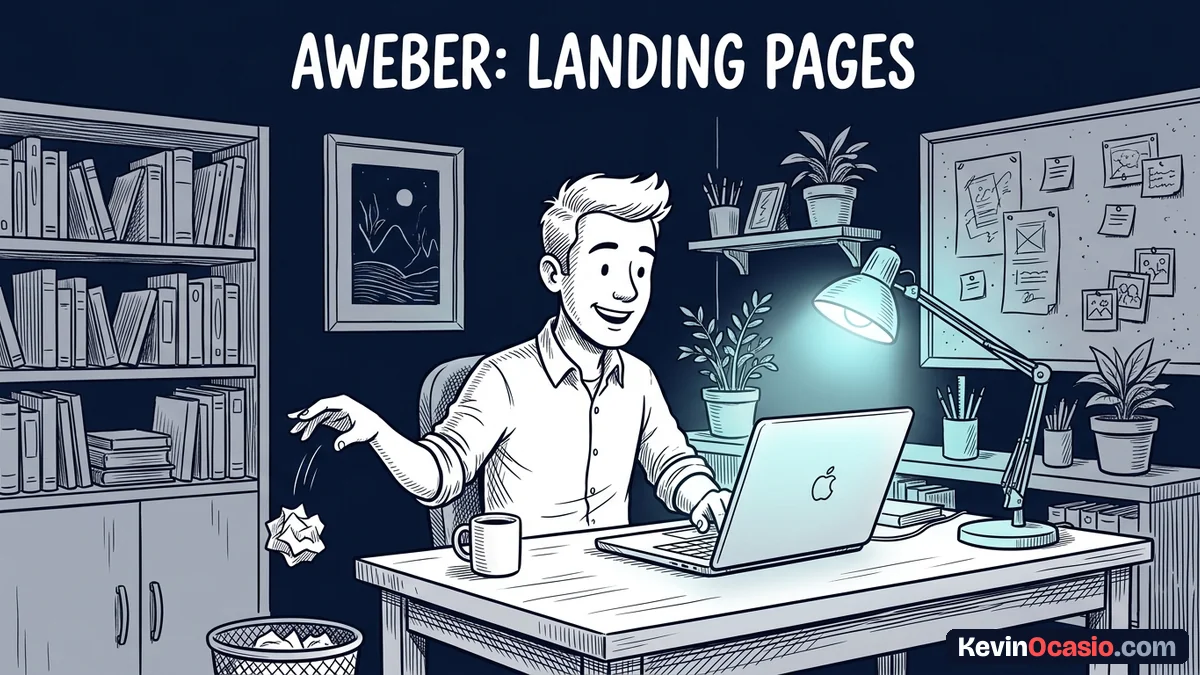
Building a page inside AWeber is simple. You log into your account, open the landing pages tab, and pick a pre-made template. The drag-and-drop editor lets you move text blocks, add images, and embed video clips. You don’t have to write any code to get a clean layout live on the web.
Connecting your own domain name gives your links a clean look. You can hook up a custom subdomain like offers.yourdomain.com in a few quick steps. These pages live on fast cloud servers, so they load right away on mobile phones. Fast landing page load speed keeps visitors from bouncing before they read your offer.
Selling simple digital files works right out of the box. You link your Stripe account with a few clicks and drop a buy button onto the page. When someone buys your PDF guide or books a call, AWeber takes the payment and adds them to your list. The tool tags them at checkout so your delivery emails go out right away.
Basic tracking tools come built into the page settings. You don’t need to paste messy script code into your page header. You paste your Google Analytics ID or Meta Pixel ID into the tracking box and hit publish. Your traffic numbers start recording within minutes.
The Hard Limits of AWeber Landing Pages
You run into real limits with AWeber landing pages as your marketing grows. The free plan lets you publish just one active page at a time. The Lite plan raises that cap to three pages for $15 a month, while the Plus plan gives you unlimited pages for $30 a month. These page caps matter if you plan to launch several offers at once.
The biggest gap is the total lack of page split testing. You can split test email subject lines inside AWeber, but you can’t test two landing pages against each other. If you need to see which headline brings in more leads, you have to split your traffic by hand with outside links.
You also can’t build multi-step sales funnels with upsells or order bumps. When a buyer enters their card details, the sale ends right there. The builder can’t offer an extra product on the checkout form, and it can’t send buyers to a one-time offer page before the receipt.
Custom styling stays limited compared to full website builders. You can pick fonts, change colors, and style buttons, but you can’t tweak deep layout code. The platform is an email tool first and a page builder second, so it favors simple layouts over fancy visuals, which I cover in the full AWeber review.
Here is how the built-in tool stacks up against dedicated builders across key features.
| Feature or Capability | AWeber Native Pages | Dedicated Page Builders |
|---|---|---|
| Monthly Cost | Included in email plan ($0 to $30/mo) | $49 to $199/mo (Extra tool subscription) |
| Custom Domains | Yes (Subdomains supported) | Yes (Multiple root domains) |
| Stripe Checkout Integration | Yes (Built-in buy buttons) | Yes (Deep cart integrations) |
| Landing Page Split Testing | No (Email testing only) | Yes (Built-in A/B testing) |
| One-Click Upsells and Bumps | No (Single transactions only) | Yes (Multi-step funnel flows) |
| Subscriber List Sync | Instant (Native to your list) | Requires API or webhook sync |
Who Should Skip a Separate Page Builder
If you run a simple email newsletter or sell client services, buying another tool is pure waste. A good signup page only needs a strong headline, two or three bullet points, and an email box. You don’t need heavy code or fancy motion effects to design an opt-in page that converts casual visitors into real readers.
Keeping pages simple helps visitors make up their mind. People naturally remember the top hook and the bottom button best, thanks to the serial position effect. The messy middle copy gets forgotten fast. Cutting out side menus and focusing on one single promise helps people take action without feeling lost.
Paid traffic buyers will outgrow these basic pages in a hurry. When you spend cash on ads, you need sharp split testing to lower your lead costs. You also need order bumps and upsells to raise your cart value and cover ad spend on day one.
For most creators starting out, using the built-in tool saves money and keeps things simple. You can launch clean lead pages, test your ideas on real buyers, and keep your tool costs low while your business finds its feet.
Launch Your First Lead Page Without Extra Software Bills
Take an hour today to build your first page inside your account. Look through the pre-made templates and pick a clean layout that shows off your offer. Focus on the main benefit you give people, and ask for an email address with a single input box.
Link your custom subdomain so the URL matches your brand name. Hook up your Stripe account if you plan to sell a digital guide. Make sure your welcome email is set to send your free download as soon as a new reader joins your list.
Don’t fall into the trap of buying costly funnel tools before you have steady traffic. Start with the tools you already have, prove people want your offer, and only upgrade when new features pay for themselves.
Frequently Asked Questions About AWeber Landing Pages
Can I use AWeber landing pages on the free plan?
Yes. The free plan lets you build and publish one live landing page with small AWeber branding in the footer.
How many landing pages can I create on AWeber Lite?
The Lite plan caps your account at three live landing pages. If you need more pages, you can step up to the Plus plan.
Can I connect my own custom domain to AWeber landing pages?
Yes. You can hook up a custom subdomain by adding a simple CNAME record inside your domain registrar settings.
Does AWeber let you split test landing pages?
No. AWeber only offers split testing for email broadcasts. It doesn’t support split tests for landing pages or forms.
Can I sell digital products directly on an AWeber landing page?
Yes. You can connect your Stripe account and add a buy button to sell PDF guides, templates, or consulting calls.
Do AWeber landing pages work well on mobile phones?
Every pre-made template fits small screens right away. Your text and signup buttons stay large and easy to tap on phones.
When should I buy a dedicated page builder instead?
You should only buy a dedicated builder when you run paid ad traffic that needs deep split testing and multi-step upsell funnels.