You sign up for an email tool expecting a small monthly charge. Six months later, you’re staring at a bill that grew faster than your sales. That happens when an autoresponder bills you for every name on your list. It charges you even if people leave your notes sitting unread.
The Short Version
- Brevo cuts monthly bills for light senders who mail once or twice a month.
- AWeber saves you cash if you send weekly newsletters or run active daily sales sequences.
- Pick your email platform based on your sending habits rather than your total contact count.
Jump to Section
- The Core Billing Split: Stored Contacts vs Send Volume
- When AWeber Saves You More Money: The Daily and Weekly Broadcaster
- AWeber vs Brevo: Feature Limits and Real Monthly Costs
- Deliverability, Automations, and Growing Past Beginner Limits
- Choose the Platform That Fits Your Actual Sending Schedule
- Frequently Asked Questions About AWeber vs Brevo
The Core Billing Split: Stored Contacts vs Send Volume
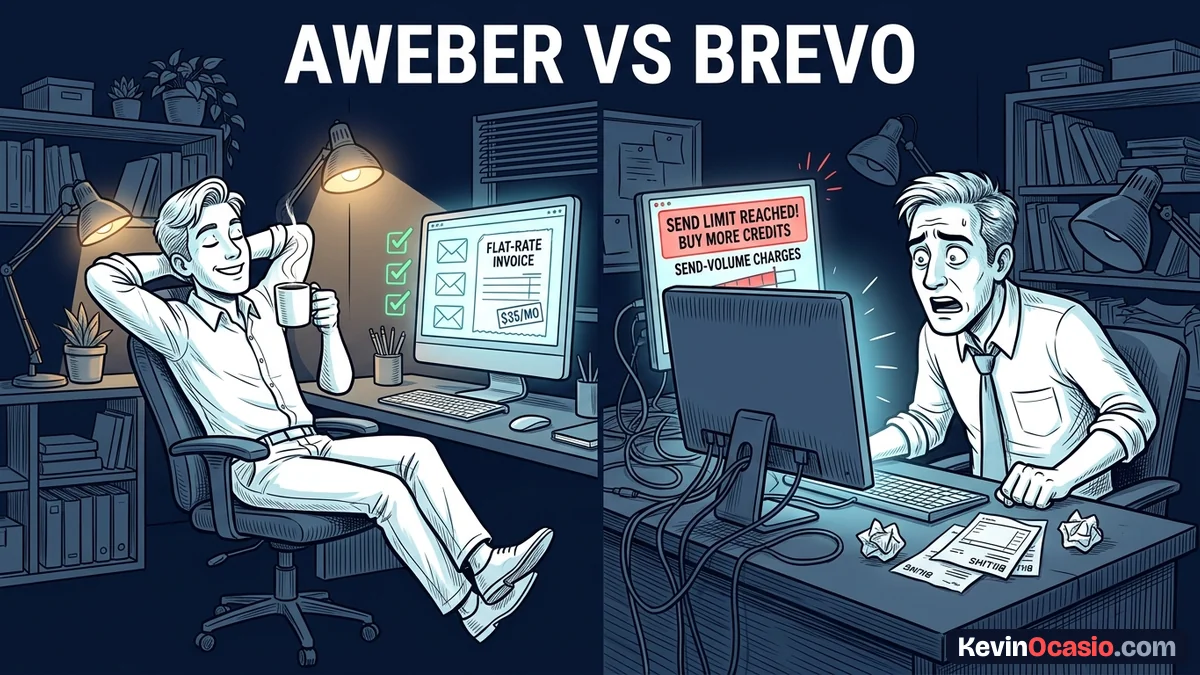
On most email platforms, you pay higher monthly rates based strictly on your total contact count. If your list grows from 900 to 1,100 people, your price jumps into the next tier right away. That price hike hits even if half those new names never buy a thing. That’s how monthly bills creep up on creators who forget to clean out cold contacts.
AWeber uses that standard list model, but pairs it with open sending. On their Lite plan, you pay $15 a month for up to 500 contacts, $25 a month for up to 1,000, and $35 a month for up to 2,500 contacts. Once you pay for your tier, you get a monthly send allowance equal to ten times your contact count. You can send two or three weekly broadcasts and run automated welcome flows without paying extra.
Brevo takes a different path by charging for send volume instead of list size. Their free plan lets you store as many contacts as you want, but caps your account at 300 emails a day. Their Starter plan costs $9 a month for 5,000 email sends with no daily caps.
This core difference changes your software bills. When you want to keep your monthly software bills close to zero, you must check your sending habits before you pick a tool. Paying for contact storage stings when you rarely email, while paying by the message gets expensive when you broadcast every few days.
When AWeber Saves You More Money: The Daily and Weekly Broadcaster
Don’t let your email list sit cold. You send a weekly newsletter and trigger welcome sequences for new signups. You run flash sales when you release a new guide. That email volume adds up fast.
Look at the math for 2,500 contacts. If you send two notes a week, that adds up to 20,000 emails a month. On Brevo, 20,000 sends costs $25 each month on their Starter tier. That cost climbs whenever you send an extra broadcast.
On AWeber, that same list costs a flat $35 a month on the Lite plan. You can send 10,000 or 25,000 emails a month under your tier without your price changing. Even if you run a five-day sales push with an email every morning, your bill stays locked at $35.
Sending regular promotional notes makes that flat price even better. When you send last-day reminders for a product push, an account billed on volume burns through send credits in hours. An open-sending plan means you don’t have to watch a credit meter drop while you mail your list.
You don’t want unexpected software charges popping up in the middle of a campaign. Steady billing gives you peace of mind during launches. When every email costs extra cash, you pause before you hit send. Read the full AWeber review for details on how their autoresponder tools hold up under heavy mailing.
AWeber vs Brevo: Feature Limits and Real Monthly Costs
Picking between these two platforms comes down to running your actual numbers. Don’t sign up for an email tool just because an ad promises a cheap entry price. To see how both platforms handle common list sizes and sending schedules, compare their pricing tiers and plan rules side by side.
| List Size & Sending Pace | AWeber Monthly Plan | Brevo Monthly Plan | The Cheaper Choice |
|---|---|---|---|
| 500 Contacts (Weekly: 2,000 sends) | $0 (Free Plan) | $0 (Free Plan, 300/day limit) | Tie (Both offer clean free entry) |
| 1,000 Contacts (Twice monthly: 2,000 sends) | $25/mo (Lite Plan) | $9/mo (Starter: 5,000 sends) | Brevo (Saves $16/mo for light senders) |
| 2,500 Contacts (Twice weekly: 20,000 sends) | $35/mo (Lite Plan) | $25/mo (Starter: 20,000 sends) | Brevo (Saves $10/mo if sends stay low) |
| 5,000 Contacts (3x weekly: 60,000 sends) | $60/mo (Lite Plan) | $69/mo (Starter: 60,000 sends) | AWeber (Saves $9/mo with open sends) |
| 10,000 Contacts (Daily broadcast: 300,000 sends) | $135/mo (Plus Plan) | $250+/mo (High volume send pricing) | AWeber (Big savings for daily senders) |
You hit a clear turning point in the pricing when your sending pace picks up. Brevo wins on price when you have a modest list and send updates once or twice a month. Once you start mailing two or three times a week, Brevo’s volume pricing catches up quickly.
If you don’t track your sending habits, you end up overpaying on either side. Taking time to audit your tools and stop paying for software you don’t need keeps your tech stack from eating your digital product profits.
Deliverability, Automations, and Growing Past Beginner Limits
Saving five dollars a month doesn’t help if your emails get buried in the spam tab. Inbox placement and automation limits matter just as much as your monthly bill.
AWeber has managed its own delivery systems for twenty-five years to keep your emails out of the spam folder. Their simple text-first email builder helps your mail land where readers see it. When you send busy emails loaded with heavy pictures, readers often suffer from banner blindness and scroll right past your links. Simple text-based emails built in AWeber skip that clutter and land right in the primary inbox.
Brevo started as an order email service. That background gives them strong delivery for receipts and account notes. But their marketing automations come with hidden limits on cheaper tiers. On Brevo’s Starter plan, your automated flows only let you send through 2,000 contacts before you have to upgrade to their $18-a-month Business plan.
Customer support is another big difference that impacts your daily work. AWeber gives you 24/7 phone, live chat, and email help on every single paid plan, including their $15 Lite tier. Brevo limits phone help to higher-cost tiers, leaving budget users to wait on email tickets when an automation breaks or a broadcast stalls.
Choose the Platform That Fits Your Actual Sending Schedule
You don’t need a complex math sheet to make the right choice between these two platforms. Pull up your email numbers from the last thirty days and check your active subscriber count and your monthly send volume.
If you run a client service business or a quiet blog that mails once a month, pick Brevo to store contacts for free and pay $9 for small send blocks. If you sell digital products, write weekly newsletters, or launch campaigns, pick AWeber so open sending keeps your monthly bill predictable.
Frequently Asked Questions About AWeber vs Brevo
Can I use Brevo completely for free?
Yes. Brevo gives you a free plan with open contact storage. Just remember that your account has a strict sending cap of 300 emails a day.
Does AWeber still have a free plan?
AWeber offers a free tier for up to 500 contacts, 1 list, and 1 automated sequence. For larger lists or multi-list setups, paid plans start at $15 a month for Lite.
Which tool is cheaper if I have 2,500 subscribers?
For list sizes around 2,500 contacts, Brevo is cheaper if you only send once or twice a month, costing $9 to $18. AWeber Lite costs $35 a month but gives you open sends if you broadcast several times a week.
What happens if I go over my monthly send limit on Brevo?
If you hit your monthly send cap, Brevo pauses your scheduled broadcasts until your next billing cycle. You can buy extra send credits or step up to a higher monthly send tier to keep mailing.
Does AWeber offer phone support on cheap plans?
Yes. AWeber includes 24/7 phone, live chat, and email support on all paid plans, starting with their $15 Lite tier.