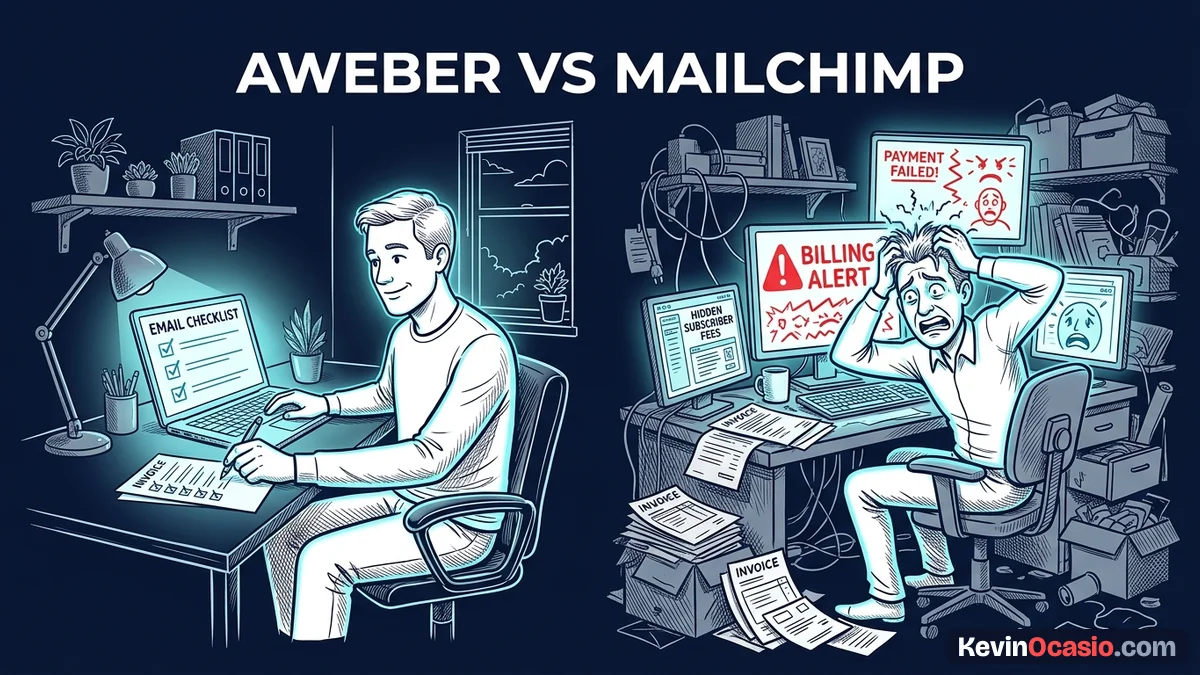
You start building an email list to sell digital products, and everyone points you to Mailchimp. You get a few sales, and your audience grows. Then you check your bank card and see your bill jumped, even though your active list stayed flat.
The Short Version
- Mailchimp charges for unsubscribed contacts until you manually archive them, which quietly inflates your monthly software bills.
- AWeber delivers predictable list pricing with automations included on entry plans and a free tier that gives you 500 contacts.
- Choose AWeber for simple newsletters and product broadcasts, while saving Mailchimp strictly for complex stores with deep customer tracking.
Jump to Section
- The True Cost of Unsubscribed Contacts
- AWeber vs Mailchimp: Free Plan Limits and Low-End Pricing
- Audience Management: Single Lists vs Complex Tagging
- Automation Workflows and Daily Builder Experience
- Choose the Platform That Protects Your Monthly Cash Flow
- Frequently Asked Questions About AWeber vs Mailchimp
The True Cost of Unsubscribed Contacts
It makes sense to assume an email tool only bills for active readers. That seems fair. If someone stops reading, you shouldn’t have to pay for them. Mailchimp works under a very different set of rules.
When a reader clicks the unsubscribe link, Mailchimp flags their status as inactive. But they keep that address in your billable count. They treat that contact as an active record until you manually hunt them down and archive them.
If you don’t clean your list every week, dead names stack up. Those cold names push your account past your tier cap. You end up paying real cash every month for people who told you to go away.
AWeber handles this much better for lean operators. When someone leaves your list, AWeber drops them from your billable count. Your bill stays tied only to people who want your emails.
Cleaning your list is a smart habit on any platform. You can learn how to prune inactive email subscribers to protect your sender score. When dead addresses linger, your account can easily cross the spam complaint rate threshold of 0.3% that mailbox providers monitor.
AWeber vs Mailchimp: Free Plan Limits and Low-End Pricing
Both platforms let you start for zero dollars. But the runway on each tool looks totally different once real leads come in.
Mailchimp used to offer two thousand free contacts, but those days are gone. Their free tier now caps out at two hundred and fifty names. You can only send five hundred emails a month with a daily cap of two hundred and fifty sends, and you can’t schedule automated sequences.
AWeber gives you five hundred subscribers on their free plan. You get three thousand sends every month. You also get one full automation campaign, which means you can send a free gift and run a welcome sequence without spending a dime.
When you grow past free tiers, the price gap gets huge. AWeber Lite starts at fifteen dollars a month for two thousand five hundred names. Mailchimp Essentials starts at thirteen dollars a month for only five hundred contacts, but climbs to forty-five dollars at twenty-five hundred names. Their Standard plan jumps even higher to sixty dollars every month.
Paying three times more for the same contact count hurts your wallet. You should stop paying for software you don’t need, especially when a simpler tool saves you hundreds of dollars every year.
Use the calculator below to see what each platform costs as your audience grows.
AWeber vs Mailchimp Cost Calculator
See how much cash you keep in your bank each year by comparing AWeber and Mailchimp as your subscriber list grows.
Audience Management: Single Lists vs Complex Tagging
How a tool sorts your contacts shapes your daily routine. It affects how fast you work and how many mistakes you make.
Mailchimp builds everything around one master audience. You don’t make fresh lists for different projects. Instead, you must use tags, groups, and segments to split up your buyers.
That single audience setup works fine for a retail shop. But if you run two side projects under one account, things get messy fast. If you create separate audiences to keep those projects apart, Mailchimp counts that single person twice. That means you pay double for one human being.
AWeber sticks with a simple list setup. You can make separate lists for each lead magnet or product launch. You never have to worry about one project bleeding into another.
On their Plus plan, you get unlimited lists and click tags. You get the simplicity of separate lists, plus the power to tag buyers who click links. For a solo builder with a blog and a course, that setup saves you hours of stress.
Automation Workflows and Daily Builder Experience
Setting up an automated sequence should take an hour. It shouldn’t turn into a long chore of fixing broken logic trees.
Mailchimp has a visual journey builder with lots of shiny options. The catch is that real multi-step sequences sit behind their Standard plan. That means you must pay twenty dollars or more each month just to send a basic sequence.
AWeber gives you automated campaigns on every tier. You drag in wait times, apply tags, and send messages through a clean editor. Everything feels fast and direct.
If you want a closer look at the editor, read the full AWeber review to see how their inbox delivery holds up under real use.
Here’s how both email platforms stack up when you look at real plan limits and costs.
| Feature or Limit | AWeber | Mailchimp |
|---|---|---|
| Free Plan Subscriber Cap | 500 contacts | 250 contacts |
| Free Monthly Send Volume | 3,000 emails | 500 emails (250/day cap) |
| Cost at 2,500 Subscribers | $15/mo (Lite) / $25/mo (Plus) | $45/mo (Essentials) / $60/mo (Standard) |
| Unsubscribed Contact Billing | $0 (Billed for active list only) | Billed until manually archived |
| Automated Sequences on Free Tier | Included (1 campaign workflow) | None (Manual sends only) |
| Multi-Step Visual Automations | Included on all paid tiers | Locked behind Standard plan ($20+/mo) |
If you’re building an audience from scratch, trying AWeber gives you plenty of room to grow without sudden fee jumps.
Choose the Platform That Protects Your Monthly Cash Flow
Deciding between these two platforms comes down to how your site makes money. You must look at what you need right now.
Pick Mailchimp only if you run a busy ecommerce store with lots of physical goods. It fits best when you need deep Shopify tools, cart tracking, and purchase receipts for hundreds of items.
Go with AWeber if you’re a solopreneur, blogger, coach, or digital creator. You get clean lists, reliable inbox delivery, and fair monthly rates. Their free tier covers your first five hundred leads, and their Lite plan stays at fifteen dollars as you climb to twenty-five hundred readers.
Frequently Asked Questions About AWeber vs Mailchimp
Does Mailchimp really charge for unsubscribed contacts?
Yes, Mailchimp counts unsubscribed contacts as part of your billable audience. You must manually archive them from your dashboard to stop paying for them.
Can I switch from Mailchimp to AWeber without losing my subscribers?
You can export your active list as a CSV file and upload it into AWeber. AWeber also has a free migration team that helps move your forms and templates.
Which platform has better email deliverability?
Both tools provide reliable deliverability. AWeber has focused on email delivery since 1998, which gives them strict spam rules and solid inbox placement.
Do I need to pay for AWeber right away?
No, AWeber has a free plan for up to five hundred leads and three thousand monthly sends. You only pay when you pass five hundred names.
Why does Mailchimp limit monthly email sends on paid plans?
Mailchimp caps sends at ten times your contact cap on Essentials and twelve times on Standard. If you email often, you must buy extra send blocks.
Which platform is easier for a complete beginner?
AWeber is simpler because separate lists are easy to see and manage. You can build an opt-in form, write a welcome sequence, and send your first email fast.