You set up a free email account, make a simple signup form, and send visitors to your landing page. Everything feels great until your lead magnet takes off. Your contact count climbs, and your free software suddenly slams the brakes on your growth.
The Short Version
- Free accounts cap contacts at 500 total addresses and limit monthly email sends to 2,500 messages.
- New leads get queued in a frozen waiting line without receiving your emails once you cross the 500-subscriber limit.
- Budget for paid Starter at $19 a month before you start driving serious traffic so your automations never stall.
Jump to Section
The Basic Tools Inside the Free Account
Starting an email list with zero cash sounds great when you test a new idea. You get an account to hold up to 500 contacts. You can send 2,500 newsletters each month without entering a card.
The dashboard gives you an email editor, simple web forms, and one landing page. That page lets you collect names and email addresses from new visitors. But it comes with a strict limit of 1,000 visitors each month.
Every email you send carries a GetResponse logo at the bottom. That’s normal for unpaid software. Still, you need to know what happens behind the scenes before you send real traffic to your forms.
You can draft messages, check layouts on phones, and sort contacts into basic lists. The setup works well enough to learn the tool. But the limits show up fast once you start getting traction.
How the GetResponse Free Plan Handles Your First Subscribers
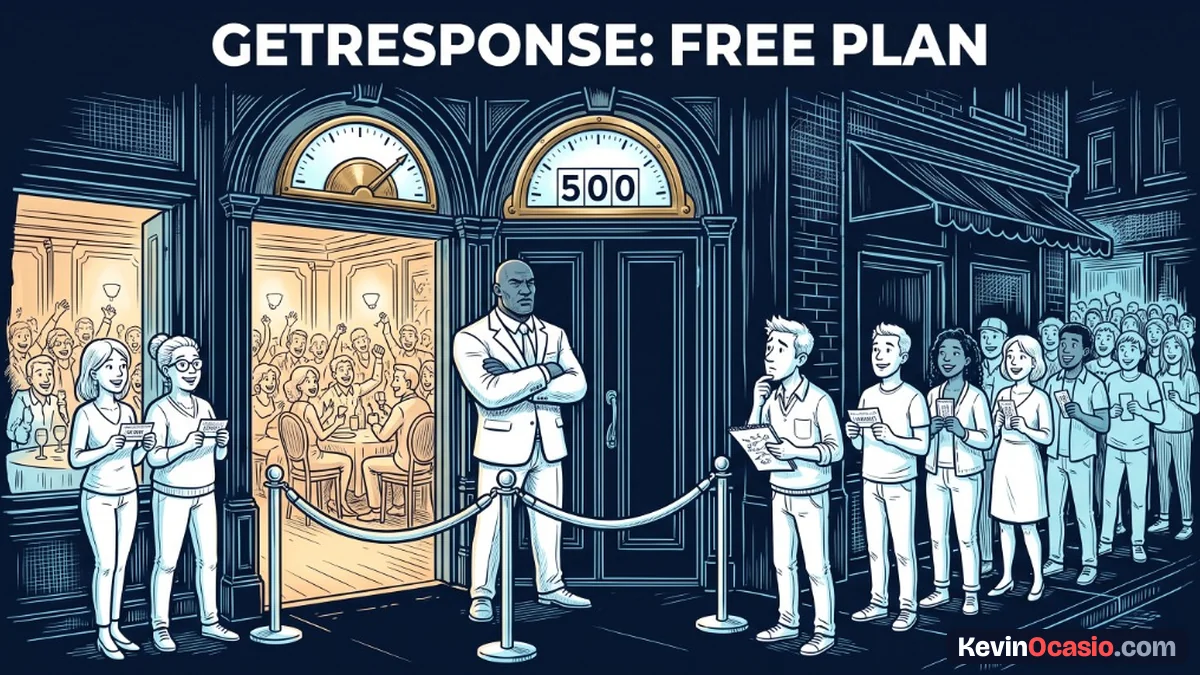
If you hit an account cap, you might expect a small fee or a warning note. On the GetResponse free plan, the system handles the 500-contact ceiling in a very different way.
The moment subscriber 501 signs up, the software doesn’t add them to your active list. Instead, the platform puts that new lead into a frozen queue. They sit locked away until you add a card and upgrade your plan.
Your new lead never gets your free guide or welcome email while stuck in that line. If someone asks for your download and hears nothing back, they move on. That hurts your credibility before you even send your first message.
That 500-contact ceiling also counts every single address in your account. It counts inactive contacts and people who never open your mail. If you don’t clean your list, dead addresses take up spots that could go to real buyers.
Here’s how the free limits stack up against what a growing business needs. Use this table to check what works and what breaks:
| Feature or Capability | GetResponse Free Tier | What a Growing Business Needs |
|---|---|---|
| Subscriber Capacity | 500 contacts max (active and inactive) | 1,000+ contacts with room to scale |
| Monthly Email Sends | 2,500 newsletters per month | Unlimited sends for regular broadcasts |
| Lead Generation Pages | 1 landing page (1,000 visits/mo) | Multiple landing pages with no traffic limits |
| Automated Sequences | 0 autoresponders (manual sends only) | 24/7 automated welcome and sales sequences |
| Overflow Handling | New leads frozen in a holding queue | Immediate email delivery for all signups |
| Platform Branding | GetResponse badge on all pages and emails | Clean custom branding on every message |
When you look at those numbers, the ceiling becomes obvious. A list of 500 contacts lets you send only five emails a month before running out of messages.
What Breaks When You Try to Automate Sales
The biggest catch with the unpaid plan is the lack of automated follow-up. When you sign up, you get a short trial to test paid tools. But once that trial ends, automated sequences stop running completely.
Running an email list by hand gets old fast. You can’t log in every day to send manual notes. If you want steady sales, you need an automated email lead funnel that delivers follow-up notes without you clicking send.
When people join your list, you want them opening your first note right away. You get your highest welcome email engagement right after someone joins, because new signups open and click at much higher rates than older contacts. They want to hear from you today.
Leaving new leads without a fast automated reply wastes the effort you spent getting them. On the free tier, you can only send manual broadcasts to people already on your list. That means running a real welcome series is out of reach.
Without automated emails, your sales depend on live broadcasts. If you take a weekend off or forget to send an update, your marketing stops cold.
When Upgrading to Starter Makes Sense
If you want to run your business without checking your list size every hour, moving to a paid plan is the right call. GetResponse offers their Starter plan for $19 a month. The price drops to $15.58 a month if you pay for the full year. That gives you room for 1,000 contacts.
Moving to Starter removes the 2,500 monthly send cap. You get unlimited newsletters and can build a full welcome sequence. The plan also removes the visitor cap on your landing pages so your forms stay live.
For a deep look at the tool and its inbox delivery, read the full GetResponse review. When you’re ready for real automations, picking the Starter plan on a dedicated email autoresponder gives you an easy way to grow.
To keep your monthly software bills low while launching your site, check out my guide on how to start an online business under 50 dollars. Paying for tools only makes sense when they help you make sales. Make sure your offer is ready before you start spending money each month.
Investing in your email tools early gives your business room to grow. You spend less time worrying about account caps and more time writing notes that help your readers.
Plan Your List Budget Before Driving Traffic
Free software is fine for learning how an email builder works and setting up your first form. But treating a free account as a permanent business tool leads to problems the moment your marketing works.
Before you launch your next lead magnet or run ads, decide how you’ll handle the upgrade. Clean out cold contacts often to keep your list lean. Upgrade your plan as you approach your limit so new leads never get stuck in a frozen queue.
Building a solid email list comes down to trust and speed. When you give your subscribers what they asked for right away, you set yourself up for steady sales.
Frequently Asked Questions About the GetResponse Free Plan
Does the GetResponse free plan include automated welcome emails?
No, automated sequences aren’t included on the free tier after your first trial ends. You can only send manual one-off newsletters to your list.
What happens when my list reaches 501 subscribers on the free plan?
Any new lead who signs up after you hit 500 contacts goes into a frozen line. They won’t get your emails or downloads until you upgrade to a paid plan.
Do unsubscribed or inactive contacts count toward my 500-contact limit?
Yes, every email in your account counts toward the 500 limit. That includes cold contacts and unsubscribed leads. Delete old names often to free up room.
How many emails can I send each month on the free tier?
The free account allows up to 2,500 monthly email sends. If you have 500 contacts, that equals just five full-list broadcasts before your sending allowance is gone for the month.
Is the GetResponse free plan still available for new signups?
GetResponse now gives new accounts a 30-day free trial on paid plans instead of a forever-free plan. Older accounts made under the legacy free plan still have the 500-contact limit.
How much does it cost to upgrade once I outgrow the free plan?
The Starter plan costs $19 a month on standard billing, or $15.58 a month if you pay for the full year. It gives you 1,000 contacts, unlimited email sends, and basic automations.