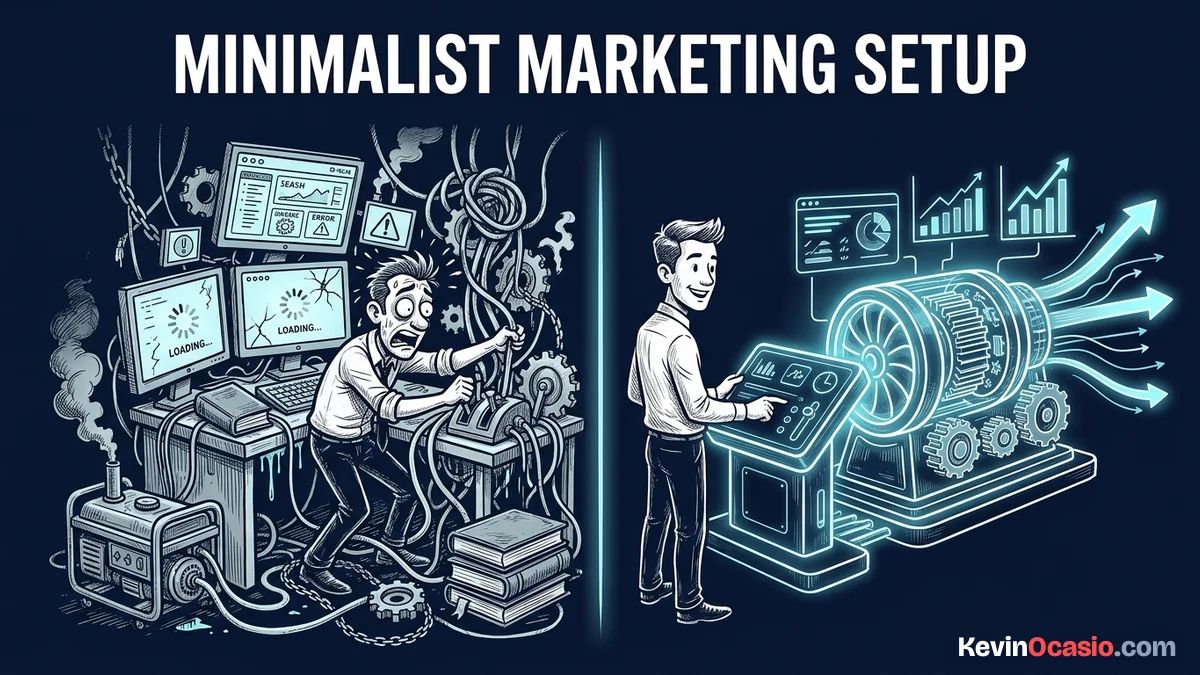
You install a few extra plugins to add popup bars, social icons, and fancy sliders. Then your checkout page slows to a crawl. Every extra script makes mobile shoppers wait. When a buy button freezes on a phone, buyers leave.
The Short Version
- Plugin bloat kills mobile sales by loading heavy code files, slowing down checkout forms, and triggering silent script bugs.
- Auditing your active tools lets you cut extra add-ons and replace five separate plugins with one dedicated sales platform.
- A lean three-part stack keeps your site fast, stops checkout crashes, and turns more visitors into paying buyers.
Jump to Section
- How Plugin Bloat Destroys Your Mobile Sales
- The Hidden Database Cost of Extra Add-Ons
- Why a Minimalist Marketing Setup Protects Your Checkout
- The Three Core Tools You Actually Need
- Bloated Plugin Stacks vs Clean Marketing Systems
- Strip Away Dead Code and Protect Your Conversions
- Frequently Asked Questions About a Minimalist Marketing Setup
How Plugin Bloat Destroys Your Mobile Sales
WordPress makes adding plugins so easy that you might treat them like toys at first. You add one plugin for social sharing and another for a timer. Soon, your site runs thirty different add-ons. Each one eats server power on every click.
Most plugins don’t just run where you need them. Badly coded tools load their style sheets and script files across your whole site. That includes your sales pages and checkout forms. A mobile phone must download dozens of files before the screen even shows your headline.
These extra files create render-blocking resources that stall the browser from drawing the page. A buyer on a phone won’t wait six seconds for a button to load. They close the tab, go back to Google, and buy from someone else.
Every second of delay hurts your sales. When a checkout runs slow, people worry your payment form is broken. Cutting extra plugins keeps your code clean. It also protects your daily sales.
The Hidden Database Cost of Extra Add-Ons
Page speed on the screen is only half the problem. What plugins do inside your database can hurt your site even more. Every time a visitor clicks a page, WordPress queries your database to build the content and run your tools.
Many marketing plugins leave heavy chunks of junk data behind. They force that extra data to load on every single page view. Even if a plugin only runs a contact form, its settings still load on your checkout. When heavy queries bog down your database, even reliable web hosting struggles to keep up during busy traffic hours.
Several plugins also schedule background tasks that run while people browse. If two plugins run heavy scans at the same time, your server slows down fast. Keeping your plugin count low stops this hidden drag before it starts.
Why a Minimalist Marketing Setup Protects Your Checkout
The biggest risk of running too many plugins is code clash. Plugins come from hundreds of different coders who never test their files together. When two tools fight over the same script or hook, things break without warning.
You might never see that your payment form stopped working on phones after a routine update. A buyer clicks the buy button, the icon spins forever, and no payment goes through. You lose the sale, and the customer never tells you what went wrong.
This is why you should test add-ons in a sandbox and follow a simple checklist for vetting new WordPress tools before hitting activate. Running a minimalist marketing setup cuts out these code fights. You have fewer moving parts to break your checkout flow.
Cutting extra add-ons also stops security bugs and saves you from constant updates. Every add-on you run gives bad bots another way to poke at your site. A lean site stays safe, stable, and ready to take orders all day.
The Three Core Tools You Actually Need
Running a profitable website doesn’t take twenty different plugins. Trying to turn WordPress into a giant marketing tool with loose add-ons leads to a slow site. It breaks when core updates roll out.
A clean layout on a lightweight WordPress theme gives you a fast start. It loads with zero bloated scripts. When your theme stays simple, your main content pages load fast.
Pairing that theme with dedicated sales software keeps your site quick. Instead of running five plugins for carts, forms, and emails, you can use a single platform. If you want an example of how this works, take a look at Systeme.io, which handles your funnels and checkouts on a fast hosted setup.
Offloading heavy sales tasks means WordPress only has to publish blog posts and articles. That setup gives you the best of both worlds. You own your content on WordPress, and your checkout forms never break.
Bloated Plugin Stacks vs Clean Marketing Systems
Stacking too many plugins costs you money in lost sales and wasted hours. When you strip out unneeded tools, your site runs better. Your whole business becomes easier to manage.
Here is how a bloated plugin setup compares to running a lean, minimalist stack:
| Feature / Component | Bloated 25-Plugin WordPress Site | Clean Minimalist Setup |
|---|---|---|
| Mobile Page Load Speed | 4 to 7 seconds (Script-heavy) | Under 2 seconds (Instant load) |
| Checkout Stability | High risk of plugin and script clashes | Isolated and reliable payment processing |
| Database Footprint | Megabytes of autoloaded options and logs | Clean, compact database tables |
| Maintenance Time | Hours spent fixing broken plugin updates | Minimal updates and zero conflict debugging |
| Monthly Software Cost | $50 to $150/mo in separate plugin renewals | Low-cost hosting plus one all-in-one tool |
The difference between those two setups is clear. The bloated stack creates daily bugs and costs more money every month. The minimalist stack gives you speed, peace of mind, and better conversion rates.
Strip Away Dead Code and Protect Your Conversions
Reviewing your active plugin list is the fastest way to find hidden speed traps. If an add-on doesn’t help your site or make you money, turn it off. You don’t need social counters, fancy mouse effects, or three tracking scripts running at once.
Turn off every tool that hasn’t helped your business over the past month. After turning them off, open a private browser window on your phone. Test your checkout from start to finish. You’ll notice the speed jump right away.
Once your test orders go through with zero issues, delete the unused plugins from your dashboard. Keeping your setup simple gives you a faster site, fewer broken pages, and more completed sales every month.
Frequently Asked Questions About a Minimalist Marketing Setup
How many plugins should I run on my WordPress site?
Most marketing blogs run best with fewer than ten to twelve plugins. Focus on code quality and real need rather than an arbitrary limit.
Does turning off a plugin stop it from slowing down my site?
Turning off a plugin stops its scripts from loading on your pages. But it may leave old rows in your database. Delete unused plugins and clean your database tables to remove all dead code.
Will cutting plugins break my existing marketing funnels?
Cutting plugins won’t hurt your business if you set up a dedicated sales platform first. Moving checkout forms off WordPress stops plugin updates from breaking your live sales pages.
What plugins do you actually need on a marketing site?
Most sites only need basic security, an SEO tool, a lightweight caching plugin, and a clean theme. Heavy jobs like sales funnels and email broadcasts run better on dedicated outside platforms.
How do I find which plugin is causing checkout errors?
Check your error logs or turn off your plugins one by one on a test site. Run a test order after each change. The tool causing the bug is usually the last one you updated or turned on.
Can a minimalist marketing setup handle high traffic spikes?
A minimalist setup handles traffic spikes much better than a heavy site. Each page needs fewer database queries and less server work. Lean sites stay online and keep taking orders when traffic jumps.