Picking an email tool feels like choosing between saving money right now or getting your messages into the inbox. One tool gives you zero upfront software costs, while the other charges from day one but keeps your sales notes out of the spam folder.
The Short Version
- MailerLite gives you free sending for up to 250 contacts, but strict checks and quick account locks can freeze your list.
- AWeber costs money upfront at $15 a month on Lite, but it welcomes affiliate links and has 24/7 live help.
- Pick based on your business by choosing MailerLite for simple blogs or AWeber for affiliate sales and digital products.
Jump to Section
- Free Plan Realities: The 250-Subscriber Ceiling vs Paid Peace of Mind
- Inbox Delivery and Account Compliance: Friendly Partner vs Strict Bouncers
- AWeber vs MailerLite: Core Feature and Pricing Comparison
- Campaign Builders and Automation: Modern Simplicity vs Proven Autoresponders
- Pick the Platform That Matches Your Business Model
- Frequently Asked Questions About AWeber vs MailerLite
Free Plan Realities: The 250-Subscriber Ceiling vs Paid Peace of Mind
Free sounds great when you have zero money coming in. MailerLite lets you start at zero cost for up to 250 contacts and send 2,500 messages each month. That sounds nice until you run a launch and watch how fast 250 people join your list.
Once you add person 251, your free account stops working until you put in a credit card. You jump right to the paid Comfort plan. That starts at $12 a month and covers 1,000 contacts. That free ride ends before you even make your first sale.
AWeber takes a very different path with its prices. You don’t get a tiny free box that cuts you off after a few weeks. Instead, you get a 14-day free trial on the Lite tier. When billing starts, you pay $15 a month, but that flat price covers you all the way up to 2,500 subscribers.
Put those numbers side by side as your list grows. When you reach 2,500 contacts, MailerLite charges you $20 a month. AWeber Lite keeps your bill at $15 a month. If you want to see other tools for small shops, check out the best email marketing platforms for solopreneurs before you sign any contract.
Starting on MailerLite saves you a few bucks in your first month. But if you want a list that brings in steady money, AWeber gives you more room to grow before asking for another price bump.
Inbox Delivery and Account Compliance: Friendly Partner vs Strict Bouncers
Getting your message into the main inbox is what pays your bills. MailerLite protects its delivery rates by acting like a tough bouncer at a club door. Before you can send a single note, their team checks your website and your sign-up forms.
If you lack a live website with a clear opt-in box, they’ll turn you down fast. Even after you’re in, automated checks watch your account closely. If spam complaints pass 0.2 percent or bad emails top 5 percent, their system locks your account on the spot.
That strict setup keeps their servers clean, but it makes honest creators feel nervous. That’s especially true if you share affiliate links. MailerLite puts hard limits on affiliate deals. Dropping raw partner links into your emails can get your account shut down overnight.
AWeber handles delivery from a totally different angle. They’ve run email servers since 1998, building deep trust with the biggest inbox networks. Major mailbox providers judge sender reputation based on past delivery track records, which is why older platforms protect small lists so well.
Their team watches shared servers day and night so you don’t face sudden account locks. As long as you send clicks to your own domain first, AWeber welcomes affiliate marketing. If anything goes wrong, their 24/7 phone, chat, and email team is ready to help you right away.
AWeber vs MailerLite: Core Feature and Pricing Comparison
Picking between these two platforms comes down to comparing account rules, monthly bills, and sending limits.
| Feature or Limit | AWeber Lite | MailerLite Comfort |
|---|---|---|
| Free Tier Access | 14-day free trial | Free up to 250 subscribers |
| Cost at 500 Contacts | $15 per month | $12 per month |
| Cost at 1,000 Contacts | $15 per month | $12 per month |
| Cost at 2,500 Contacts | $15 per month | $20 per month |
| Account Approval | Instant setup | Strict manual website review |
| Affiliate Links | Allowed via own domain | Strictly restricted |
| Customer Support | 24/7 phone, chat, and email | Email and chat only |
Checking the exact math for your subscriber count helps you see the real cost gap over a full year.
AWeber vs MailerLite Cost Calculator
See how much cash you keep in your bank each year by comparing AWeber and MailerLite as your subscriber list grows.
Campaign Builders and Automation: Modern Simplicity vs Proven Autoresponders
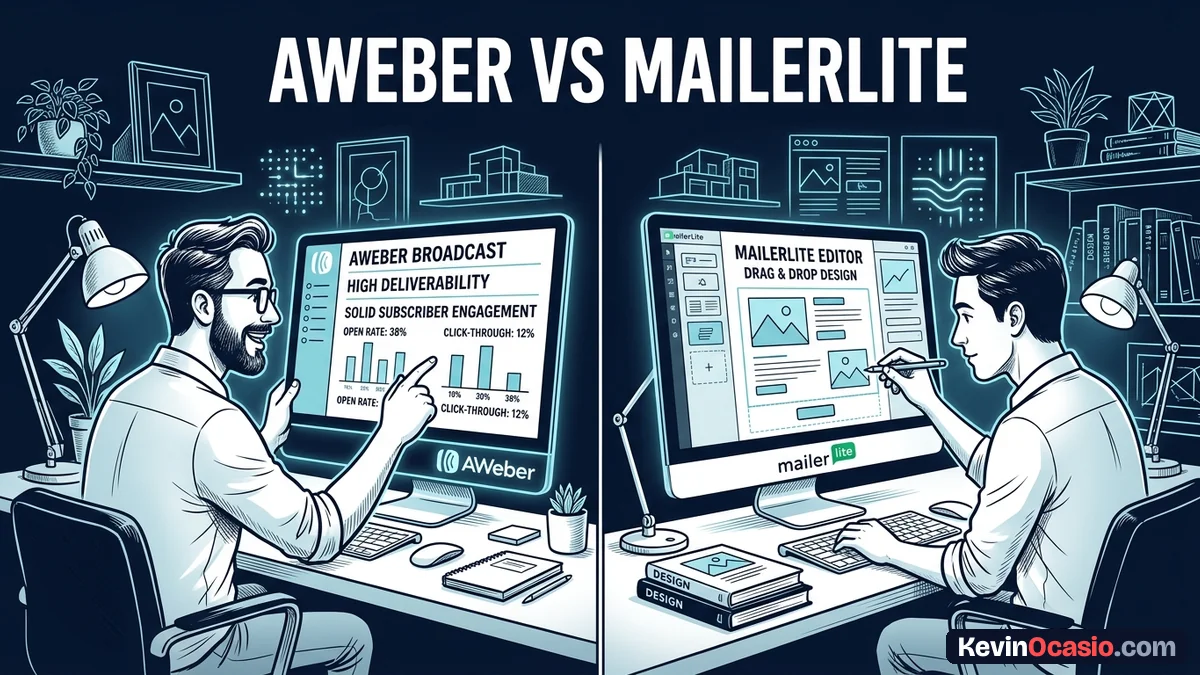
Your daily workflow inside an email app shapes how often you’ll write to your fans. MailerLite has a smooth drag-and-drop builder that feels quick and light. You can add image cards, video blocks, and timer bars without touching code.
Their visual workflow builder lets you map email paths on a clean canvas. You can set wait times, track clicks, and move readers into different buckets with a few taps. It feels modern and looks clean for anyone who likes simple visual apps.
AWeber takes a more basic path to writing emails. Its builder focuses on plain text notes and simple blocks that look like personal letters from a friend. That plain style is smart, since simple emails often skip the promo tab and land in the main inbox.
Setting up your automated emails inside AWeber relies on clear follow-up lists and tag rules. If you want to balance broadcast emails with automated sequences, you can easily mix one-off newsletters with scheduled follow-ups. You can also read the full AWeber review to see how their list tools work in practice.
The screen may look older than MailerLite, but its sending engine doesn’t fail. When you set an email for eight in the morning, it goes out on time without broken code or missing links.
Pick the Platform That Matches Your Business Model
Your choice between these two platforms should match how you make your money. Don’t grab an email tool just because someone said it was free for the first few hundred names.
Choose MailerLite if you run a simple blog or a local shop with a live website. If you only send helpful notes, stay away from affiliate deals, and want a slick builder, their Comfort plan works well under 1,000 names.
If you want to share affiliate links and sell digital goods, AWeber makes far more sense. Their $15 Lite plan keeps your bills low, their servers protect your delivery, and their phone team helps you when things break.
Picking the right tool today keeps your costs down and gets your messages seen by the people who want to buy.
Frequently Asked Questions About AWeber vs MailerLite
Can I use affiliate links inside MailerLite emails?
MailerLite puts strict limits on affiliate offers and bans direct links to partner stores. You must send readers to your own blog pages instead of using raw partner links.
Does AWeber offer a forever-free plan?
The old free plan was retired for new sign-ups. AWeber now gives you a 14-day free trial on its paid Lite and Plus plans.
Which tool is cheaper if I have 2,500 email subscribers?
AWeber Lite costs $15 a month for up to 2,500 contacts. MailerLite Comfort costs $20 a month for that same list size.
Why did MailerLite reject my new account application?
MailerLite asks for a live website with a clear sign-up form before it lets you send. They check every new account to stop spammers.
Can I switch from MailerLite to AWeber later without losing contacts?
You can export your list as a CSV file from MailerLite and move it right into AWeber in just a few minutes.
Does AWeber have phone support if my emails stop sending?
AWeber gives you 24/7 phone, live chat, and email help on all paid plans. You can talk to a real person whenever you run into trouble.
How many landing pages can I build on AWeber Lite?
The Lite plan gives you up to 3 live landing pages and 3 active workflows on your single email list.
Which platform delivers emails to the Gmail primary tab better?
Both tools send well once you authenticate your custom domain. But AWeber has decades of server history and simple layouts that land right in the primary tab.