When you start an email list, you want clear costs that don’t jump without warning. AWeber pricing looks simple on the surface. But the jump from free to paid catches many solo operators off guard once their list grows past 500 contacts.
The Short Version
- AWeber gives you 500 free contacts with basic tools, but crossing subscriber 501 pauses your campaigns until you upgrade to a paid tier.
- Choosing between Lite and Plus plans comes down to whether you need more than one list and want to remove AWeber branding.
- You only pay for active subscribers because AWeber stops billing you for contacts once they unsubscribe or get deleted.
Jump to Section
- Understanding AWeber Pricing: Free vs Lite vs Plus Plans
- What Happens When You Cross 500 Subscribers
- How AWeber Pricing Scales From 2,500 to 25,000 Contacts
- The Hidden Billing Rules: Inactive Contacts and Transaction Fees
- Pick the Right Plan to Match Your Monthly Cash Flow
- Frequently Asked Questions About AWeber Pricing
Understanding AWeber Pricing: Free vs Lite vs Plus Plans
You can start your account on one of three paths. You can stay on the zero-dollar option while testing your ideas. You can also pick the Lite plan, or move straight to Plus. Each tier changes your tool access, send limits, and monthly software bills.
A free account costs nothing for your first 500 contacts. You get a cap of 3,000 monthly emails. You get one list, one welcome email series, and one signup page. It works well when you want to test an offer without spending cash upfront.
Lite accounts begin at $15 per month and cover your list all the way up to 2,500 contacts. Paying by the year cuts your rate to $12.50 monthly. The plan keeps you locked to a single list, but your limits expand to three email flows and three pages. Your monthly send volume also jumps to ten times your list size.
Moving up to the Plus tier costs $25 per month for that same 2,500-contact limit, though annual billing drops that price down to $20 monthly. This tier gives you unlimited lists and email flows while stripping out all company badges. If you want a deep look at how the tool runs, read the detailed AWeber review before you buy. You can check current rates directly on AWeber to see which setup fits your budget.
What Happens When You Cross 500 Subscribers
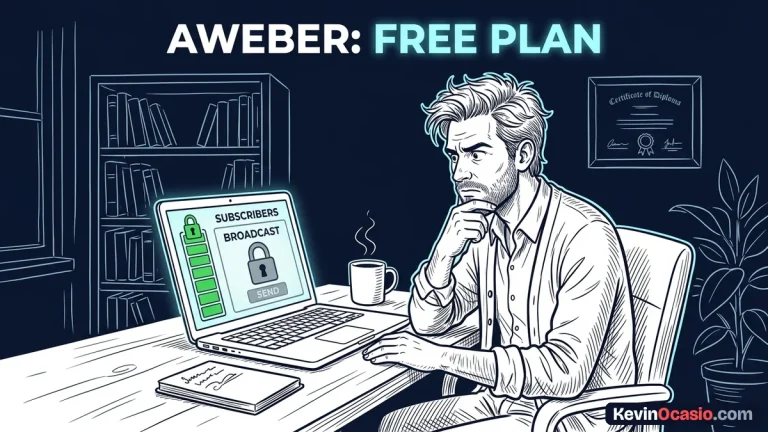
The moment reader 501 joins your list, your account won’t stay free. AWeber doesn’t shut off your forms or drop new leads. Instead, your account pauses all outbound emails and automated campaigns until you upgrade. New subscribers can still opt in, but emailing them requires upgrading to a paid tier.
Since the free tier never asks for a credit card, adding your billing details and selecting Lite or Plus gets your messages sending again. If you haven’t checked the strict rules on the starter tier in the AWeber free plan guide, the move to a paid plan can catch you by surprise. You have to decide whether the $15 Lite plan or the $25 Plus plan matches your immediate goals.
Protecting your budget starts by keeping your tech stack lean. When you manage monthly software bills as a solopreneur, every paid tool must earn its keep. Upgrading from the zero-dollar option means your list must make enough sales to cover its own cost.
How AWeber Pricing Scales From 2,500 to 25,000 Contacts
As your audience grows, your monthly bill climbs based on your total subscriber count and how often you send. Lite accounts get a monthly send cap equal to ten times their contact limit. Plus accounts get twelve times their contact limit and give you full access to behavioral automations.
Paying by the year gives you a solid discount that softens the blow as you scale. On the Plus plan, paying annually cuts your cost by up to 20% as you add more subscribers. That saves you hundreds of dollars each year once your list passes the 5,000 mark.
Here’s how the numbers break down across both paid plans at each major contact level:
| Subscriber Count | Lite Plan (Monthly / Annual) | Plus Plan (Monthly / Annual) | Monthly Send Limit |
|---|---|---|---|
| Up to 500 | $15.00 / $12.50 mo | $25.00 / $20.00 mo | 5k (Lite) / 6k (Plus) |
| 501 to 2,500 | $15.00 / $12.50 mo | $25.00 / $20.00 mo | 25k (Lite) / 30k (Plus) |
| 2,501 to 5,000 | Plus Tier Recommended | $45.00 / $36.00 mo | 50k (Lite) / 60k (Plus) |
| 5,001 to 10,000 | Plus Tier Recommended | $65.00 / $52.00 mo | 100k (Lite) / 120k (Plus) |
| 10,001 to 25,000 | Plus Tier Recommended | $145.00 / $116.00 mo | 250k (Lite) / 300k (Plus) |
Deciding when to take on these price jumps is easier when you know exactly where to spend money in an online business. If you want to check your costs before your next bill hits, use this interactive tool to run the numbers for your exact list size:
Email Platform Cost Calculator
See how much cash you keep in your bank each year by picking the right email autoresponder instead of paying overpriced subscriber bills.
The Hidden Billing Rules: Inactive Contacts and Transaction Fees
You’ll quickly run into extra charges hidden in the fine print with most email tools. But AWeber handles contact billing better than most tools. Other apps bill you for every single name stored in your account. AWeber only bills you for active, subscribed readers.
Once a reader leaves your list, they stop counting toward your monthly tier. You don’t have to log in every weekend to wipe out unsubscribed names. That saves you from an accidental plan jump.
When you clean out cold leads, you protect your email sender reputation score at the same time. You also stop paying for dead inboxes that never open your emails. A quick check every three months keeps your list lean and under the next price jump.
Selling products through AWeber pages also carries checkout fees. Lite accounts pay a 1.0% fee on every sale. Plus accounts drop that fee to 0.6%. Standard card fees from Stripe still apply on top of those rates.
Pick the Right Plan to Match Your Monthly Cash Flow
Managing software bills comes down to picking the smallest plan that fits your business. You don’t need top-tier tools on day one if you only send a simple weekly note. Starting lean lets your audience growth pay for future upgrades as your income increases.
The free tier gives you plenty of runway while you test your lead magnet and collect your first subscribers. You can build your initial welcome sequence and make your first digital sales before spending a dime. Once you pass 500 contacts, the $15 Lite plan gives you room to grow all the way to 2,500 readers on a single list without straining your cash flow.
Moving to the Plus plan makes sense the moment you need multiple lists, advanced behavioral tagging, or unbranded email footers. Paying annually locks in the $20 per month rate up to 2,500 subscribers, saving you $60 a year. That yearly discount keeps your monthly bills predictable so you can focus on writing good emails and making sales.
Frequently Asked Questions About AWeber Pricing
Does AWeber charge you for unsubscribed contacts?
No, AWeber only counts active readers toward your billing limits. Once someone leaves your list, their email stops counting toward your total right away.
What happens immediately when you reach 501 subscribers?
Your signup forms keep collecting new contacts, but AWeber pauses your outgoing emails until you upgrade. You have to choose between the Lite or Plus plan and enter your billing details to resume sending.
Is AWeber Plus worth the extra cost over the Lite plan?
Yes, especially if you pay by the year. Plus gives you unlimited lists, unlimited email flows, lower checkout fees, and clean footers without company logos.
How much can you save with AWeber annual billing?
An annual subscription saves you 17% on Lite and 20% on Plus. That discount adds up to hundreds of dollars in savings as your list grows.
Does AWeber charge transaction fees when you sell digital products?
AWeber takes a 1.0% fee on Lite plans and a 0.6% fee on Plus plans for sales made through their pages. Normal processing fees from Stripe also apply.
Can you downgrade back to the free plan if your list shrinks?
You can return to the free plan if you prune your cold contacts back below 500 readers. Just send a quick note to support to make the switch.