Running live webinars to sell digital courses or coaching often means juggling three software tools. GetResponse webinars change that by putting the whole broadcast room inside your email dashboard on the Creator plan.
The Short Version
- Combining your email list and live broadcast rooms cuts monthly software bills and stops broken webhook connections.
- The Creator plan tier includes 100 live attendee seats with built-in registration pages and interactive sales banners.
- Choosing this built-in room makes sense for smaller audiences, while massive summits still need dedicated big corporate video setups.
Jump to Section
- How GetResponse Webinars Work Inside Your Email List
- Attendee Limits and the Real Cost of Upgrading
- Live Presentation Tools: Where GetResponse Holds Up and Where It Falls Short
- Why Built-In Tagging Beats Third-Party Webhook Cords
- Pick Your Webinar Setup Based on Audience Size, Not Software Hype
- Frequently Asked Questions About GetResponse Webinars
How GetResponse Webinars Work Inside Your Email List
You probably treat your email list and your webinar app like two separate islands. You build a signup page in one tool. Then you push leads into a video app. You hope your tags sync before the live call starts.
With GetResponse webinars, that friction goes away. The broadcast room lives inside the same database as your contact list. When someone signs up for your call, their record updates on the spot.
You build your signup page, set the date, and run the show from a single login. That setup removes the headache of managing extra accounts. You can pitch your offer without stress.
The full GetResponse guide shows how having forms, emails, and live tools in one spot keeps your work simple. If you want a clean setup that handles both list building and live calls, GetResponse gives you what you need without extra apps.
Attendee Limits and the Real Cost of Upgrading
Picking software with built-in tools always comes down to price and seat caps. You don’t want sudden price jumps when your audience grows.
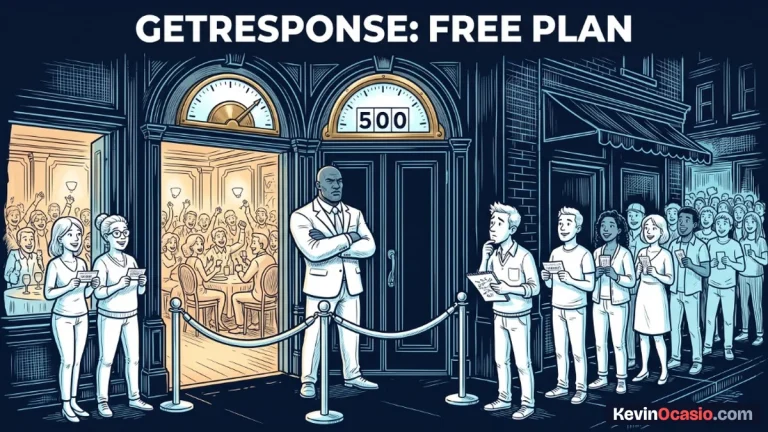
On the Creator plan, pricing starts at $69 a month (or $56.58 a month billed yearly) for 1,000 contacts. That base plan gives you the full webinar tool with a cap of 100 live seats.
If you need space for bigger crowds, you can buy add-ons to reach 500 seats. For most solo builders running weekly calls, that included room is plenty of space. Most people who sign up for free events don’t show up live. That means you can easily cover a list of several hundred subscribers.
Compare that to running separate tools side by side. A dedicated tool like WebinarJam charges $49 a month for 100 seats and jumps to $99 a month for 500 seats. Zoom Webinars charges about $79 a month for 500 seats on top of its base account fee. When you add your email bill and Zapier costs on top, you easily spend over $120 each month just to run a basic call.
Before you buy extra apps, you need to decide where to spend money in an online business so you don’t waste cash on duplicate features.
Here is how the real costs and attendee caps compare across popular setups:
| Software Setup | Monthly Cost | Included Attendees | Email Integration |
|---|---|---|---|
| GetResponse Creator Plan | $69/mo | 100 (Add-ons for 500) | Native (Same Database) |
| Zoom Webinars + Email Tool | $98/mo+ | 500 | Requires Zapier or Webhooks |
| WebinarJam + Email Tool | $118/mo+ | 500 | Requires Zapier or Webhooks |
| Systeme.io Webinar Plan | $47/mo | Evergreen Only (10 funnels) | Native (Same Database) |
Live Presentation Tools: Where GetResponse Holds Up and Where It Falls Short
A live broadcast tool only works if your video stream looks sharp. Nobody buys from a choppy feed with bad sound. You need a stable room that keeps visitors watching.
GetResponse runs its broadcast rooms right inside regular web browsers. That means your guests don’t have to download big apps or enter meeting codes to watch. They click the link in your email, type their name, and land right in the room.
Inside the room, you get standard tools. You can share your screen, show slide decks, draw on whiteboards, and chat live. You can also run quick polls. Polls keep folks engaged and let you get feedback during your lesson.
The best tool for sellers is the on-screen offer banner. When you pitch your product, you click a button and a bold offer box pops up over your video stream. Viewers click that box to head straight to checkout without hunting through chat messages.
Where the platform falls short is deep video controls. You won’t find green rooms for guest speakers, separate breakout rooms, or multi-camera studio switchers. If you run simple one-person workshops or two-person chats, it works great. If you plan to run huge multi-day events with dozens of speakers, you’ll feel cramped.
Before buying pricey video apps, check out free tools that replace expensive business software so you only buy what your sales setup truly needs.
Why Built-In Tagging Beats Third-Party Webhook Cords
The hidden cost of separate webinar tools isn’t just the extra monthly bill. The real pain is keeping your tags straight when people sign up, show up, or leave early.
When you link a third-party webinar app to an email service, you rely on webhooks to pass data back and forth. If hundreds of leads register at the exact same minute during a promotion, webhook delivery failures can drop records. That leaves buyers without their join links.
GetResponse removes that risk by tracking attendance inside its native contact engine. The tool tags people based on what they do during the call.
Automated follow-up rules trigger from viewing habits. If someone signs up but skips the call, you send a replay email. If someone stays through the pitch, you send a limited-time deal.
Because that tracking happens inside the same platform, tags apply the second the room shuts down. You don’t have to fix broken Zapier tasks or export spreadsheets just to send a replay note.
Pick Your Webinar Setup Based on Audience Size, Not Software Hype
Choosing between GetResponse and apps like Zoom or WebinarJam comes down to crowd size and how you sell. You don’t need fancy video tools to run a profitable business.
For creators and coaches running calls for up to 100 live guests, GetResponse handles everything under one roof. You get solid email delivery, clean landing pages, and a working webinar room for one monthly price.
If you fill 500 live seats or need breakout groups, stick with Zoom. You’ll pay more each month, but you get more room. You also spend extra time fixing data links.
Take a look at your real attendee numbers before your next launch. Cutting out duplicate tools saves you hundreds of dollars a year. It also keeps your tech stack simple.
Frequently Asked Questions About GetResponse Webinars
Do guests need a GetResponse account to join?
No. Guests just click the link in your email and type their name. The room runs in their browser without downloads or logins.
Can I run evergreen automated webinars in GetResponse?
Sure can. You can turn recordings of past live calls into on-demand presentations that visitors can watch anytime. The automated replay lets leads register on their own schedule and shows clickable call-to-action offer banners.
How many people can join a webinar on the Creator plan?
The Creator plan includes 100 live attendees by default. If your crowd grows, you can buy add-ons to reach 500 seats.
Can I record calls and send replays on autopilot?
Yes. GetResponse records your video in high definition. You can send the link to no-shows through an automated email series.
Does GetResponse support paid webinars?
You can connect Stripe or PayPal to charge an entry fee right on your registration page.
How does video quality compare to Zoom?
Video is crisp and stable because it runs on standard browser streaming. While it lacks Zoom’s deep audio filters, webcam feeds and slides look sharp.
Can more than one person host the call?
Yes. You can invite up to two guest presenters to share their webcams, audio, and slides alongside you.
Can I show slides and share my screen at once?
You can switch between slide decks, live screen sharing, and a digital whiteboard during your talk.