You build an email list to sell your work. Picking the wrong software burns your budget fast. Choosing between GetResponse and ConvertKit comes down to your main business model.
The Short Version
- GetResponse builds complete sales funnels with landing pages, web forms, and visual triggers starting at $19 a month for 1,000 contacts.
- ConvertKit focuses on creator newsletters with simple text emails and tags, but automated sequences require the $39 monthly Creator plan.
- Pick GetResponse for direct sales if you sell products, and pick ConvertKit if you run a content-first newsletter brand.
Jump to Section
GetResponse vs ConvertKit: Two Very Different Email Strategies
Solid email delivery gets your messages into the inbox, but these two tools approach your list from opposite angles. GetResponse grew up as a direct sales tool for selling courses and guides. ConvertKit, now named Kit, was built by bloggers who wanted clean writing screens. They didn’t want messy folders or complex tag trees.
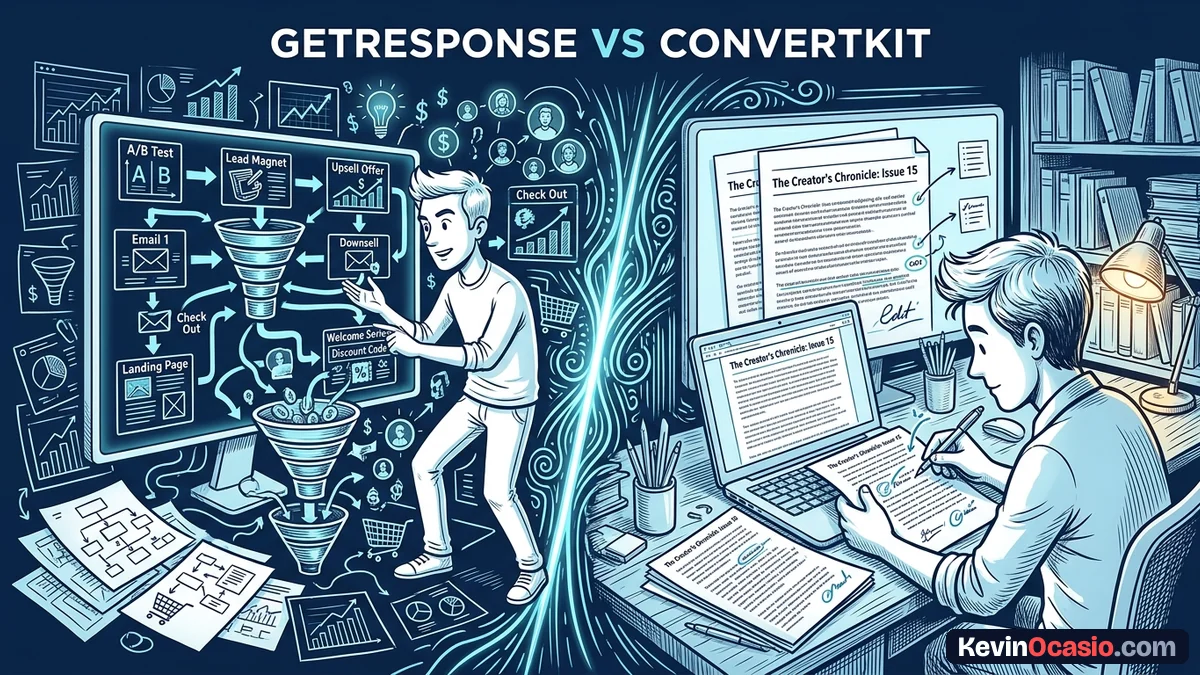
Think of GetResponse as a complete sales engine. Inside one account, you get autoresponders, landing pages, web forms, and live webinar rooms. You can capture a lead and send them to a checkout page right away. My GetResponse review shows how these built-in tools keep your setup lean so you don’t pay for three separate apps.
ConvertKit takes a different path by stripping out heavy layout blocks. Its email builder works like a clean blank notepad. Creator audiences trust personal notes over flashy brand layouts. In fact, that’s why simple text emails hit the inbox more often than heavy templates.
Using plain-text email formats gets you higher click rates across your campaigns. Readers treat plain text like a note from a friend. If your business runs on weekly articles, paid sponsorships, and writer referrals, it’s a clean fit.
Visual Automation Triggers vs Tag-Based Creator Sequences
When you sell digital goods on autopilot, your automation tool does the heavy lifting. GetResponse uses a visual drag-and-drop board. You can build full buyer paths using custom branches. The system lets you send emails based on link clicks, page visits, or cart drops so you don’t lose buyers.
Picture a new lead downloading your free cheat sheet. With GetResponse, you can route them into a proven welcome email sequence that sells your core offer. If they click your link but don’t buy, the system waits two days and sends a quick tip to help them decide. That follow-up wins back lost sales without you having to send manual emails.
Inside ConvertKit, you also get visual funnels, but the system runs on tags and custom fields where every subscriber sits on one master list. When a reader clicks a link, the platform adds a tag in seconds. It can then move that person into a pitch sequence. The visual workflow screen is easy to learn, but you have to pay for the Creator tier to use it, and it lacks built-in sales triggers like abandoned carts.
List Pricing Math: The Cost of Scaling Past 1,000 Contacts
Software bills can eat your profits when your list grows faster than your sales. That’s where the price gap between these two tools hits your wallet. ConvertKit offers a free tier for up to 10,000 readers, but it comes with a big catch. You can’t send automated sequences or build visual funnels without paying.
To send an automated email series when someone joins your list, ConvertKit requires the Creator plan. That plan costs $39 a month for 1,000 contacts. In contrast, GetResponse includes automated workflows on its entry Starter plan. That tier costs $19 a month for 1,000 leads, or $15.58 a month when you’re billed yearly.
When you compare the best email marketing platforms for solopreneurs, the pricing math is easy to see. GetResponse gives you automated follow-ups at half the starting cost. You get landing pages, forms, and sequences without jumping to an expensive plan. That leaves more cash in your bank account each month as your list grows.
Here’s how both platforms stack up across core features, plan limits, and monthly costs. The numbers show where each tool gives you the best return.
| Feature or Tier | GetResponse | ConvertKit (Kit) |
|---|---|---|
| Starting Price (1,000 Contacts) | $19/mo (Starter Plan) | $39/mo (Creator Plan) |
| Free Tier Limits | Free 30-day trial (no free plan) | Free up to 10,000 (Broadcasts only) |
| Automated Email Sequences | Included on $19/mo Starter | Requires $39/mo Creator plan |
| Visual Automation Builder | 1 workflow on Starter, unlimited on Marketer | Unlimited on $39/mo Creator plan |
| Landing Pages & Web Forms | Unlimited on all paid plans | Included on free and paid plans |
| Sales Funnels & Abandoned Cart | Included on $59/mo Marketer plan | Requires 3rd-party cart integrations |
| Audience Growth Network | Standard lead generation tools | Built-in Creator Network & SparkLoop |
| Best Business Model | Direct product sales & funnels | Creator newsletters & sponsorships |
Test your own subscriber numbers below to see the exact price difference for your list. Move the slider to match your current audience size.
GetResponse vs Kit Cost Calculator
See how much cash you keep in your bank each year by comparing GetResponse and Kit as your subscriber list grows.
Pick the Platform That Matches Your Business Model
The best choice depends on how you plan to make money. Don’t pick a tool because you saw an ad or heard a podcaster rave about it. Look at your daily tasks. Pick the platform that fits your real business needs.
GetResponse is the stronger choice if you sell courses, digital downloads, or client services. Its $19 monthly starting rate gives you landing pages and automated sales steps on a lean budget. You can try GetResponse to start building your funnels today.
Go with ConvertKit if you write a weekly creator newsletter. It shines when your income comes from sponsorships, paid memberships, and writer recommendations. You’ll just need to budget for the $39 monthly fee once you turn on automated sequences.
Frequently Asked Questions About GetResponse vs ConvertKit
Which platform costs less for automated emails at 1,000 contacts?
At 1,000 contacts, GetResponse costs less. It starts at $19 a month with automated workflows included. ConvertKit costs $39 a month for automations at that same list size.
Can you run automated email sequences on the ConvertKit free plan?
No, the free tier only sends manual broadcast messages. You can’t set up drip sequences on it. You must pay for the Creator tier to turn on automated sequences.
Does GetResponse have a forever-free plan?
GetResponse doesn’t offer a forever-free plan for new signups today. Instead, you get a 30-day free trial on its paid plans. Its older 500-contact free account is closed to new signups.
Which tool works best for selling digital downloads?
Active sales funnels run better inside GetResponse. It gives you abandoned cart triggers and sales pages. ConvertKit handles simple checkouts, but doesn’t give you deeper sales funnel logic.
What is the ConvertKit Creator Network?
The Creator Network lets writers recommend other newsletters during signup. It helps you grow your audience for free. When someone joins a partner list, your newsletter can show up as a suggested follow.
How do the two tools manage contact lists?
ConvertKit uses a single subscriber list organized with tags and custom fields. People never get counted twice. GetResponse lets you use both distinct lists and custom tags for campaign sorting.
Can you build landing pages on both platforms?
Yes, both tools include mobile page builders. GetResponse gives you rich sales page layouts with checkout links. ConvertKit uses simple opt-in designs made to collect email signups fast.
Is it easy to move from ConvertKit to GetResponse later?
Moving your contacts takes a simple CSV export and import. Your subscriber list transfers in minutes. You’ll just need to rebuild your visual automations and email drafts in the new account.