You spend months filming a big video course, then burn out before selling a single copy. You don’t need a studio to sell digital products online. You can pack a quick fix into a short guide and sell it this week.
The Short Version
- Solve one clear problem with a short 5-to-8 page PDF guide instead of building a heavy course.
- Price your asset under thirty dollars so buyers can make a fast decision without second-guessing the cost.
- Use a simple one-page checkout and set up instant delivery so buyers get their file right away.
Jump to Section
- Why You Should Create a Digital Product That Solves One Problem
- How to Package and Price Your Asset for Fast Sales
- Set Up a One-Page Checkout and Instant Delivery Funnel
- Turn Free Leads into Paying Product Buyers
- Launch Your Digital Asset Before the Weekend Hits
- Frequently Asked Questions About How to Create a Digital Product
Why You Should Create a Digital Product That Solves One Problem
When you sit down to build an asset, it’s easy to think bigger is better. You tell yourself that buyers only want big courses with hours of video and extra work. In reality, buyers don’t want video homework. They want the fastest path to fix their pain.
Big courses have a major flaw: most people never finish them. Pull up the numbers on online course completion rates and you’ll see that about eighty-five percent of students never make it to the end. People get busy, fall behind, and walk away feeling stuck.
A short five-to-eight page action guide fixes that issue. A reader can open your PDF and finish it in twenty minutes. They get their answer in one sitting, take action fast, and see quick results.
Targeting one small topic also saves your sanity. You can write and clean up a seven-page guide in two days. That lets you test your idea with real buyers while other creators are still buying webcams.
How to Package and Price Your Asset for Fast Sales
The fastest way to stall your launch is charging too much. When you price an unproven guide at ninety-seven dollars, buyers stop and think. They leave your tab open, wait for payday, and forget to come back.
Setting your price between seven and twenty-seven dollars speeds up the buying decision. At seven dollars, the buy is an easy impulse choice. The buyer doesn’t need to check with anyone or sleep on it. The price is low, the risk is tiny, and the value is clear.
You don’t need fancy layout tools to build your file. Open a clean page in Google Docs and type out the steps in plain words. Add clear headings, drop in screenshots if needed, and export the file as a clean PDF.
If you want a shortcut for this entire setup, grab The Digital Product Launch Kit for seven dollars. It gives you a twenty-page workbook with six idea sheets, a tech checklist, a sales page template, and a three-part email launch sequence.
Set Up a One-Page Checkout and Instant Delivery Funnel
Selling a digital download doesn’t take a giant storefront. You don’t need shopping carts that cost fifty dollars a month just to host one PDF. All you need is a payment form and a thank-you page with a download link.
Setting up your order form on a dedicated funnel tool keeps your tech stack lean. If you want to keep your monthly bills at zero, read my breakdown of the Systeme.io free plan. It lets you link Stripe, build a checkout page, and deliver files without paying a dime in software fees.
Smart delivery stops customer support headaches before they start. When a buyer pays, send them straight to a thank-you page with their file link. Send a backup copy to their inbox at the exact same time. That way, they get their guide in seconds, even if their browser crashes.
Here is how a complex course launch compares to selling a lean digital guide:
| Launch Factor | Complex Video Course | Lean 5-Page Action Guide |
|---|---|---|
| Creation Time | 2 to 4 months of filming | 1 to 2 days of writing |
| Software Cost | $99 to $199 per month | $0 per month |
| Buyer Completion Rate | 10% to 15% finish | Most buyers finish in one sitting |
| Buyer Price | $197 to $497 | $7 to $27 |
| Customer Setup | High (logins and passwords) | Low (instant PDF download) |
Turn Free Leads into Paying Product Buyers
Once your checkout link is live, you need people looking at your offer. The best way to get traffic without paying for ads is by offering a free download on your blog. Look at these lead magnet ideas to see how a one-page cheat sheet can attract fresh readers every week.
Free subscribers are warm leads who already want help. When someone grabs your cheat sheet, they’re telling you what they want to fix. If your guide gives them the full solution for seven dollars, buying it is an easy decision.
Hooking your signup form to an automated email lead funnel turns those subscribers into buyers. You can send a three-day email sequence that gives quick tips on day one, flags a common error on day two, and pitches your paid guide on day three. That email series keeps selling your guide long after you write it.
Launch Your Digital Asset Before the Weekend Hits
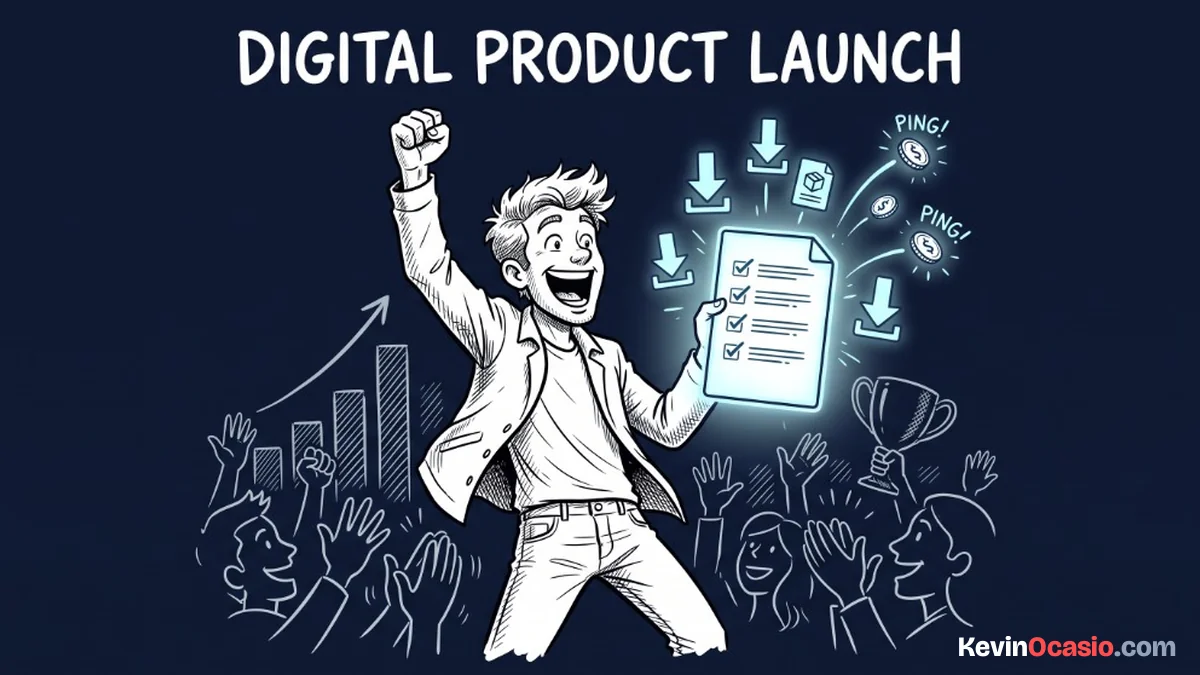
Thinking about a project feels safe, but shipping a real asset brings in paying customers. You don’t need a team, an agency, or weeks of prep to take your first sale online. Pick one pain point you can solve, open a fresh doc, and type out the steps.
Keep your tech simple by using a dedicated sales funnel builder to handle your payments and file delivery. Simple tools take away every excuse that slows you down. Your only job this week is to finish your draft, set your price, and put the link in front of buyers.
Your digital portfolio starts with one small win. When that first payment alert hits your phone, you get real proof that your offer works. You shift from planning an idea to running a live product. Ship your file today, put it online, and get your first sale.
Frequently Asked Questions About How to Create a Digital Product
Do I need an email list before creating a digital product?
No, you don’t need a list to start. Building your guide first gives you an offer to share on social feeds and in online groups. A low seven-dollar price makes it easy to turn new visitors into buyers.
Why write a PDF guide instead of filming videos?
A PDF guide is faster to make and easier to finish. Most buyers want quick steps they can read in twenty minutes, not twenty hours of video lectures. You can write a PDF in a weekend with no camera gear.
What is the best price for an entry digital product?
Keep your price between seven and twenty-seven dollars. This low cost turns the purchase into an easy impulse buy. It removes buyer hesitation and builds trust for larger offers down the road.
What software do I need to deliver files?
You only need a simple funnel tool with built-in digital delivery. It connects to Stripe to take payments and emails the file link to the buyer right away. You don’t need pricey cart plugins or extra tools.
How do I stop people from sharing my PDF file?
Don’t worry about file sharing for a low-cost guide. Putting heavy locks on your PDF only annoys paying customers. Most people who buy a seven-dollar guide just want to solve their problem fast.
How many pages should my guide be?
Aim for five to eight pages of clear, direct steps. Cut the fluff and focus on the exact fix. Buyers judge your guide by how fast it helps them, not by its page count.
How do I handle refunds on digital files?
Give a clear thirty-day refund guarantee on your checkout page. Since the price is low and the advice works, refund requests stay very rare. Paying refunds fast builds trust and keeps your payment account safe.