Most email tools look cheap when you only have fifty names on your list. Your bill jumps fast once your audience starts to grow. Picking between GetResponse and Mailchimp comes down to two things. You either want open visual workflows with unlimited sends, or you get stuck paying for people who already left your list.
The Short Version
- GetResponse gives you unlimited email sends and an open drag-and-drop automation builder without charging you for unsubscribed contacts.
- Mailchimp caps monthly email volume and bills you for every stored address until you manually delete people from your audience list.
- You save more money as your subscriber count climbs by picking a dedicated autoresponder with predictable monthly tiers.
Jump to Section
Visual Automations Beat Rigid Customer Journeys
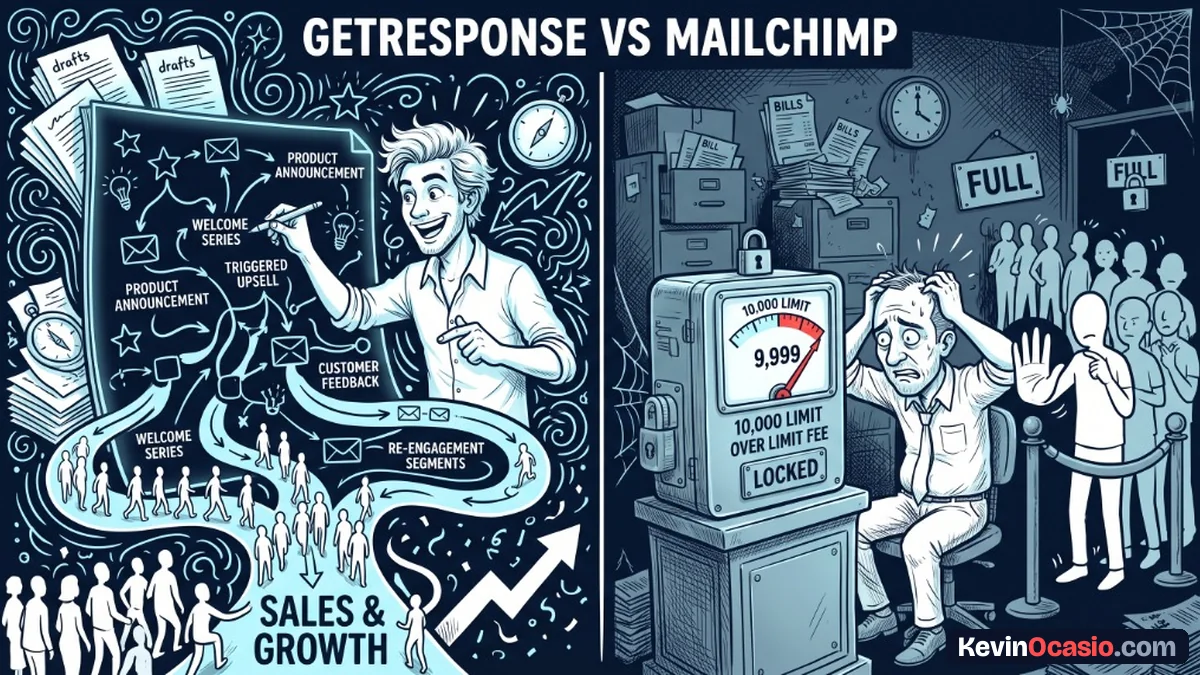
Setting up an email funnel should feel like drawing on a whiteboard. In GetResponse, you get an open visual canvas. You drag triggers, conditions, and actions right into place. You can tag clicks and route buyers into new paths without hitting walls.
Mailchimp calls its tool Customer Journeys, but it locks the visual builder behind higher tiers. If you stay on the cheap Essentials plan, you only get basic single-step flows. To build branching paths with split steps, Mailchimp makes you buy its Standard plan. Even then, it caps you at three triggers per journey.
That three-trigger limit creates real headaches when you run offers. You might want readers to join a flow from a free guide, a live call, or a product buy. On Mailchimp, you run out of entry points fast. GetResponse lets you hook multiple entry events to one flow so your marketing stays tidy.
Balancing broadcast emails with automated sequences turns readers into buyers. When your software locks your flow paths, you end up sending plain blasts instead. That hurts your clicks and wastes your time.
GetResponse vs Mailchimp: The Hidden Cost of Inactive Contacts
The biggest shock for new Mailchimp users is how the platform tallies contacts. Mailchimp charges you for subscribed fans, buyers who never opted in, and people who unsubscribed. If five hundred people opt out of your list this year, you still pay for them every month. You must manually delete or archive them to stop the charge.
GetResponse treats your list math much better. You only pay for active readers who can get your mail. When a reader clicks the unsubscribe link, GetResponse marks them as inactive. It stops counting them toward your plan cap right away.
Send limits create another hidden cost. Mailchimp limits your monthly sends to ten times your contact cap on Essentials and twelve times on Standard. If you have twenty-five hundred contacts on Essentials, you max out at twenty-five thousand sends a month. Sending three weekly notes plus a promo run blows past that cap and brings extra fees.
Keeping a clean list also protects your sender score across Gmail and Yahoo. Inbox providers track your spam flags, so your account needs to stay within standard email bounce rate benchmarks. When an email app charges you for dead contacts, it hurts your delivery rates and drains your wallet.
Real Pricing Tiers and List Scaling Math
Pricing looks close when your list is tiny. The costs split fast as you grow. Mailchimp has a free plan, but it stops at two hundred fifty contacts and five hundred sends a month. Past that limit, Essentials runs $13 a month for five hundred contacts, while Standard runs $20 a month.
GetResponse has no permanent free plan for new signups, giving you a thirty-day trial instead. Its entry Starter tier runs $19 a month for one thousand contacts with unlimited monthly sends. That tier includes signup forms, landing pages, and one custom workflow. If you want unlimited flows and full funnels, the Marketer plan runs $59 a month.
You can test your own list size in the calculator below to see the cost gap between both tools as your audience grows.
GetResponse vs Mailchimp Cost Calculator
See how much cash you keep in your bank each year by comparing GetResponse and Mailchimp as your subscriber list grows.
This table breaks down how both tools compare on key features, sending limits, and base plan costs.
| Feature or Limit | GetResponse (Starter / Marketer) | Mailchimp (Essentials / Standard) |
|---|---|---|
| Monthly Email Sends | Unlimited on all paid plans | Capped at 10x or 12x contact limit |
| Unsubscribed Contacts | Never billed; active contacts only | Billed monthly until manually archived |
| Visual Automation Canvas | 1 workflow on Starter; unlimited on Marketer | Locked behind Standard; max 3 triggers per flow |
| Entry Pricing (1,000 Contacts) | $19/mo (Starter) or $59/mo (Marketer) | $26.50/mo (Essentials) or $45/mo (Standard) |
| Landing Pages and Forms | Included with custom domain support | Included on all paid plans |
Once your list hits five thousand readers, Mailchimp gets pricey fast. Your monthly bill easily tops one hundred dollars. Switching to GetResponse helps you stop paying for software you don’t need while keeping your monthly costs predictable.
Pick the Right Email Platform for Your List
Mailchimp still works well for local shops that send one basic note a month. If you never build automated email sequences, the simple templates do the job. You just have to clean out old contacts by hand so you don’t get overbilled.
When you build real sales funnels for your products, GetResponse is the clear winner. You get unlimited email sends, flexible visual workflows, and simple list billing. Check out the full GetResponse breakdown to see inbox delivery scores and account setup steps.
If you want to build email funnels that turn visitors into buyers, try it yourself. You can test every feature without paying up front. Take a free trial of the best email autoresponder today and start mapping out your first visual workflow.
Frequently Asked Questions About GetResponse vs Mailchimp
Is GetResponse cheaper than Mailchimp as an email list grows?
Yes. GetResponse bills only for active contacts and gives you unlimited sends on all paid plans. Mailchimp bills for unsubscribed addresses and raises prices quickly as your list grows.
Does Mailchimp really charge you for unsubscribed contacts?
Mailchimp counts subscribed, non-subscribed, and unsubscribed contacts toward your total. You must archive or delete those contacts by hand to stop paying for them each month.
Can I send unlimited emails on GetResponse?
Every paid GetResponse plan gives you unlimited monthly email sends. You can email your list as often as you want without hitting volume caps or surprise fees.
What is the monthly send limit on Mailchimp entry plans?
Mailchimp caps monthly sends at ten times your contact cap on Essentials and twelve times on Standard. A list of one thousand contacts on Essentials can send ten thousand emails each month.
Which platform has the better visual automation builder?
GetResponse has an open visual canvas with custom triggers, tags, and condition paths. Mailchimp locks advanced flows behind its Standard plan and caps journeys at three triggers.
Can I migrate my contacts from Mailchimp to GetResponse easily?
You can export your Mailchimp audience as a CSV file and upload it to GetResponse. Your tags, custom fields, and email data move over in a few minutes.
Does GetResponse offer a forever free plan?
GetResponse ended its permanent free plan for new accounts, offering a full thirty-day trial instead. Paid plans start at $19 a month for one thousand subscribers.
How does GetResponse handle landing pages compared to Mailchimp?
Both tools include drag-and-drop page builders. GetResponse gives you better sales templates, custom domain setup, and direct links to your visual email funnels.