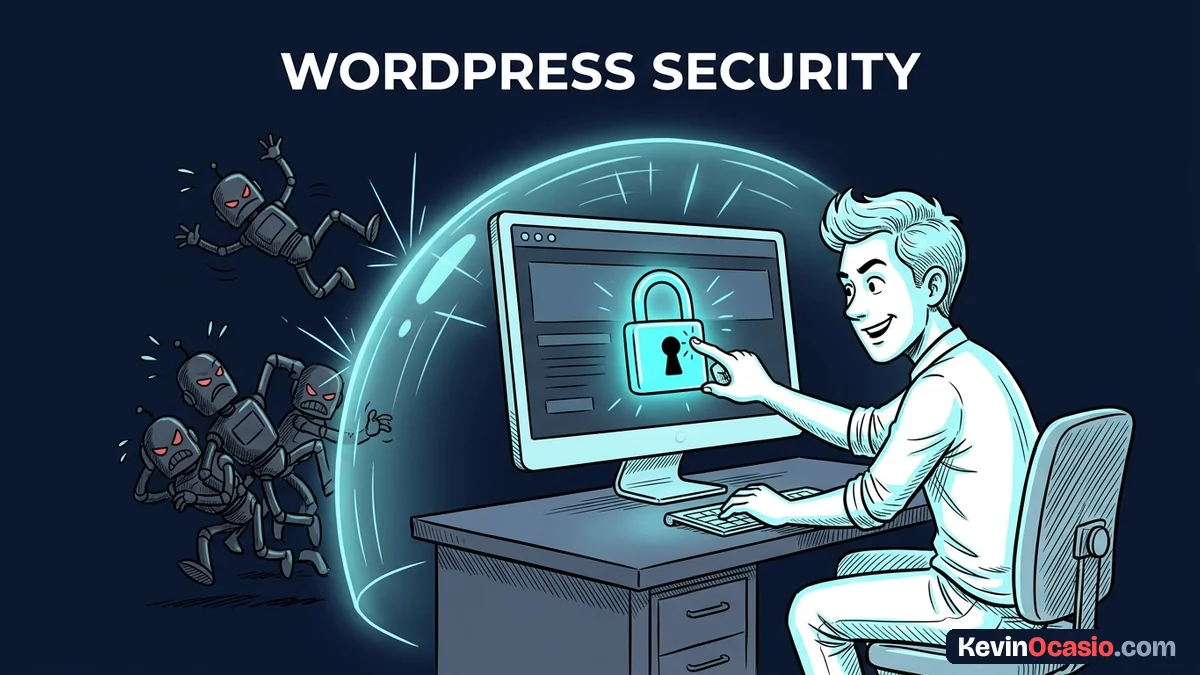
The moment you launch a WordPress site, companies try to sell you a $199 security suite. They warn you that hackers will ruin your business overnight unless you pay their fee.
The Short Version
- Costly security plugins slow down your site by running heavy scans that eat up your server power.
- Turn on free two-step login and turn off XML-RPC to block bot logins at your front door.
- Rely on web host firewalls and quick auto updates to keep your site safe for zero dollars.
Jump to Section
- The Hidden Cost of Heavy Security Suite Plugins
- Locking Down Your Login with Two-Step Codes
- Shutting Down XML-RPC and Old Entry Points
- WordPress Security Without Premium Plugin Tools at the Server Level
- The Five-Minute Routine That Keeps Your Site Safe
- Lock Down Your WordPress Site Today for Zero Dollars
- Frequently Asked Questions About WordPress Security
The Hidden Cost of Heavy Security Suite Plugins
Big security plugins love to scare new site owners. They show red warning alerts and push paid plans that cost $99 to $299 every year. Most people panic, pull out a credit card, and think their site is safe.
Those companies don’t tell you how their plugins work under the hood. They run non-stop background scans and log every click into your database. Over time, that constant scanning slows down your page speed and eats up your hosting plan limits.
Most WordPress security problems come from third-party plugins that owners forget to update. The core WordPress code itself is very safe. Paying a yearly fee for a heavy tool doesn’t fix bad habits, but it drains your cash.
You don’t need a heavy security suite to run a clean site. Running fewer plugins is always the best way to keep your site safe.
Locking Down Your Login with Two-Step Codes
Automated bots attack WordPress login screens all day. They test millions of stolen passwords to guess your details. If you use a basic username or a weak password, a bot can get inside in seconds.
A two-step login code solves this problem at once. When you turn on two-step login, anyone signing in needs your password and a six-digit code from your phone. Even if a bot guesses your password, it can’t get past that second step.
Setup takes less than three minutes using a free app on your mobile device. Hackers even use automated bots to target two-factor authentication, but an authenticator app on your phone keeps your admin account safe.
Before you add any new tool, learn how to inspect a WordPress plugin so you don’t install an abandoned addon full of known bugs. A clean, free login tool is all you need.
Shutting Down XML-RPC and Old Entry Points
WordPress has a legacy feature called XML-RPC that lets outside apps talk to your site. Years ago, people used it to post from mobile apps or desktop software. Today, the WordPress REST API handles that job, leaving XML-RPC as an easy target for hackers.
Bad actors love XML-RPC because one quick request can test hundreds of passwords at once. That lets bots hit your site with rapid brute-force attacks. That junk traffic slows down your server and hurts your real visitors.
Stopping junk traffic is also key when you want to protect your WordPress site from crashing under sudden load. You can turn off XML-RPC with a tiny code snippet in your server files or with a free toggle tool.
Once you close that door, bots can’t use it to guess passwords or flood your site with fake pings. You get instant safety without running any heavy background scans.
Here is how a paid annual security suite compares to a lean, native setup on your server:
| Protection Layer | Paid $199/yr Security Suite | Lean Native Setup |
|---|---|---|
| Annual Software Cost | $99 to $299 each year | $0 (Free built-in tools) |
| Server Speed Impact | Heavy database scans and slow load times | Zero slowdown from scans |
| Login Page Safety | Local database logs of failed attempts | Free phone app login codes |
| Brute-Force Bot Defense | PHP scripts run after server gets hit | Server firewall blocks bots early |
| Plugin Clutter | Large code base needing constant updates | Zero extra plugin baggage |
WordPress Security Without Premium Plugin Tools at the Server Level
The best place to stop an attack is before bad traffic ever reaches your site. When you rely on a heavy security plugin, your server has to load WordPress just to block a bad visitor. That wastes server memory and speed.
Good web hosts handle this job for you at the server level. When you pick reliable web hosting with a built-in firewall, the host blocks bad bots automatically. That keeps your database fast and your server happy.
You can also run your domain through a free Cloudflare account. Cloudflare sits in front of your host, stopping bad traffic before it touches your site. Their free plan costs zero dollars and blocks bots better than any WordPress plugin.
When you build an online business with WordPress, your main job is keeping your site live and fast for buyers. Moving your defense to the server level keeps pages fast and gives you strong protection for free.
The Five-Minute Routine That Keeps Your Site Safe
Site safety isn’t something you buy once and forget. It’s a simple set of habits that keep your software clean. The best part is that this routine takes less than five minutes a month once it’s set up.
Turn on auto updates for minor WordPress releases and trusted plugins. Dev teams patch bugs fast, but unpatched sites stay open to attacks until owners hit update. Auto updates close those holes before bot scanners find you.
Check your plugins once a month and delete tools you don’t use. Turning off a plugin isn’t enough because its files still sit on your server. If a tool doesn’t help you run your site or make sales, remove it for good.
Set up automated backups that save a copy of your site to cloud storage each week. If an update or host glitch breaks your site, a clean backup lets you restore everything fast without paying anyone to fix it.
Lock Down Your WordPress Site Today for Zero Dollars
You don’t need a pricey yearly plugin to protect your hard work. Heavy plugins take your cash and slow down your site while doing jobs that free tools and good web hosts handle better.
Take ten minutes today to turn on two-step login codes on your admin account. Next, turn off XML-RPC and turn on auto updates inside your dashboard. Taking these quick steps locks out bots, protects your site, and saves you hundreds of dollars each year.
Frequently Asked Questions About WordPress Security
Do I need a security plugin if my web host has a firewall?
Most quality hosts provide firewalls that block bad traffic before it reaches your site. Adding a heavy security plugin on top slows down your pages and causes clutter. A free two-step login tool is often the only extra addon you need.
Are login codes necessary for a small blog?
Yes, because bots don’t care how big or small your site is. Automated scripts scan thousands of web addresses every day looking for easy login screens. Turning on two-step login codes stops password guessing cold.
Does turning off XML-RPC break any site features?
Turning off XML-RPC only affects old publishing apps and the official WordPress phone app. Modern tools connect through the native WordPress REST API. Your normal site features, theme, and modern plugins will work fine.
Why do security plugins slow down WordPress sites?
Security plugins run background file scans and log thousands of hits into your database. All that work eats up server memory and slows down your page load speed for real visitors.
Can a free Cloudflare account replace a paid security plugin?
A free Cloudflare account filters out bot traffic and blocks bad visitors before they touch your server. Paired with strong passwords and login codes, Cloudflare gives you better defense than most paid plugins.
How often should I update plugins and themes?
Update your plugins and themes as soon as patches come out. Most WordPress security bugs come from outdated add-ons. Turning on auto updates for trusted plugins keeps fixes applied right away.
What should I do if my site gets hacked without a plugin?
If your site gets hacked, your fastest fix is restoring a clean offsite backup. Once restored, update all software, reset your passwords, and change your security keys. You don’t need a costly plugin when you keep clean backups.