Buying your domain and web hosting from one company feels easy on day one. Still, that choice sets your bills for the next four years. Looking at Spaceship vs Hostinger shows two strong platforms built for very different jobs.
The Short Version
- Split your domain and hosting by grabbing your .com at Spaceship for about $10 a year and running WordPress on Hostinger.
- Pick all-in-one Hostinger if you want one login, a free year-one domain, and built-in backups with zero DNS steps.
- Pick all-in-one Spaceship for small starter sites where keeping year-five hosting bills near $29 a year matters most.
Jump to Section
Four-Year Domain, Email, and Hosting Cost Breakdown
Yearly domain fees create the first big gap here. A .com at Spaceship costs $8.48 to $9.48 in year one, then renews near $9.98 a year plus the $0.20 ICANN fee. Privacy stays free forever. Hostinger throws in a free domain for year one with any 12-month or longer host plan, then bills $19.99 a year with free privacy.
Shared hosting flips the math on upfront cash. Spaceship’s Essential plan starts at $1.66 to $1.99 a month ($19.88 year one) and bills near $28.88 a year later for up to five domains and 20 GB NVMe storage. Auto backups cost $5.88 a year extra. Spaceship Pro runs $2.41 to $2.88 a month promo and $48.88 a year later with no site cap and 50 GB of NVMe.
Hostinger asks for more cash upfront so you lock in a low four-year rate. Premium costs $2.99 a month on a 48-month term ($143.52 upfront, $10.99 a month later) for three sites, 20 GB SSD space, and free weekly backups. Business runs $3.99 a month ($191.52 upfront, $16.99 a month later) with unlimited sites, 50 GB NVMe drives, daily backups, a CDN, and staging.
Business email shows a clear gap once year one wraps up. Spacemail gives you five free 1 GB inboxes on your main domain for year one with hosting. On its own, it runs $0.79 to $0.98 a month billed yearly. Hostinger Premium gives you two free inboxes per site for year one, then bills near $1.59 a month per inbox.
Seeing all three setups side by side over four full years makes the smart path clear:
| Setup Factor | All-in-One Spaceship (Essential Plan) | All-in-One Hostinger (Premium) | Split Setup (Spaceship + Hostinger) |
|---|---|---|---|
| 4-Year Total (1 .com + Host + Backups) | ~$170 (with $5.88/yr AutoBackup) | ~$203 ($143.52 host + 3x $19.99 domain) | ~$184 ($143.52 host + 4 yrs Spaceship domain) |
| Auto Backups | Paid add-on ($5.88/yr) | Free weekly (daily on Business) | Free via Hostinger |
| Daily Menus | Launchpad + cPanel | One clean hPanel | Spaceship DNS + hPanel |
| Email After Year 1 | ~$0.79-$0.98/mo billed yearly | ~$1.59/mo per inbox | ~$0.79-$0.98/mo via Spacemail |
| Year 5+ Renewal | ~$28.88/yr host + ~$9.98/yr domain | $10.99/mo host + $19.99/yr domain | $10.99/mo host + ~$9.98/yr domain |
WordPress Speed, Backups, and Daily Menus
Day-to-day site work feels quite different once you log in. Spaceship uses Launchpad for domains and billing, then sends you to cPanel for WordPress files. That works fine if you know cPanel, yet new users often find its grid of icons hard to scan. Hostinger keeps updates, speed switches, and tools in one clean hPanel menu.
Site backups are where Hostinger pulls ahead for active WordPress blogs. Premium plans include free weekly backups, and Business adds daily backups right inside hPanel. If a bad plugin breaks a page, you can roll back just one folder or database in two clicks. Spaceship doesn’t bundle free auto backups on base plans, charging $5.88 a year after a 30-day trial.
Both hosts use LiteSpeed servers, so a clean blog loads fast on either plan. Hostinger Business adds a built-in CDN and 1-click staging so you can test edits before readers see them. You can check those speed perks in the full Hostinger review. Even on fast hosting, a heavy theme is often why your website is slow.
Why Splitting Your Domain and Host Protects Your Site
Putting your domain and hosting in one spot ties both to the same login and card. If an expired card or traffic spike pauses your host, your site and email can go dark. Splitting your domain and host cuts real switching costs if you ever need to move fast.
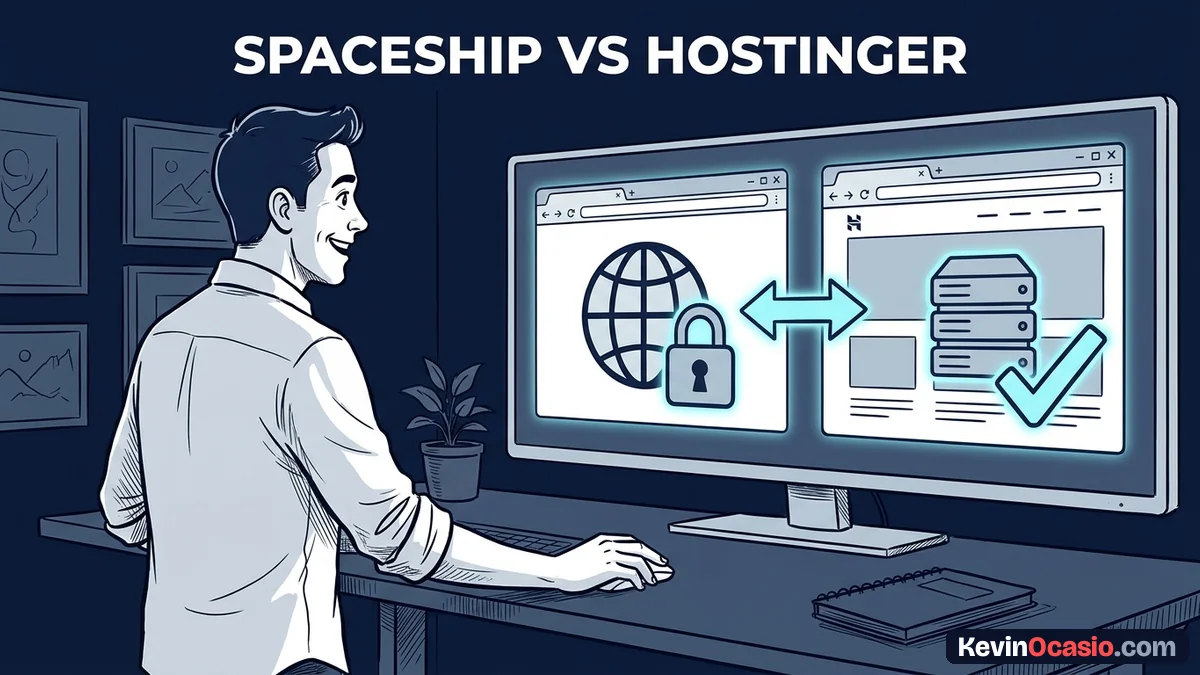
Linking a Spaceship domain to Hostinger takes five minutes. You just paste Hostinger’s two nameservers inside Launchpad. Once that sets, WordPress runs on Hostinger while your domain stays safe at Spaceship near $9.98 a year. Moving to a new host later is way cleaner since your domain sits apart from your server.
Still, keeping one login makes sense in two clear cases. New builders who want zero DNS edits can use the Hostinger free domain deal and go live in ten minutes. Meanwhile, a small five-page site with light traffic runs fine on Spaceship, as shown in the full Spaceship review.
Spaceship vs Hostinger: Pick the Right Setup for Your Site
Looking at the four-year math makes each winner clear. Spaceship wins domain renewals, cheap business email, small starter sites, and year-five host bills. Hostinger wins WordPress ease, free backups, staging and CDN on Business, and four-year price locks. For most solo owners, the split setup wins overall at ~$184 over four years.
When Spaceship Fits Best
Your best first move on any new site is to grab your domain at Spaceship so yearly bills stay near $9.98 with free privacy. If you only need a small five-page site on a tight budget, Spaceship’s Essential plan plus the $5.88 backup add-on keeps bills tiny for years.
When Hostinger or the Split Setup Wins
When you’re building a growing blog or product hub, lock in a Hostinger WordPress plan for 48 months and point your Spaceship domain over. Want one login and zero DNS steps instead? Hostinger’s all-in-one plan still gets you live fast. Just set a year-four alert so the $10.99 or $16.99 monthly bill won’t surprise you.
Frequently Asked Questions About Spaceship vs Hostinger
Is it cheaper to buy a domain and hosting together or separately?
Over four years, a Spaceship domain plus Hostinger Premium runs about $184, while keeping both at Hostinger runs about $203. Each extra .com you own saves about $10 a year when you keep domains at Spaceship.
Can I point a Spaceship domain to Hostinger and keep Spacemail?
Yes, you can host WordPress at Hostinger while keeping Spacemail live on your Spaceship domain. Leave Spaceship’s default nameservers and MX records in place. Then point just your website A record to Hostinger.
Does Spaceship shared hosting work well for WordPress?
Spaceship’s Essential and Pro plans run on LiteSpeed servers with NVMe drives, so a light blog loads fast. Turn on the $5.88 yearly AutoBackup add-on for safe restores, since base plans don’t include free backups.
How long does it take to connect a Spaceship domain to Hostinger?
Pasting Hostinger’s two nameservers inside Launchpad takes about five minutes. Most sites go live in one to four hours, though full web DNS updates can take up to 24 hours.
What happens to Hostinger’s free email inboxes after year one?
Hostinger Premium gives you two free email inboxes per site during your first year. After twelve months, each inbox bills near $1.59 a month unless you turn it off or switch to Spacemail.
Which host costs less to renew after the intro term ends?
Spaceship wins year-five bills by a wide gap. Its Essential plan renews near $28.88 a year, and Pro renews near $48.88 a year. Hostinger’s 48-month plan locks your low rate for four years, then bills $10.99 a month on Premium or $16.99 on Business.
Can I move my free Hostinger domain to Spaceship later?
You can move any Hostinger domain to Spaceship once the 60-day transfer lock ends. Unlock it in hPanel and grab your auth code. Start the move inside Spaceship so yearly bills drop from $19.99 to about $9.98.