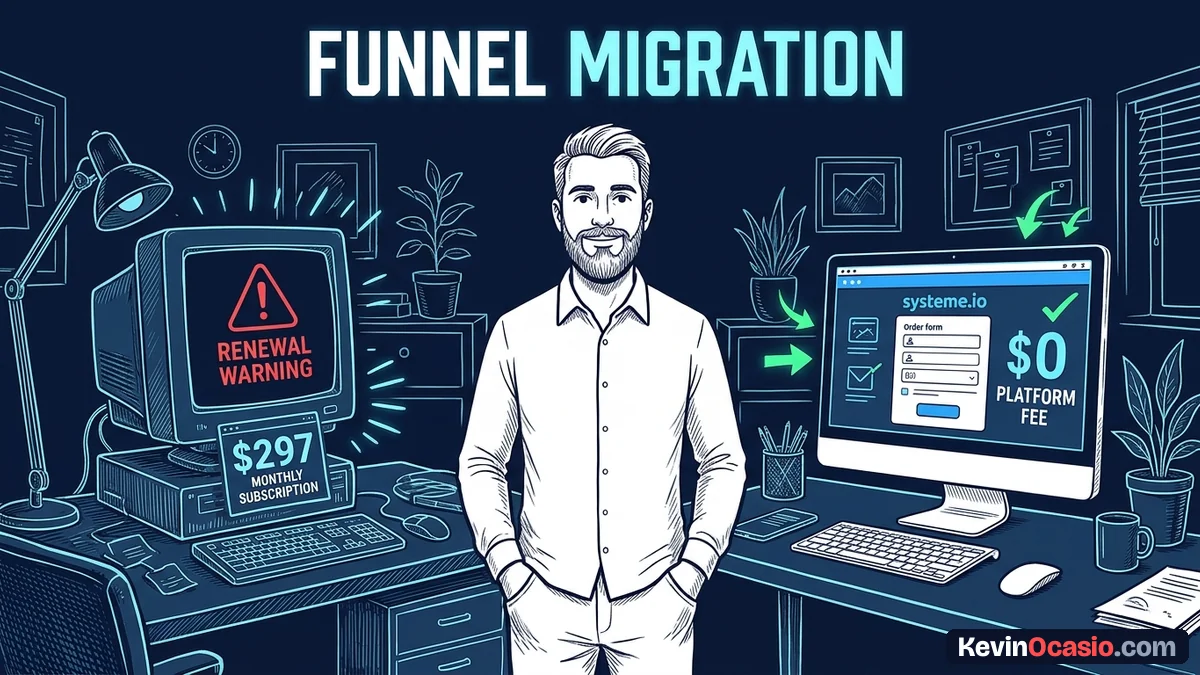
Paying ninety-seven dollars a month for ClickFunnels gets old fast. Most people only use a sales page and a simple order form. You can move your whole setup to Systeme.io in an afternoon. That’s an easy way to cut your monthly bill to zero without losing a single buyer.
The Short Version
- Rebuild your core pages in Systeme.io before touching domain records so your funnels stay live without downtime.
- Export your contact lists cleanly from ClickFunnels and import them with tags so automated emails send on time.
- Verify your checkout gateway in test mode before pointing your domain CNAME records to make your new pages live.
Jump to Section
Map Your Funnel Pages and Rebuild Layout Blocks
Never cancel ClickFunnels before your replacement pages can take payments. It’s smart to run both tools side by side for a few days. That way, buyers can still check out on your old links while you build your new pages.
You might keep paying ClickFunnels because you put hours into your first build. Falling into that sunk cost trap wastes hundreds of dollars every quarter. Rebuilding a standard funnel doesn’t take more than two hours with your saved copy.
Log into your Systeme.io account and open the Funnels tab. If you want to compare how both visual editors handle layout blocks, look over Systeme.io vs ClickFunnels before you build. Use these quick steps to build your funnel shell:
- Create your funnel: Open Funnels on your menu, click Create, name your funnel, and pick Sell.
- Pick a simple template: Choose a clean layout for your order form to save setup time.
- Paste your sales copy: Copy your headlines from ClickFunnels and paste them into matching blocks in Systeme.io.
- Upload your images: Save your product art to your computer, then drag it into your image library.
- Set up your thank-you page: Add a simple page with download links or login steps for buyers.
Keep your design clean during the rebuild. You don’t need fancy timers or popups on day one. A simple page with a bold headline, three bullet points, and a clean checkout box converts buyers best.
Recreate Products, Order Bumps, and Payment Gateways
A sales funnel can’t make money until your payment gateway connects to your checkout forms. ClickFunnels uses merchant accounts, and Systeme.io does the same thing. You’ll link your existing Stripe and PayPal accounts to your new dashboard. That sends all customer cash straight to your bank.
Click your profile icon, open Settings, and click Payment Gateways. Click Connect on Stripe to log into your merchant account and approve the link. Do the same for PayPal if your buyers prefer checking out with their balance.
Once your gateways show green checks, set up your products. Systeme.io lets you attach digital files, courses, and bonus items right to your cart. To see how the checkout handles one-click upsells, check the Systeme.io review before launching your offer. Follow these steps to set your price and order bump:
- Add your main product: Open your Order Form step, scroll to Pricing Plans, click the plus icon, and set your price.
- Turn on the order bump: Toggle the Order Bumps switch, click Add an order bump, and pick your bonus guide.
- Write your bump copy: Type a short description of the item, set your price, and pick a bright border color.
- Set your delivery rule: Under the automation rules tab, add a rule that grants product access when someone buys.
If you run dozens of funnels or host large courses, doing this by hand can feel slow. Systeme.io offers a free migration service if you buy an annual plan or their unlimited monthly tier. Their team will rebuild your funnels and courses for you so you won’t have to pause your business.
How to Migrate ClickFunnels to Systeme.io Email Lists and Tags
Your subscriber list is the most valuable part of your business. When you leave ClickFunnels, you must bring your contacts, buyers, and tag records with you. Leaving customer records behind means you won’t be able to email your buyers or launch new offers.
Open ClickFunnels, click Contacts, and look for the export button. ClickFunnels will make a CSV file with your subscriber names, email addresses, and past orders. Download that file to your computer. Open it in Google Sheets to check the data before uploading anything.
Delete blank columns, remove old dead emails, and make sure your tags sit in their own column. It’s easy to clean your file in ten minutes to stop bad data from hurting your account. Use these steps to move your audience:
- Create your tags first: Open Contacts in Systeme.io, click Tags, and make tags that match your old audience groups.
- Upload your CSV file: Click Contacts, choose Import contacts, pick your file, and select the tag for this group.
- Map your fields: Match the email column to Email, the name column to First Name, and map any custom fields.
- Rebuild your campaigns: Click Emails, choose Campaigns, and paste your sales emails into a new sequence.
- Set up trigger workflows: Open Automations, click Workflows, and build a rule that adds new leads to your sequence.
Here’s how ClickFunnels compares to Systeme.io on pricing and plan limits.
| Feature / Migration Rule | ClickFunnels Reality | Systeme.io Setup |
|---|---|---|
| Entry Monthly Price | Starts at $97/mo (Launch Plan) | $0/mo (Free Plan) or $17/mo (Startup) |
| Funnel Capacity on Base Plan | 20 funnels (Launch Plan) | 3 funnels (Free) or 10 funnels (Startup) |
| Contact Limit on Entry Plan | Up to 10,000 contacts | 2,000 (Free) or 5,000 (Startup) |
| Custom Domain Allotment | 1 custom domain on Launch | 1 domain (Free) or 3 domains (Startup) |
| Platform Transaction Fees | 0% platform fee (standard merchant rates) | 0% platform fee across all tiers |
| Done-For-You Migration | Not available for outgoing users | Free with any annual plan or Unlimited tier |
Looking at these numbers shows why so many people make the switch. You get the same core funnel steps, order bumps, and automated email workflows, so there’s no reason to pay ninety-seven dollars every month.
Switch Your Custom Domain and Launch Your New Funnel
Pointing your domain name away from ClickFunnels makes your new pages live. That’s the exact moment your new checkout opens to the public. If you do this step right, your links update in the background with zero broken pages.
Log into the registrar where you bought your domain, such as Spaceship, Namecheap, or Cloudflare. Open the DNS page for your domain. You can browse the best ClickFunnels alternatives to find other low-cost page builders before moving your traffic. Follow these steps to point your custom domain:
- Add your domain to Systeme.io: Open Settings, click Custom Domains, hit Add domain, and type your web address.
- Copy your two CNAME records: Systeme.io displays two CNAME records: one points your domain, and the other validates your SSL certificate.
- Paste records into your DNS panel: Make two new CNAME records in your registrar, paste the hostnames and targets, and save.
- Remove old ClickFunnels records: Delete the old CNAME record pointing to ClickFunnels so there are no conflicts.
- Run a live test order: Wait twenty minutes for records to verify. Open your new page and run a one-dollar test purchase with your card.
Once your test charge goes through and your email arrives, you can cancel ClickFunnels. Head into your billing settings and cancel your plan. You’ve just moved your business onto Systeme.io and freed up over a thousand dollars in yearly software bills.
Frequently Asked Questions About Migrating from ClickFunnels to Systeme.io
Can I import my ClickFunnels pages directly into Systeme.io with one click?
No, there’s no direct clone button between the two tools. You copy your text and images over and paste them into the visual editor.
Will my ClickFunnels pages stay live while I rebuild them?
Yes, your old funnels remain active and collect payments while you build. They won’t go offline until you switch your domain records.
Does Systeme.io charge extra transaction fees on sales?
No, Systeme.io doesn’t charge extra platform fees on your sales. You only pay normal card processing fees to Stripe or PayPal.
How do I handle recurring subscriptions from existing ClickFunnels members?
Old recurring payments live in your connected Stripe account. Your active members continue rebilling in Stripe, while new buyers sign up through your new forms.
How do I get Systeme.io to move my funnels for free?
Systeme.io provides free migration when you buy an annual plan or the monthly Unlimited plan. Submit a ticket from your dashboard and their team moves your assets.
How long does the custom domain switch take to update?
Most CNAME records update in fifteen to thirty minutes. In rare cases, web networks take a few hours to show your new pages worldwide.