
If a visitor clicks an external link inside your content and it opens in the same browser window, they leave your website completely. Manually checking the “Open in new tab” box on dozens of links across hundreds of articles takes forever. KO External Links New Tab lets you automatically open external links in new tab WordPress posts and widgets with secure attributes in one click.
You can keep visitors on your website while letting them explore referenced resources safely in separate tabs. This tool is part of my collection of free WordPress plugins built to streamline everyday website management without slowing down your site.
- Version: 1.0.0
- Requires WP: 6.0+
- PHP: 7.4+
- Frontend Assets: 0 KB
- License: GPLv2
Why I Built KO External Links New Tab
Whenever you write detailed guides, comparison reviews, or tutorials, you naturally link to outside documentation, tools, and research sources. If those links open in the same window, readers click away from your site and lose their place in your article.
Going back into every single post to manually edit link targets in the block editor is tedious busywork. Most third-party external link plugins load heavy JavaScript trackers or clutter your admin with confusing menu screens.
I built this lightweight micro-plugin to solve the problem automatically. It checks your post links on the fly, adds target="_blank" to outside domains, and injects secure rel="noopener noreferrer" tags without touching your database or loading external scripts.
How to Open Outbound Links in a Fresh Tab Automatically
Here is how this tool handles external links across your WordPress site:
- Automatic Link Detection: Automatically identifies outbound links pointing to external domains and sets them to open in a new tab.
- Protects Internal Links: Ignores your own domain, relative paths, anchor jumps, and email links so regular site navigation works normally.
- Built-In Browser Security: Injects
rel="noopener noreferrer"on external links to protect your website from tab-hijacking security risks. - Zero Database Modifications: Applies link attributes dynamically on page output, keeping your stored database content 100% clean.
- Zero Frontend JavaScript: Runs entirely on clean server-side PHP filters with 0 KB of frontend script weight.
- 100% Free & Open Source: Released freely under the GPLv2 license with the full source code available on GitHub.
How to Install and Set Up KO External Links New Tab
Setting up automatic new tab links takes less than two minutes:
- Download the ZIP: Grab the latest
ko-external-links-new-tab.zipfile using the download button above. - Upload & Activate: Head into Plugins -> Add New Plugin -> Upload Plugin in your dashboard, pick the zip file, and click Activate.
- Confirm the Toggle: Open up KO Plugins -> Dashboard from your sidebar to make sure the Open in New Tab switch is toggled to ON.
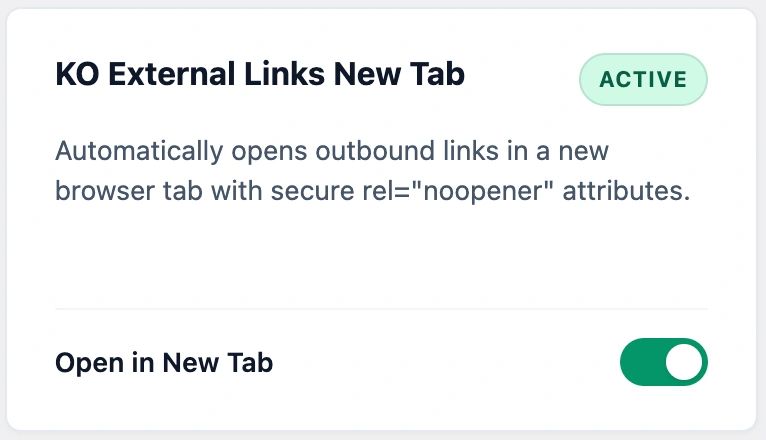
Once active, any outbound link in your published posts or text widgets will automatically open in a separate browser tab.
Frequently Asked Questions About KO External Links New Tab
Will this plugin change internal links pointing to my own pages?
No. The plugin checks your domain automatically and only modifies links pointing to external third-party websites.
Does this plugin alter my database or permanently change post content?
No. It works dynamically on page display using standard WordPress filters. Your raw database content remains untouched.
What happens if I already set a link to open in a new tab manually?
The plugin skips links that already have a target attribute defined, so it will never duplicate attributes or break custom formatting.
Why does the plugin add rel=”noopener noreferrer” to external links?
Modern browsers use these security tags to prevent newly opened external webpages from accessing your original tab’s window properties or redirecting your page.
Does this plugin load frontend JavaScript or slow down page loads?
No. It runs entirely on fast server-side PHP filters and loads 0 KB of frontend JavaScript or CSS on your public pages.
Can I use this plugin on client websites?
Yes. KO External Links New Tab is licensed under GPLv2, which means you can install and use it freely on unlimited personal, business, or client websites.