
Rebuilding complex page layouts or recreating recurring post templates from scratch eats up hours of your time. Copying text blocks and custom fields by hand is slow and leads to formatting mistakes. KO Duplicate Post Button lets you duplicate posts in WordPress with a single click right from your post list.
You can clone articles, pages, and custom post types into fresh drafts in seconds. This tool is part of my collection of free WordPress plugins built to speed up your daily publishing workflow without slowing down your site.
- Version: 1.0.0
- Requires WP: 6.0+
- PHP: 7.4+
- Frontend Assets: 0 KB
- License: GPLv2
Why I Built KO Duplicate Post Button
Whenever you build a successful sales page or tutorial format, you want to use that same layout again for your next project. Copying and pasting every block by hand takes too long.
Popular duplication plugins on the market are packed with cluttered settings panels, tracking scripts, and constant upsells you don’t need just to clone a post.
I built this micro-plugin to do one job cleanly. It adds a simple “Duplicate” action link right under your post titles in your admin list. Click it once, and a perfect draft copy appears right away.
How to Clone Posts, Pages, and Custom Templates
Here is how this cloning tool speeds up your workflow:
- One-Click Row Action: Hover over any item in your post list and click Duplicate to create a copy instantly.
- Copies All Post Data: Duplicates post content, excerpts, featured images, categories, tags, and custom fields.
- Saves as Draft: Sets the new item to Draft status so your live site remains unaffected until you publish.
- Works on All Post Types: Clones standard blog posts, static pages, and custom post types.
- Zero Frontend Script Weight: Operates entirely inside your WordPress admin dashboard with 0 KB of frontend scripts.
- 100% Free & Open Source: Released under the GPLv2 license with full source code on GitHub.
How to Install and Use KO Duplicate Post Button
Cloning your first post takes less than two minutes:
- Download the ZIP: Grab the latest
ko-duplicate-post-button.zipfile using the download button above. - Upload & Activate: Head into Plugins -> Add New Plugin -> Upload Plugin in your dashboard, pick the zip file, and click Activate.
- Clone Any Post: Go to Posts -> All Posts, hover over any post title, and click the Duplicate link.
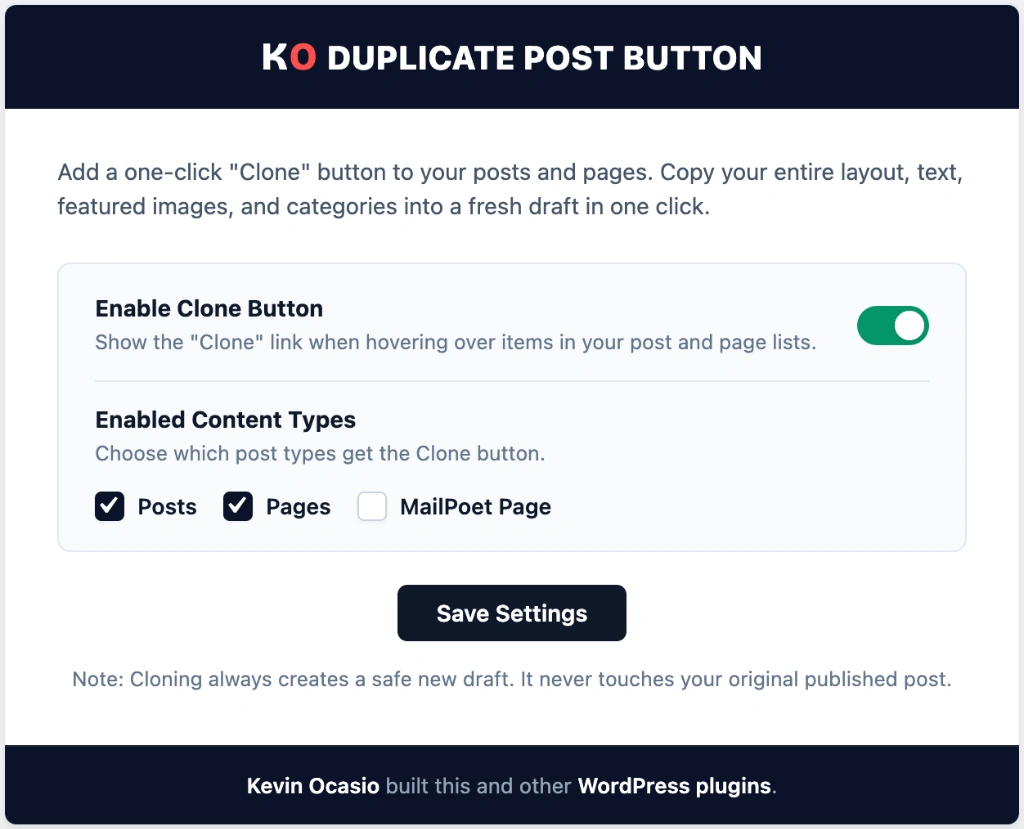
Once clicked, your new draft opens up in your editor ready for edits.
Frequently Asked Questions About KO Duplicate Post Button
Does cloning a post copy its custom fields and metadata?
Yes. The plugin copies all custom field keys and values so your page builder layouts and SEO settings stay intact.
Will the duplicated post publish immediately?
No. Cloned posts are saved as Drafts with a “(Copy)” label so you can make your changes before going live.
Can I clone custom post types with this plugin?
Yes. The Duplicate action link appears on all public post types across your WordPress dashboard.
Can I use this plugin on client websites?
Yes. KO Duplicate Post Button is licensed under GPLv2, so you can use it freely on any website.