
Every WordPress site has a hidden back door called XML-RPC that stays open by default. Hacker bots love this door because it lets them test hundreds of password guesses in a single second without triggering standard login limiters. KO Disable XML-RPC lets you disable XML-RPC in WordPress with one click to lock that back door and protect your site from brute-force attacks.
You can block automated attacks and keep your login screens safe without installing heavy security suites. This tool is part of my collection of free WordPress plugins built to protect websites without slowing them down.
- Version: 1.0.0
- Requires WP: 6.0+
- PHP: 7.4+
- Frontend Assets: 0 KB
- License: GPLv2
Why I Built KO Disable XML-RPC
Years ago, WordPress added XML-RPC so older mobile apps and desktop blogging tools could post content remotely. Today, WordPress uses the modern REST API for remote connections, making the old XML-RPC door completely unnecessary for most websites.
The real trouble is that hackers constantly scan the web for open xmlrpc.php files. They use automated scripts to bombard that file with rapid-fire password guesses or use your server to launch attacks on other sites.
I built this micro-plugin to shut that door tight. It turns off the XML-RPC system, blocks direct requests with an immediate stop sign, and strips out pingback headers so bots move on to easier targets.
How to Lock the XML-RPC Back Door
Here is how this tool lets you disable XML-RPC in WordPress to protect your site:
- Kills Direct XML-RPC Requests: Shuts down access to
xmlrpc.phpand sends an instant 403 Forbidden response to incoming bots. - Stops Rapid Password Guessing: Blocks automated scripts from testing hundreds of password combinations in a single request.
- Strips Pingback Headers: Removes pingback tracks from your server headers so scanners can’t use your site for relay attacks.
- Zero Frontend Code: Runs entirely on backend security filters with 0 KB of frontend CSS or JavaScript added to your pages.
- 100% Free & Open Source: Released freely under the GPLv2 license with the full source code available on GitHub.
How to Install and Set Up KO Disable XML-RPC
Locking down your XML-RPC door takes less than two minutes:
- Download the ZIP: Grab the latest
ko-disable-xml-rpc.zipfile using the download button above. - Upload & Activate: Head over to Plugins -> Add New Plugin -> Upload Plugin in your dashboard, pick the zip file, and click Activate.
- Confirm the Switch: Open up KO Plugins -> Dashboard from your sidebar to make sure the Block XML-RPC switch is toggled to ON.
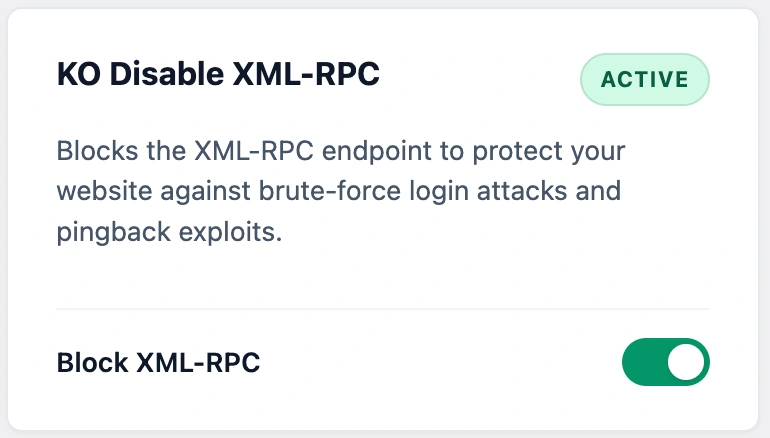
Once active, any bot trying to connect to your XML-RPC file will be blocked instantly at the front door.
Frequently Asked Questions About KO Disable XML-RPC
What is XML-RPC and why does WordPress still have it?
XML-RPC was an old connection door built years ago so mobile apps and desktop editors could post to your blog. Modern WordPress now uses the REST API instead, but core WordPress leaves the old door unlocked by default.
Why do hackers target the XML-RPC door?
Automated bots attack XML-RPC because it lets them test hundreds of password combinations in a single request, dodging basic login attempt limits on your regular login screen.
Will disabling XML-RPC break my regular WordPress dashboard?
No. Your standard admin dashboard, theme customization, content publishing, and everyday plugins continue working normally.
Do I need XML-RPC if I use the Jetpack plugin?
If you use Jetpack’s cloud connection or the WordPress mobile app to manage your site, Jetpack relies on XML-RPC. If you manage your website directly in your browser without Jetpack, you can safely keep it blocked.
How does this plugin stop incoming attacks?
It turns off the internal WordPress XML-RPC filter, serves an instant 403 Forbidden stop sign to anyone requesting xmlrpc.php, and removes pingback headers from server responses.
Can I turn XML-RPC back on if I ever need to?
Yes. Simply toggle the Block XML-RPC switch to OFF on your dashboard. WordPress will restore standard access immediately.
Can I use this plugin on client websites?
Yes. KO Disable XML-RPC is licensed under GPLv2, which means you can install and use it freely on unlimited personal, business, or client websites.