
Every time a visitor opens a page on your site, WordPress injects extra JavaScript and inline styles into your header just to support old-school emojis. Modern phones and computers already support emojis natively, so downloading those extra files only slows down your page load times. KO Disable Emojis lets you disable emojis in WordPress with one click to clean up your code and speed up your site.
You can strip away the unnecessary scripts while keeping full emoji support on your site. This tool is part of my collection of free WordPress plugins built to remove junk code and keep your site blazing fast.
- Version: 1.0.0
- Requires WP: 6.0+
- PHP: 7.4+
- Frontend Assets: 0 KB
- License: GPLv2
Why I Built KO Disable Emojis
Years ago, older desktop browsers could not display emoji symbols properly, so WordPress added a script to convert smileys into small images. Today, every phone, tablet, and laptop renders emojis natively right out of the box.
Yet, default WordPress installs still load wp-emoji-release.min.js, inline CSS blocks, and an extra connection request to s.w.org on every single page visit. These unnecessary files trigger speed warnings and slow down your first content render.
I built this micro-plugin to clean up your site header. It strips out those legacy emoji files, kills the extra server lookups, and lets your visitors’ devices display sharp native emojis without downloading extra scripts.
How to Strip Legacy Emoji Scripts for Better Page Speed
Here is how this tool cleans up your header:
- Drops Head Scripts & Styles: Removes
print_emoji_detection_scriptand inline styling blocks from both public pages and your admin area. - Kills Extra Connection Lookups: Stops unnecessary prefetch requests to
s.w.orgto cut down extra requests. - Preserves Native Device Emojis: Keeps full support for standard Unicode emojis typed from your phone or keyboard without breaking symbols.
- Cleans Feeds & Emails: Strips redundant emoji parsing filters from RSS feeds, comments, and automated emails.
- 100% Free & Open Source: Licensed under GPLv2 with full source code available on GitHub.
How to Install and Set Up KO Disable Emojis
Speeding up your page header takes less than two minutes:
- Download the ZIP: Grab the
ko-disable-emojis.zipfile using the download button above. - Upload & Activate: Head to Plugins -> Add New Plugin -> Upload Plugin, choose the file, and click Activate.
- Turn On the Toggle: Visit KO Plugins -> Dashboard in your admin menu to confirm the Disable Emoji Scripts switch is active.
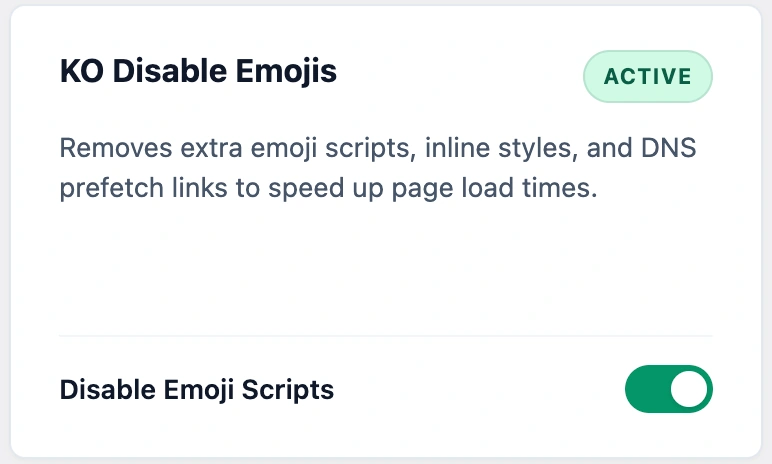
Once active, view your website’s page source. The extra emoji scripts and inline styles will be completely gone from your header.
Frequently Asked Questions About KO Disable Emojis
Will disabling WordPress emojis break emojis on my website?
No. Modern devices (iOS, Android, Windows, macOS) render emojis natively. Disabling WordPress’s legacy scripts lets your visitors’ devices render crisp, sharp emojis without loading extra code.
What scripts and styles does WordPress load for emojis by default?
WordPress core loads a JavaScript detection script (wp-emoji-release.min.js), inline CSS stylesheets in the <head>, RSS feed filters, TinyMCE plugins, and a DNS prefetch request to s.w.org on every page load.
Does removing emoji scripts improve Google PageSpeed scores?
Yes. Removing render-blocking JavaScript and inline styles reduces total page weight, cuts HTTP requests, and eliminates external DNS lookups for faster initial paint times.
Can I still type and publish emojis in my blog posts?
Yes. You can type or paste any Unicode emoji (like ?, ✅, or ?) directly from your device keyboard into your post titles, content, and comments normally.
Can I re-enable the default emoji scripts if I ever want to?
Yes. Simply toggle the Disable Emoji Scripts switch to OFF on your dashboard. WordPress will instantly restore default emoji script and style loading.
Can I use this plugin on client websites?
Yes. KO Disable Emojis is licensed under GPLv2, which means you can install and use it freely on unlimited personal, business, or client websites.