
If you run a portfolio site, company landing page, or affiliate review hub, having an open comment section is usually an unnecessary headache. Moderating trolls and cleaning up spam creates endless chores. KO Disable Comments Globally lets you disable comments in WordPress globally across your whole website with a single click.
You can shut down comment forms on all posts, pages, and media files while clearing out sidebar clutter. This tool is part of my collection of free WordPress plugins built to help you run a clean, low-maintenance site.
- Version: 1.0.0
- Requires WP: 6.0+
- PHP: 7.4+
- Frontend Assets: 0 KB
- License: GPLv2
Why I Built KO Disable Comments Globally
WordPress started as a blogging engine, so discussion boxes are turned on by default across almost every post type. Even when you uncheck comments in your discussion settings, older articles, static pages, and media attachment pages often leave comment boxes wide open.
Going into every individual post to disable comments manually takes forever. Heavy plugins that handle comments often clutter your dashboard with upsell notices and complex menu tabs you’ll never touch.
I built this tool to provide a simple, 1-click kill switch. It shuts down the entire comment system site-wide, hides existing comments from public view, and strips discussion menus from your admin screens right away.
How to Shut Down WordPress Comments Site-Wide
Here is what happens the moment you flip the switch:
- Complete Post Type Shutdown: Strips comment and pingback support from posts, pages, media attachments, and custom post types.
- Hides Past Comments: Prevents existing comments from displaying on the front end without deleting any records from your database.
- Declutters Admin Screens: Removes the Comments menu, discussion settings, and admin bar bubbles to clean up your dashboard.
- Zero Frontend Code: Operates entirely through native WordPress PHP hooks with 0 KB of frontend CSS or JavaScript added to your pages.
- 100% Free & Open Source: Released freely under GPLv2 with complete source code on GitHub.
How to Install and Set Up KO Disable Comments Globally
Disabling the WordPress comment system site-wide takes less than two minutes:
- Download the ZIP: Grab the
ko-disable-comments-globally.ziparchive using the button above. - Upload & Activate: Click over to Plugins -> Add New Plugin -> Upload Plugin in your dashboard, select the file, and click Activate.
- Flip the Switch: Open KO Plugins -> Dashboard from your admin menu to confirm the Disable Comments switch is toggled to ON.
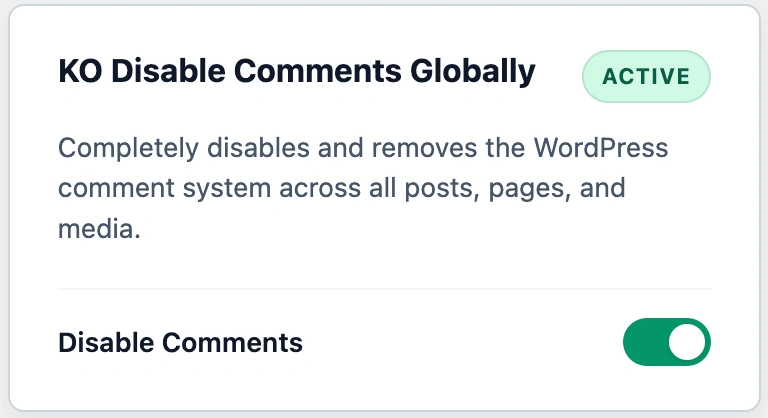
Once active, all comment forms and discussion widgets will disappear from your public pages immediately.
Frequently Asked Questions About KO Disable Comments Globally
Does this plugin delete my existing comments from the database?
No. The plugin hides existing comments from public display and blocks new submissions. Your past comments remain safely stored in the database if you ever decide to re-enable them.
Will this remove the Comments menu from my WordPress admin?
Yes. It removes the Comments menu item from your admin sidebar, hides discussion settings, and strips the comment bubble icon from the top admin bar.
Does this disable comments on pages, media, and custom post types?
Yes. The plugin disables comment and pingback support across all standard post types, static pages, media attachments, and registered custom post types.
What happens if a bot sends an automated comment POST request?
Because the plugin closes comments at the WordPress core level, all incoming automated comment submissions are blocked and rejected automatically.
Can I re-enable comments later if I change my mind?
Yes. Simply toggle the Disable Comments switch to OFF on your dashboard. WordPress will instantly restore comment forms, admin menus, and past comment displays.
Does this plugin slow down my site or load extra scripts?
No. The plugin uses lightweight core PHP action and filter hooks. It loads 0 KB of frontend CSS and 0 KB of JavaScript on your public pages.
Can I use this plugin on client websites?
Yes. KO Disable Comments Globally is licensed under GPLv2, which means you can install and use it freely on unlimited personal, business, or client websites.