
Opening your dashboard to find dozens of spam comments linking to shady sites is a huge waste of time. Spammers don’t care about your articles; they just want a free backlink from their author name. KO Comment Link Remover lets you remove comment author links in WordPress and stop the main reason bots target your site.
You can turn comment author names into plain text and strip website fields with one click. This tool is part of my collection of free WordPress plugins built to keep your site clean and spam-free.
- Version: 1.0.0
- Requires WP: 6.0+
- PHP: 7.4+
- Frontend Assets: 0 KB
- License: GPLv2
Why I Built KO Comment Link Remover
Sorting through piles of junk comments every week eats up valuable hours. Spammers flood comment sections because the author name turns into a clickable link.
Heavy anti-spam plugins use cloud servers to filter spam after it hits your database. But they don’t remove the bait that attracts the bots in the first place.
I built this micro-plugin to remove the incentive entirely. It strips the website URL field from your comment form and shows author names as clean text without links.
How to Strip Comment Author Links and Stop Spam
Here is how this tool protects your comment sections:
- Converts Names to Plain Text: Removes clickable links from all comment author names across your posts.
- Hides the Website Form Field: Removes the website URL input box from your public comment form.
- Stops Spam Bot Incentive: Discourages automated backlink bots from posting on your blog.
- Runs on Clean Filters: Strips links dynamically on output without altering existing comment text.
- Zero Frontend Script Weight: Operates entirely on fast server PHP with 0 KB of frontend scripts.
- 100% Free & Open Source: Released under the GPLv2 license with full source code on GitHub.
How to Install and Set Up KO Comment Link Remover
Stopping comment link spam takes less than two minutes:
- Download the ZIP: Grab the latest
ko-comment-link-remover.zipfile using the download button above. - Upload & Activate: Head into Plugins -> Add New Plugin -> Upload Plugin in your dashboard, pick the zip file, and click Activate.
- Check the Toggle: Open up KO Plugins -> Dashboard and make sure Comment Link Remover is toggled to ON.
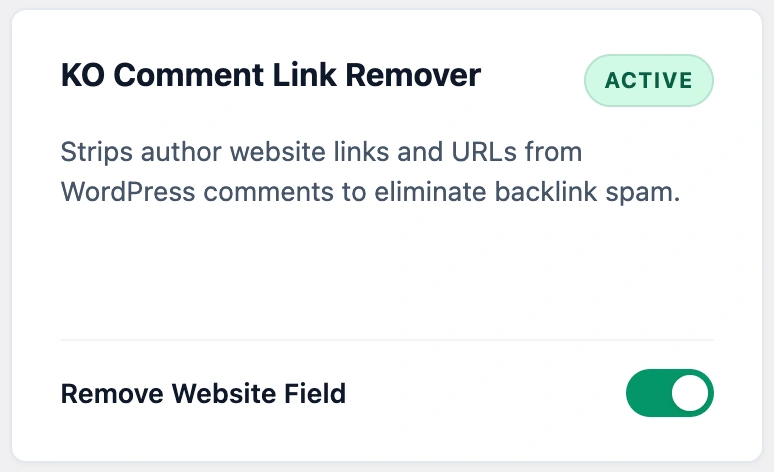
Once active, all comment author names will render as clean, unlinked text.
Frequently Asked Questions About KO Comment Link Remover
Does this delete my existing approved comments?
No. It only removes the link from the author’s name on display. Your comment text and discussion stay intact.
Does this remove links inside the comment body text?
No. It targets the author name link and the website form field where spammers drop their target URLs.
Can real visitors still leave comments?
Yes. Readers can still enter their name, email, and message. They just won’t see a website link field.
Can I use this plugin on client websites?
Yes. KO Comment Link Remover is licensed under GPLv2, so you can install it on any website.